ZBrushCentral

Relationship of this brush edit graph to its actual brush stoke ? (see pic)

I am new to these graphs in general and I am trying to understand how the graphs correlate to the actual brush.
Does the line represent part of the profile of a cross section of the brush stroke?
At first I thought it was that but in this example I don’t see that? This is the clay brush and its default graph.
Also do different types of modifier graphs prepresent different data along their x and y axis ? if so where can I find that info?

Thanks

Attachments
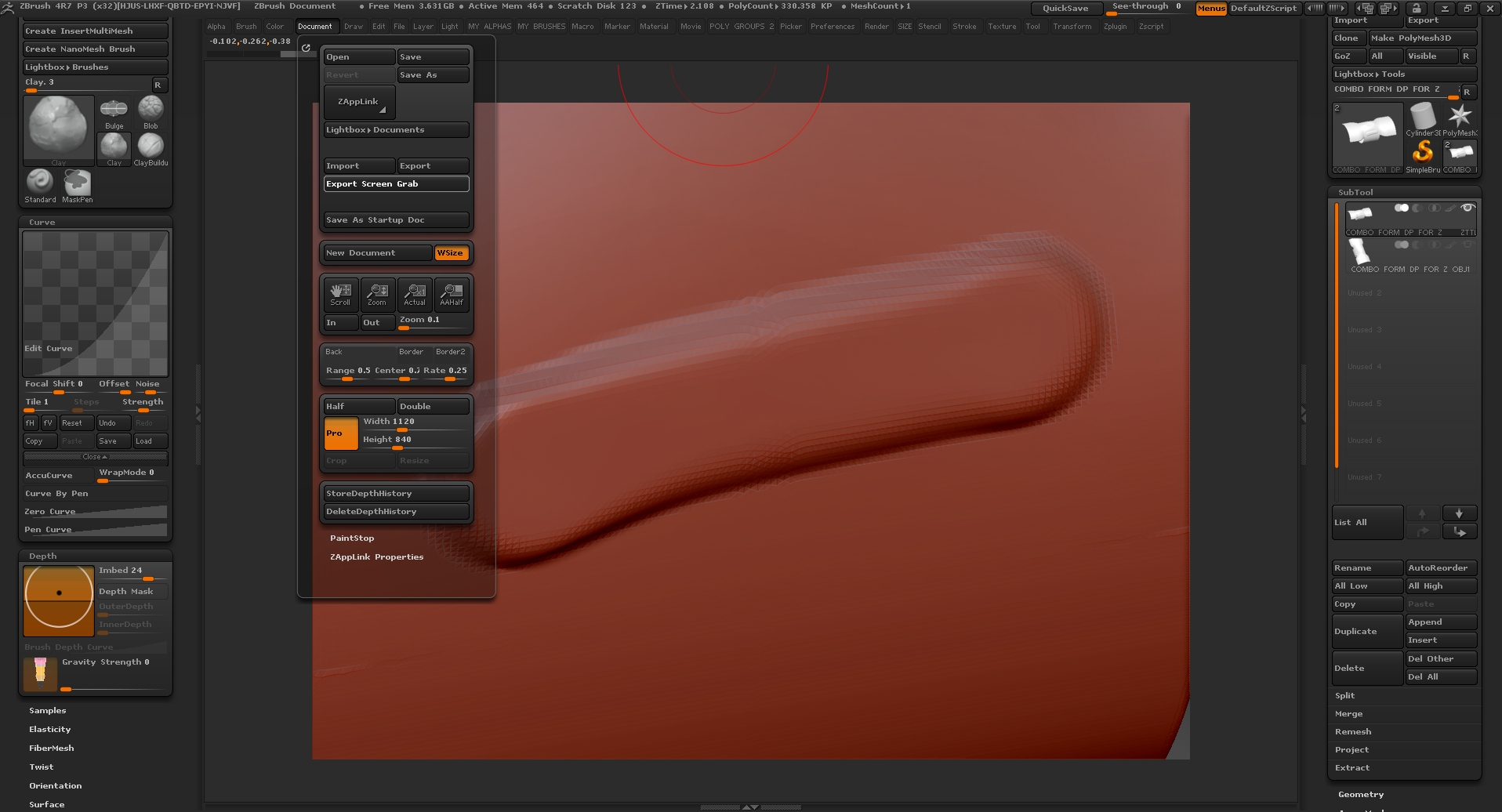
ZBrush ScreenGrab7.jpg

I’ve never been able to work out exactly how the various curves work. You can get a better idea by switching to the Drag Dot stroke. This will then show the brush shape where the profile is essentially rotated 360 degrees. Turning on the AccuCurve button just below the curve is supposed to keep the results closer to the curve - you’ll see that with Drag Dot the profile does seem similar to the curve but this difference disappears when switch back to the Dots stroke.

You can certainly change the look of the brush by changing the curve but there doesn’t seem to be a high level of accuracy!

Thanks for the info Marcus … helpful as usual and greatly appreciated.

eveywhere there is a curve in ZBrush, I am stumped. I mess with it randomly till I get a result I like. Is there somewhere that explains how the curves relate to what is being changed?