ZBrushCentral

Reimport problem of posed meshes under 3.5 R3, a GoZ-problem ?

It has already been a frustrating theme since ZB2:

The problem of exploding meshes when you reimport an previously from ZB exported .obj back into a multilevel ZTool.

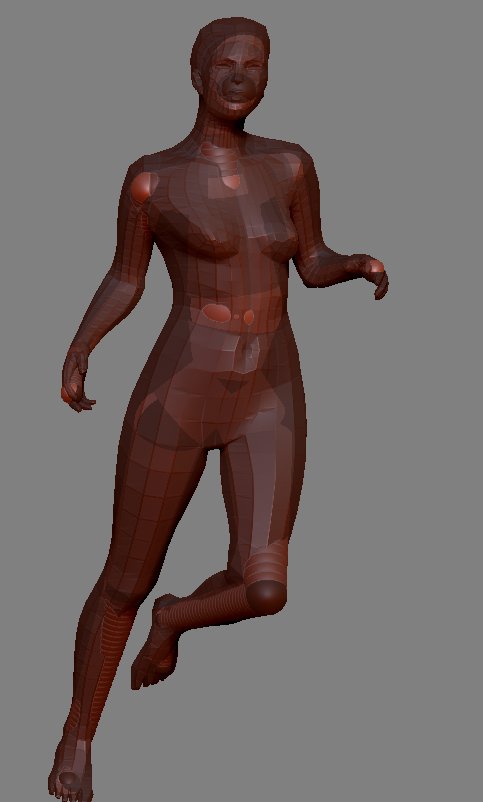
Some have this ugly problem after their UV-work in a 3rd app (Max, Maya, C4d), but it also still exists when I only pose my model within ZB with a low-level version of the multilevel-model via a ZSphere-Rigg, create my low-level-posed result, export that as .obj and reimport it back into the multilevel-Model to transfer the new pose.
In ZB 3.1 and below, the reimport worked, but when stepping up to the next detail level, the mesh exploded.

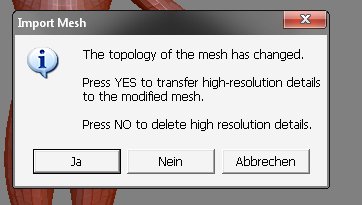
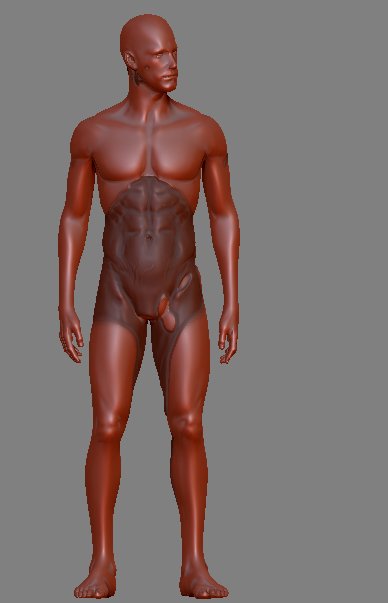
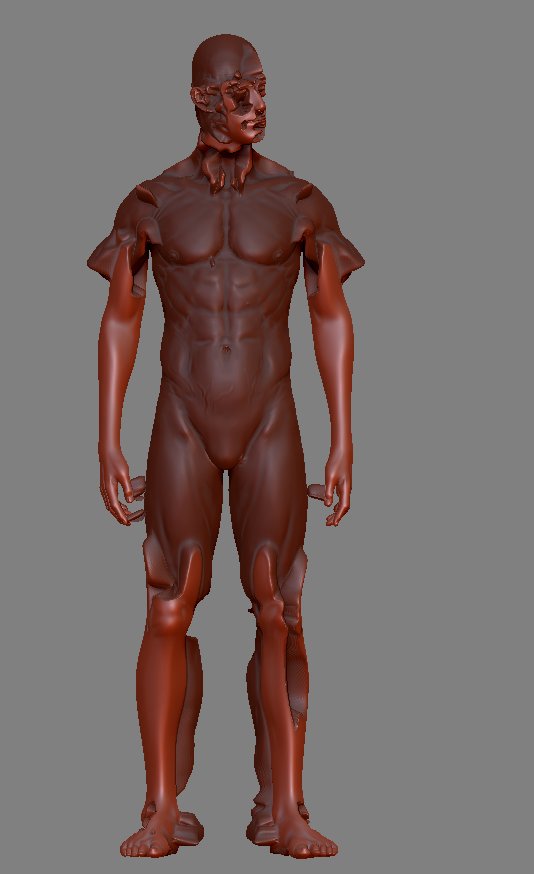
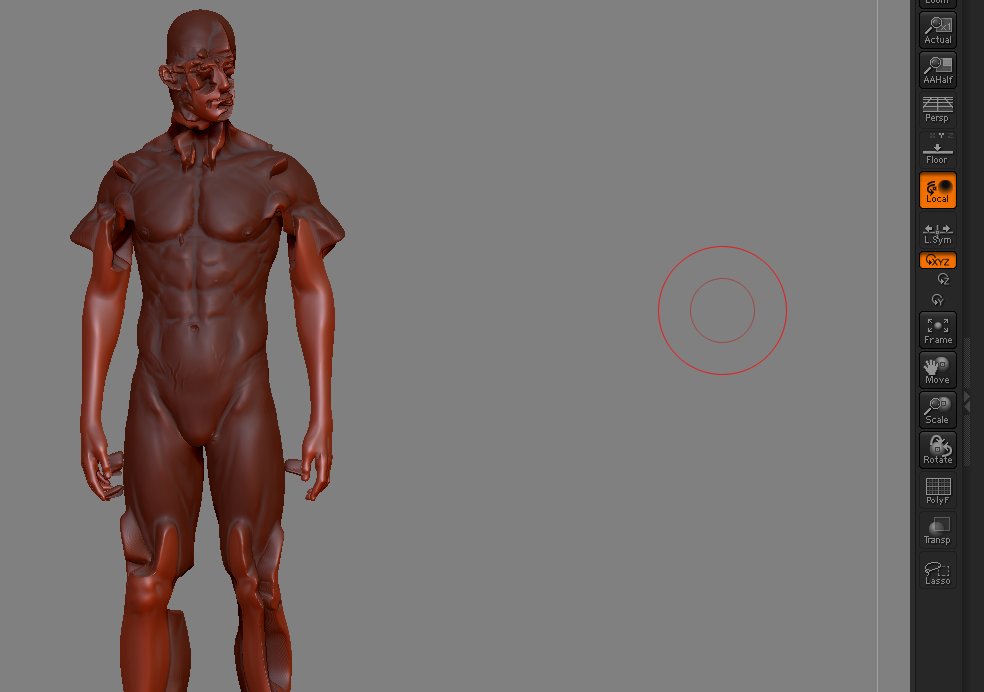
Now under ZB 3.5 R3, it prompts a change of the topology (although nothing was changed on the topo or the vertices), and when you confirm the detail-transfer-question, I get a partly detail-transferred result with masked areas, but the rest of the modeled details are gone.
So, the mesh doesn’t explodes any more under 3.5, but the basic problem remains the same.

ZBrush 3.5 R3 is still not able to proper reimport an previously exported level-1 obj into multi-level ZTools to transfer a new pose and keep the multilevel-details in the new posed mesh.

Here is the example:
(Note, the mesh is taken from James Busby’s ‘Photorealistic male’ workshop and is NOT my work. I only posed it newly with a ZSphere-rigg)

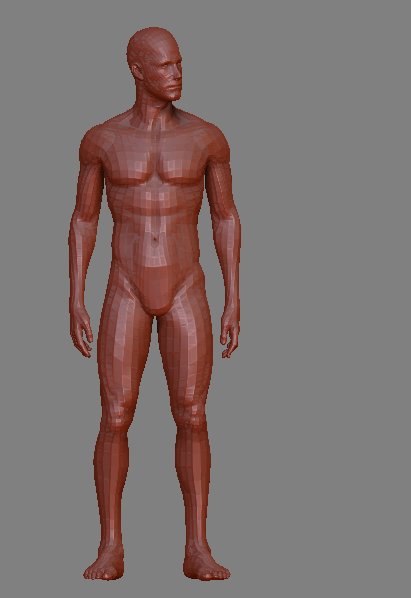
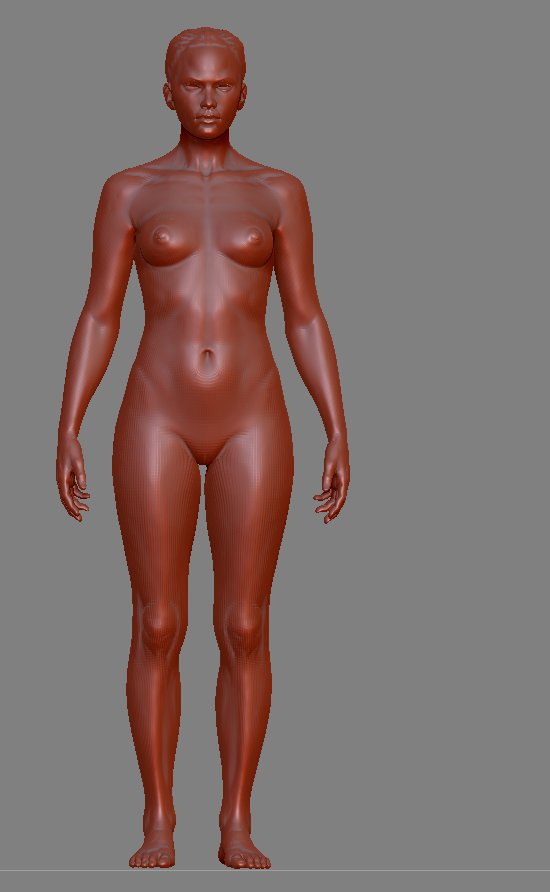
The multilevel ZTool:
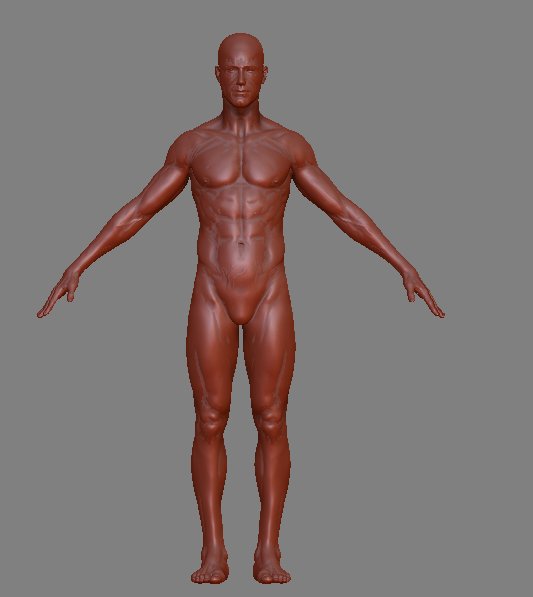
Bild1.jpg

All previously posted solutions (FBX-conversion etc) were tried but nothing helps.
Any suggestions, fixes or solutions ?

Attachments
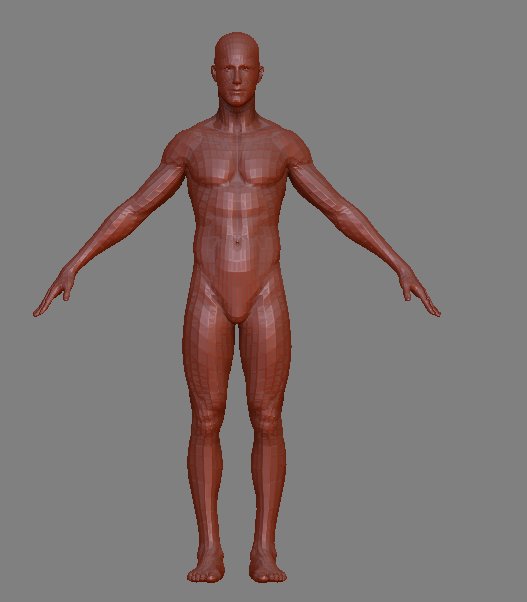
Bild2.jpg

Bild2a.jpg

Bild3.jpg

Bild4.jpg

i think nickz has experienced some of the same issues, i’ve not read the whole thread but maybe it can help:
http://www.zbrushcentral.com/showthread.php?t=78098

Thanks for the link, Spaceboy, I’ll check it.
But reading his entry-post, NickZ is discussing another ugly-old problem of ZBrush: The scale-problem of reimported .obj. That’s another issue and not the one I describe.

But both problems (explode and scale) are problems since years now.
Maybe the Pixo-Crew should primarily care about that in their work on ZB4 instead of focussing on douzends of new brushes that no one really need :wink:

I never have problems with importing and exporting meshes to or from Zbrush…unless Max ends up in the piece somewhere.

The scale problem sucks though…but can be solved with morph targets.

I never have problems with importing and exporting meshes to or from Zbrush…unless Max ends up in the piece somewhere.

Really ?

You tried what I described above and it works with you without any problems ?
Maybe you didn’t pose your models and exported them in the same pose as you reimported them again.
But when you pose a human figure, f.e. put the arms down from the previous T-pose, some vertices may intersect and that might be a reason why ZB makes this problem.

OK, I think I know now what the problem is, but where is a solution ?

I checked some other threads and it seems that GoZ is now responsible for all obj.-import.
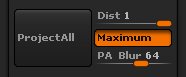
So according to some suggestions in the GoZ-Threads, I appended a subtool to my mesh, increased the scan-slider of the Project all-feature:

Bild5a.jpg

So it’s clear to me that the problem is caused in the structure of GoZ, meaning that GoZ can handle differences in the topology, but NOT in the position of the mesh-parts.
So if you change the position of any part of your mesh, f.e. pose the arms and legs and rotate the head, GoZ will fail to transfer the details to the new posed mesh as it trys to force the mesh back in its original position of the unposed original high-res mesh.

Not very usefull !!

This also means, that some 3.x- key-features like ZSphere-Rigging and Micro-ZSphere-Riggs are totally useless now.
I used them for posing the model as I find it better than Transpose for creating a good and natural pose.
But if I cannot transfer the detail from the original mesh, it’s a nonsense-feature.:eek:

Attachments

Bild5.jpg

Set PA Blur to multiple of 8.

8, 16, 24, 32 etc

No luck:

Bild6a.jpg

I think the problem is caused in the concept of GoZ.
It seems to me that GoZ works in the detail transfer like a automated version of the ZProject-brush.
It only stamps the details back in the mesh on the place where they were located at the original model, but totally disregard changed xyz-positions of the polygons.
But that also limits the useness of GoZ itself (for later in ZB4 as I have a Windows-system) or makes GoZ nearly useless, when I am not allowed to change any Poly-position of the exported mesh outside of ZBrush and as I show here, also not inside ZBrush too.
That’s a very strange concept ! :td:

Attachments

Bild6.jpg

The OBJ export from ZBrush is not related to GoZ. (If you open the OBJ export template you’ll see it’s empty.)

I can’t reproduce the issue you’re having. Is it just with this mesh or does it occur every time? Can you post/send a mesh that consistently gives problems?

Hi Marcus,

this particular mesh is property of James Busby.
But I will retry it with a simple mesh I can create within the next hours and if the problem remains, I will post a download-link her to the sample.
Thanks for help.

Btw., I don’t mean the .obj-EXport to be related with GoZ, I think it’s the IMport that is now controled by the GoZ-Feature, as all tips I found in the GoZ-related topics affect the result when I simply import an .obj into a multilevel-ZTool.

Marcus, you’re right.

I retried it with the demo-file ‘Famme-shared2’ and this time it worked without problems.

Famme_shared_1.jpg

The posed level-1-Obj was proper imported without the ‘Changed topology’-Infobox and all detail-levels are cleanly transferred to the new pose.

So it must be a problem with James Busby’s mesh that ZBrush cannot handle.
But why ?
So far I know, James created the base mesh supposingly in Lightwave and detailed it in ZBrush. His model-package contains a detailed multilevel-ZTool in the above shown T-Pose and the exported level-1 .obj posed in the final pose.
Both, the reimport of James’ posed .obj as well as the one I recreated from his multilevel-ZTool fail when it is reimported as I described above.

With Famme-shared2.ztl and the posed level-1-obj, it worked without problems. :qu: :qu: :qu:

I just also retried it with my own Jana-Model, which was also basically created in Cinema-4d and detailed in ZBrush, and again, no problems.

So I wonder, what could be the issue with James’ mesh ?

Attachments

Famme_shared_2.jpg

Famme_shared_3.jpg

UNmerged verts, duplicate verts or something?

Have a good look at the mesh in an external app, maybe the polys are actual 2 sets, one flipped and merged. or something.

No, must have been something to do with the ZSphere-rigging.

I just retried it with James’ model and cloned the model on level 1, posed it with Transpose and exported/reimported it to the Multilevel-T-Pose and it works now, even with the standard-Project-all-settings.:confused:

Bild7.jpg

If I remember right, I didn’t do the Clone-mesh step when the problem occured.
I will retry that soon.

Also ZSphere-rigged obj works when I use a clone.

Bild8.jpg

At least, I retried ZSphere-posing without a clone, instead directly with the original multilevel .ztl at level-1. The generated obj also works without problems.

So, whatever went wrong at the first time, I cannot reproduce it any more, although clones and PM3d-variations of the corrupted first obj still don’t work.

So, this thread can be closed and the problem considered as solved.

Thanks to all for the help and suggestions.

OK, I’m glad you got it sorted.