ZBrushCentral

Recent Work

Hey everyone, I’ve been watching ZBC for a while now, so I figured I would finally post some of my work.

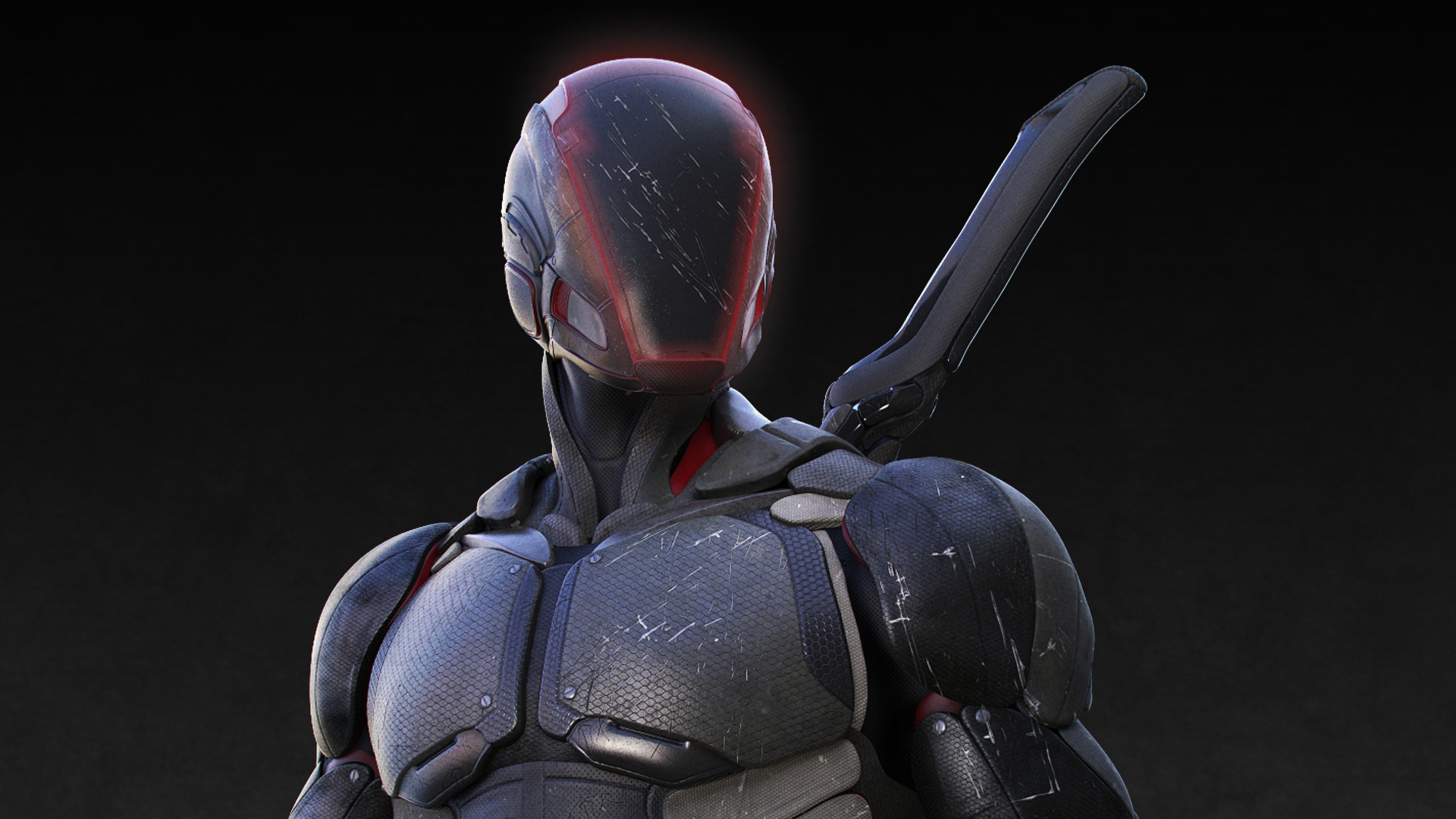
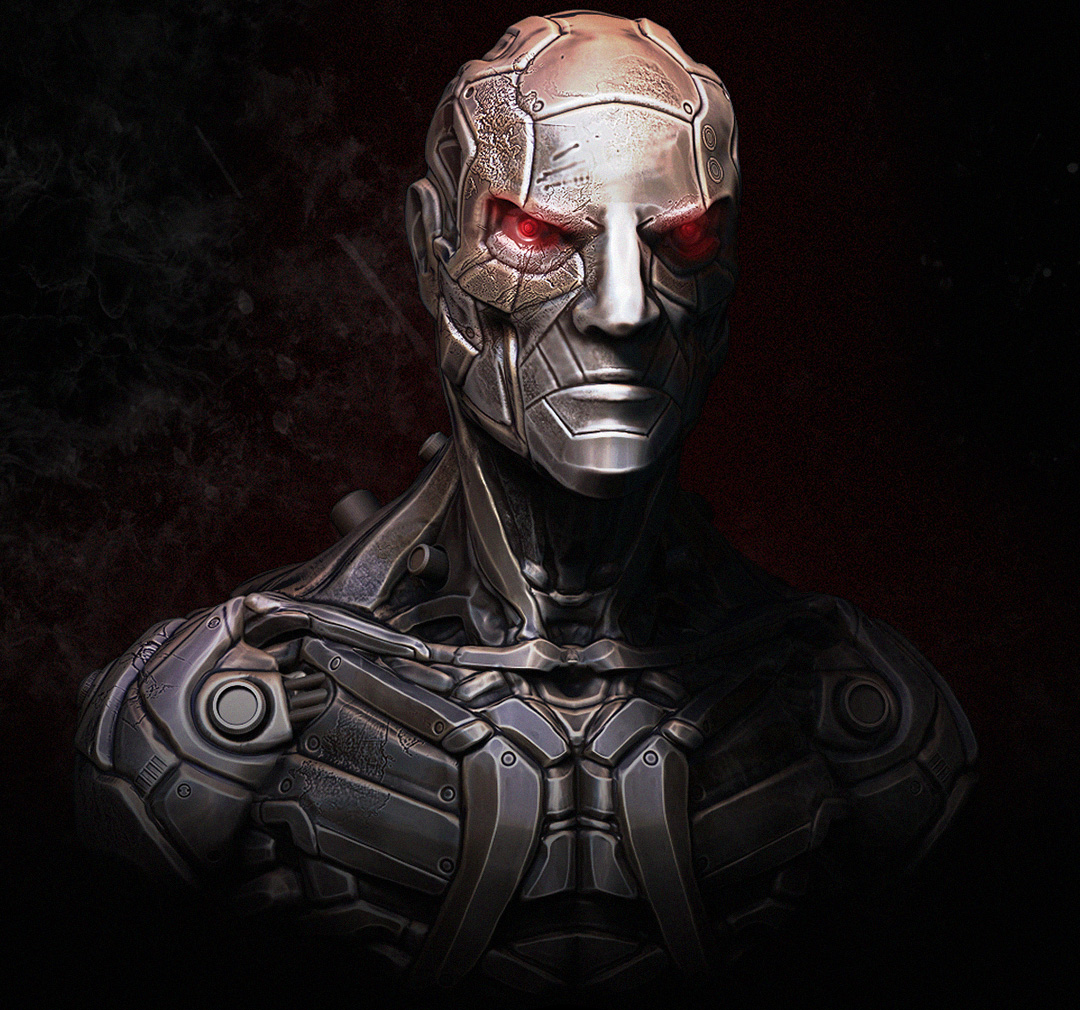
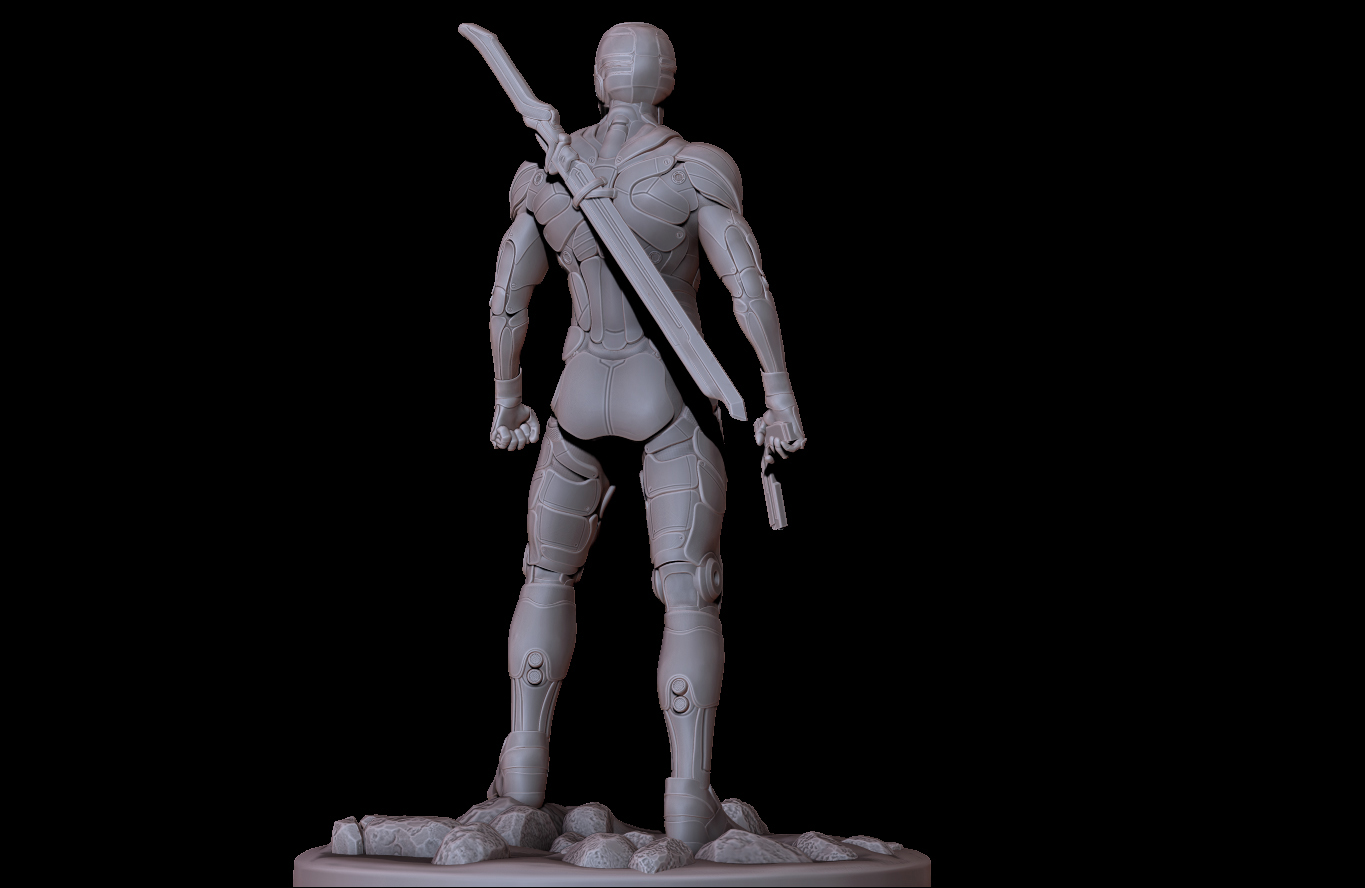
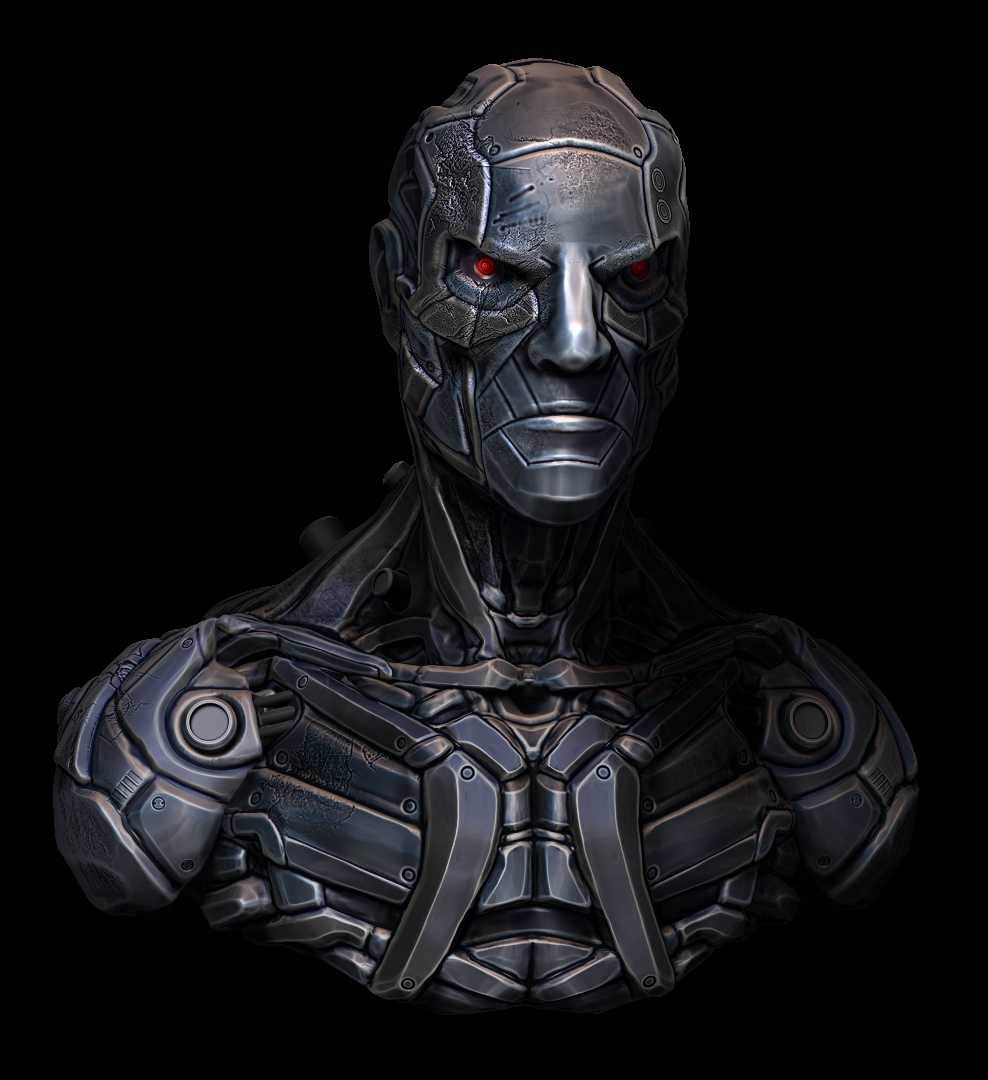
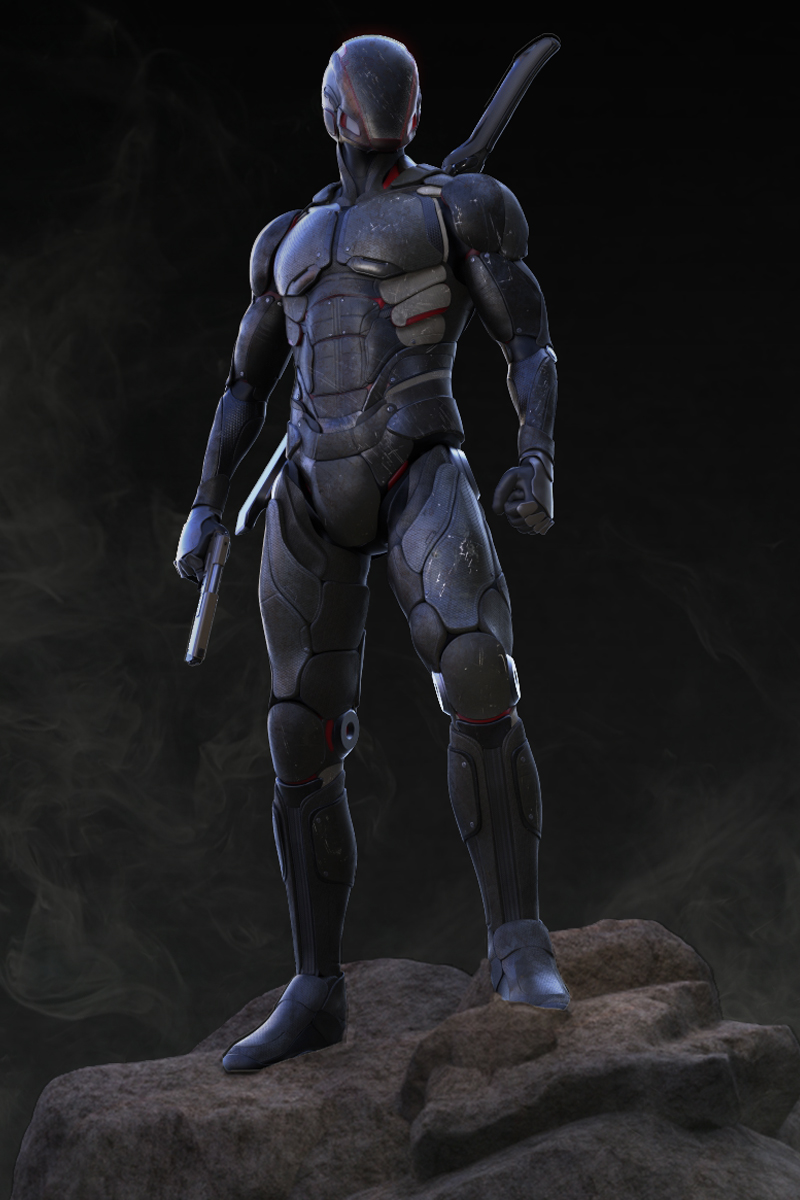
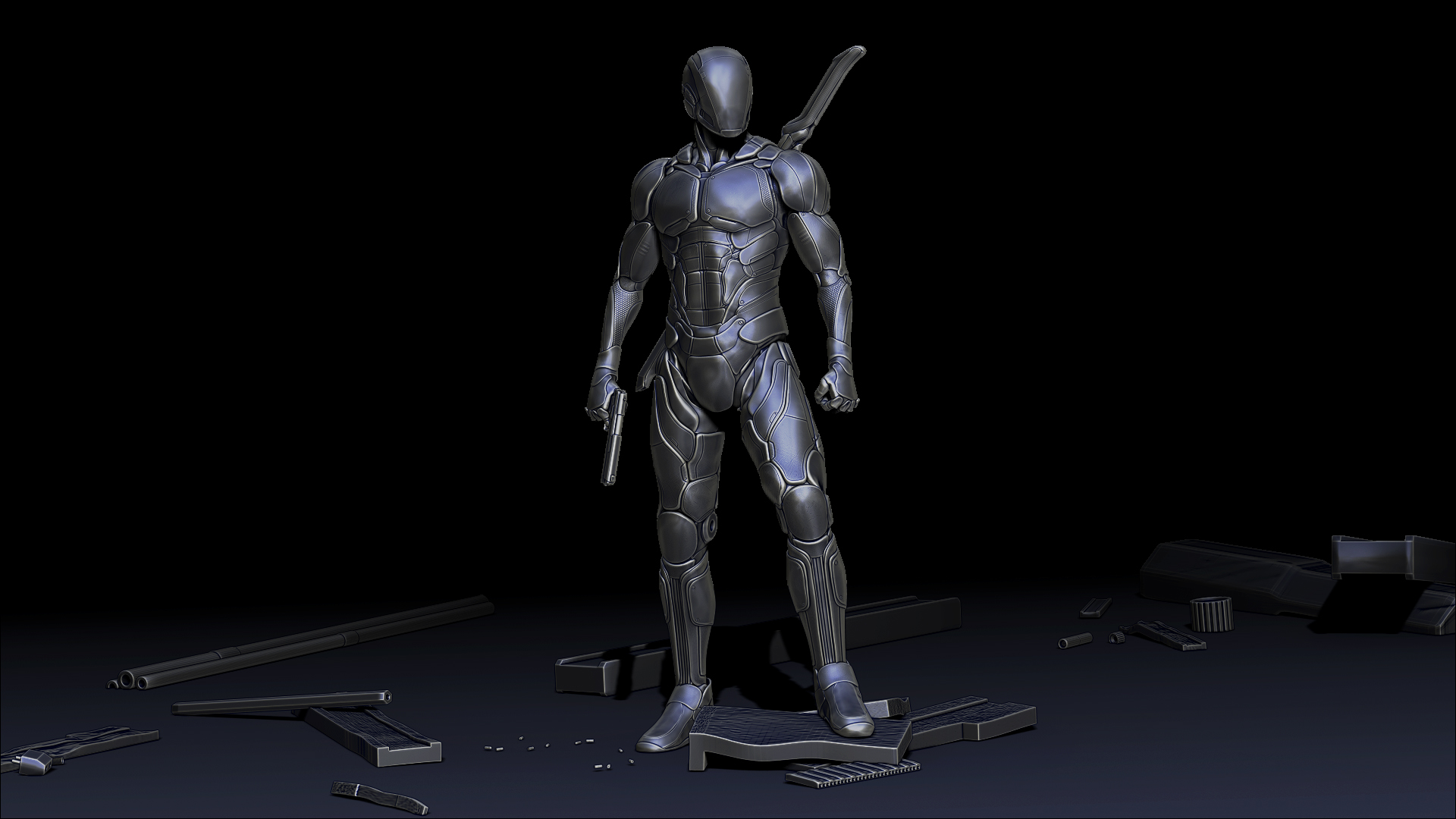
Everything was done in 4r6, my assassin was rendered/textured in KeyShot (aside from the ZB full body renders) and my mechanical bust was rendered in ZB with polypaint and matcaps. Both were composited in Photoshop.

Attachments

AssassinBust.jpg

MechanicalBustComp.jpg

AssassinRenderBack.jpg

Voelkl_MechanicalBustZB.jpg

AssassinComp.jpg

AssassinZBwip.jpg

Pretty neat looking super suit! Nice implementation of your design!

Thanks!

Love the concepts! :smiley: Congrats on your work and keep doing it :slight_smile: One day i’ll post some too. Any advice on tuts? :smiley:

Thanks,

I started watching some Digital Tutors videos, some of those are really helpful. My favorites are from Justin Fields, he does some really nice work with a mech design. I also watched some videos on sculpting anatomy, but honestly it just came down to trial and error and finding what worked best for me. I also always use a ton of reference images when I’m working on a project. As far as technical workflows, Michael Pavlovich has some great video tutorials on YouTube https://www.youtube.com/channel/UCWiZI2dglzpaCYNnjcejS-Q. He goes over some great techniques for creating armor in 4r6 that involve sculpting and slicing techniques. I personally created most of my armor by extracting it from an initial sculpt and then used the edge loop feature to add bevels around it. With 4r7 though, creating armor became a lot more open ended with the new low poly tool set.

Thank you very much for your reply :slight_smile:

No problem, hope that helped.

Hey everyone, I wanted to upload my recent work. All done in ZB, the mech was textured in Substance Designer and everything was rendered in KeyShot(aside from ZB render of mech), post work done in Photoshop. I wanted to reupload my assassin character because I was able to finish the composite on the full body render. I’m going to post the turntable for both characters soon.

I used 4r6 for my assassin and the mech was done using 4r7’s new box modeling tools.

AssassinCompFullBody - Copy.jpgMechComp2022.jpgMechFront.jpgMechBack2.jpg

I LOVE that mechanical guy!

Great metal looks, and nice lighting, too.

And the modeling is fantastic, with all the detail. :slight_smile:

Thanks, I appreciate that.

Your ninja warrior armored guy is really cool. What I like in his concept is that he has clean and easily read shapes.
They conform to the anatomy, but they complement it. The texturing and paneling help the shapes read and pop even better.
Also, Very clean composition. :+1:small_orange_diamond:+1:

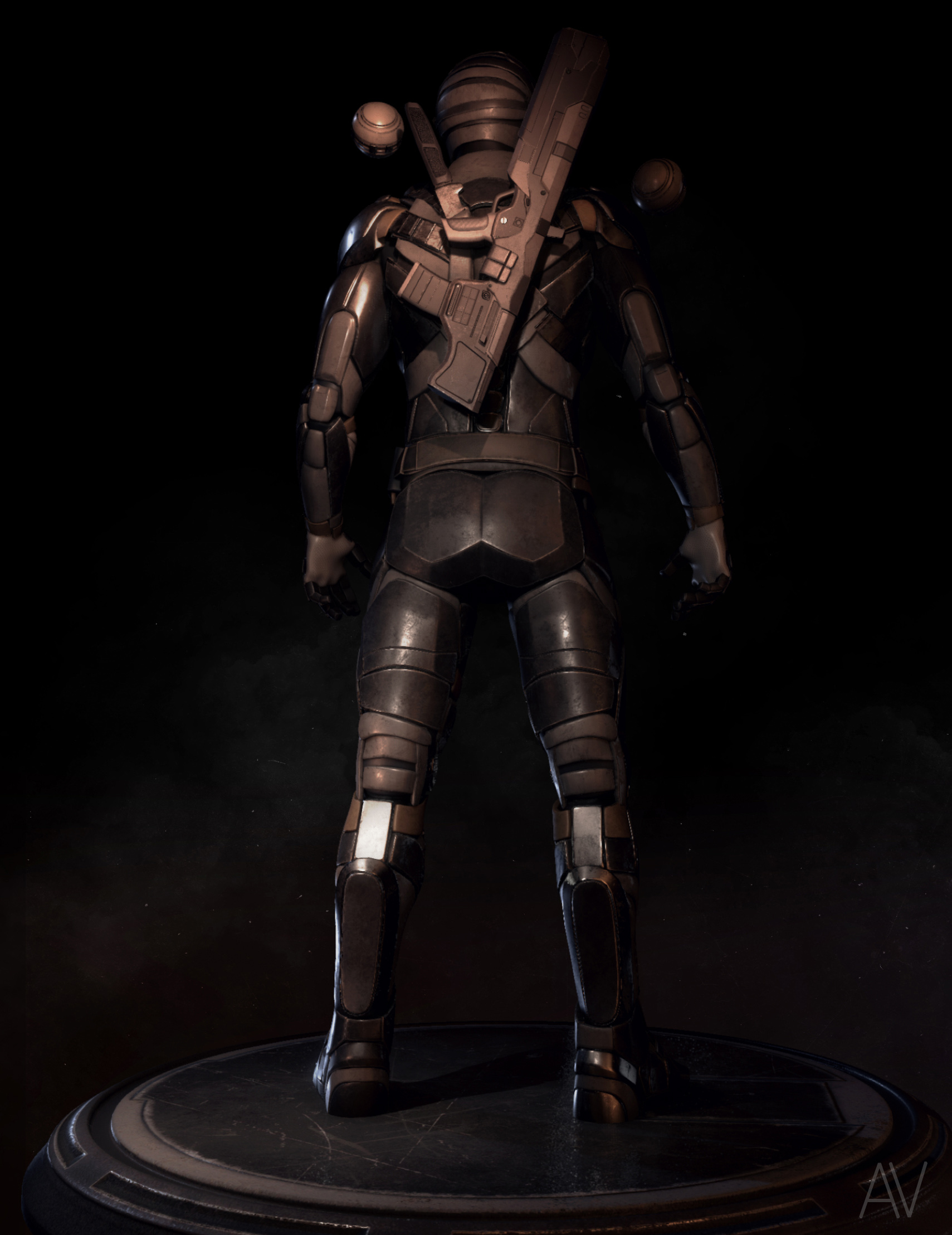
Just updating my thread with my recent work, this guy is a personal project I’ve been working on.

I used Unreal Engine 4 to render him in real time, which really means I just took high res screen shots along with utilizing a lot of post process effects and dynamic lighting.
My friend and classmate Tom Walker (http://www.tomwalker3d.com/) showed me the kind of quality that is possible with UE4, I’ve also noticed quite a few people using real time for rendering character designs so I figured I’d give it a shot.
Glad I did, between ZBrush for modeling/sculpting, Substance Painter for texturing and UE4 for rendering I had a ton of fun creating this guy. (I used Maya for some UV/topology tweaks)
This workflow is great for iteration and quick changes, definitely going to be using it on future projects.

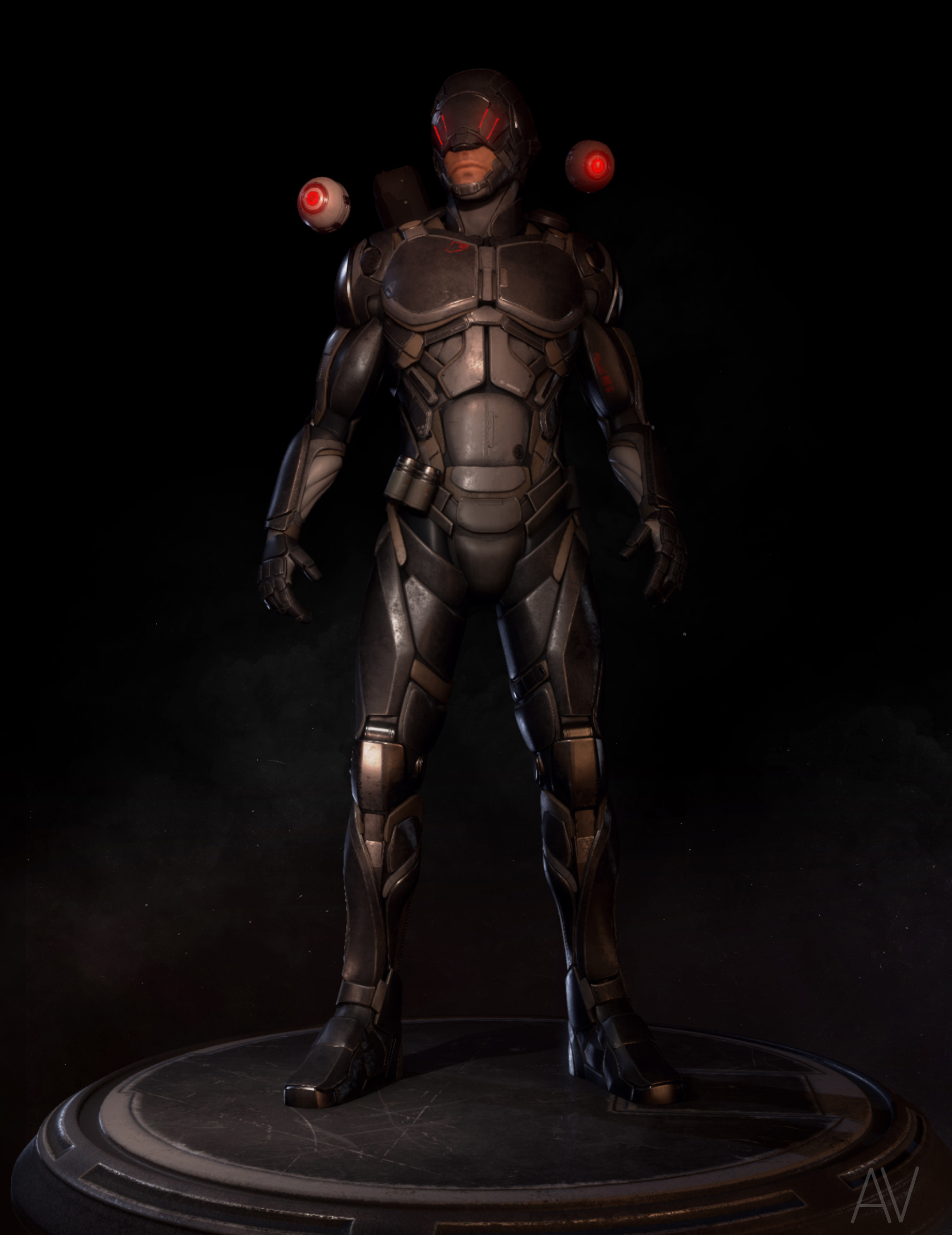
This character is a soldier for hire in the near future, he primarily works for independent corporations and law enforcement taking on jobs that they find too dangerous. He works secretly to avoid attention from the media and public.
The majority of his work involves tracking down individuals that are deemed a threat by his employers, he uses multiple tracking drones that aid him when searching for his targets. His visor displays a HUD in front of his eyes that track
vitals and show the video feed from the drones he’s deployed. He wears full body armor to prevent serious injury from ballistics and melee combat.
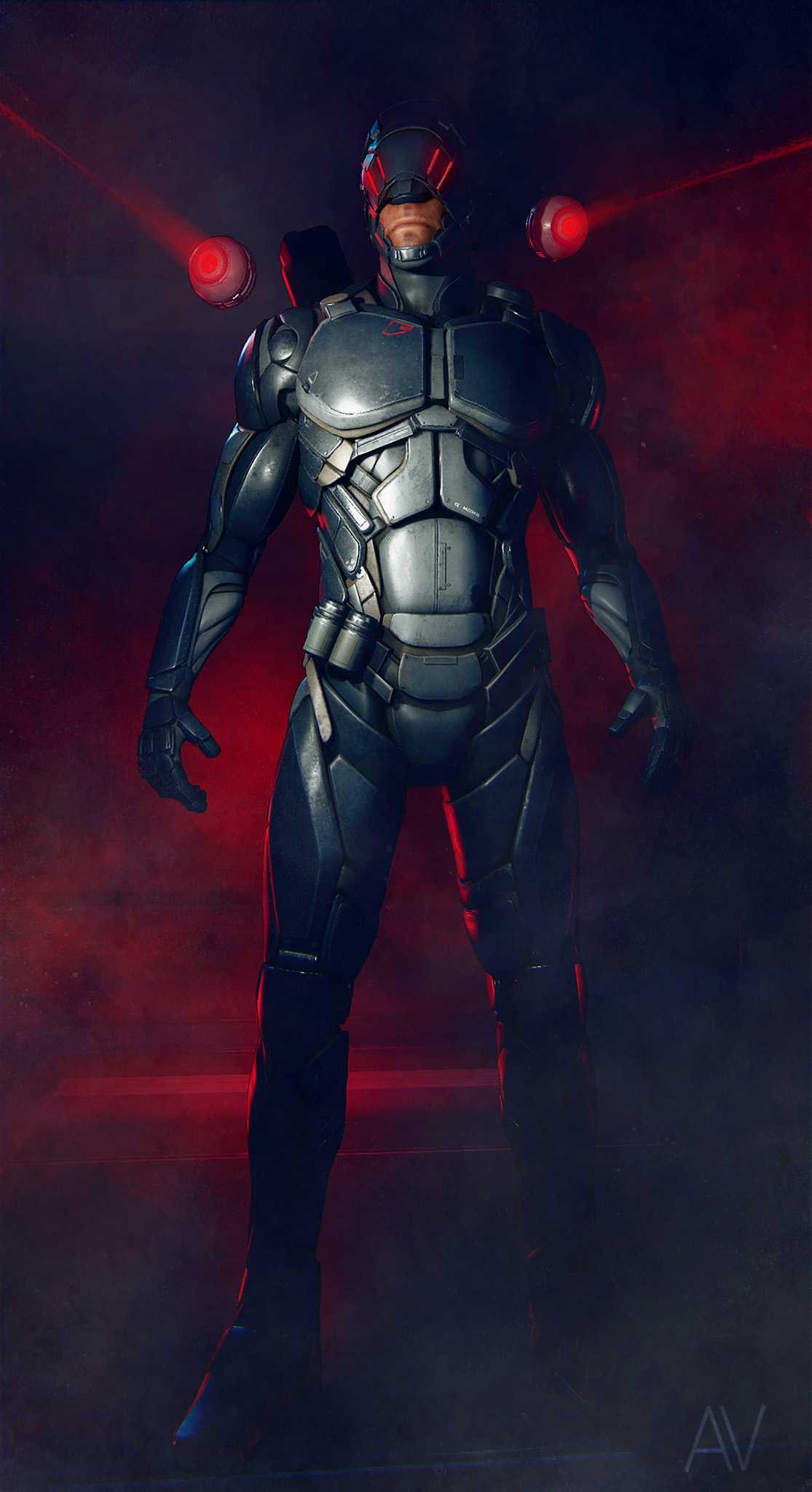
ZBthread_MainRenderComp15.jpg
This is the final render after doing some post work in Photoshop.
ZBthread_MercModelDetail.jpgZBthread_MercModelDetailBack.jpg
I also wanted to include separate renders that made it easier to see the model and texture detail.
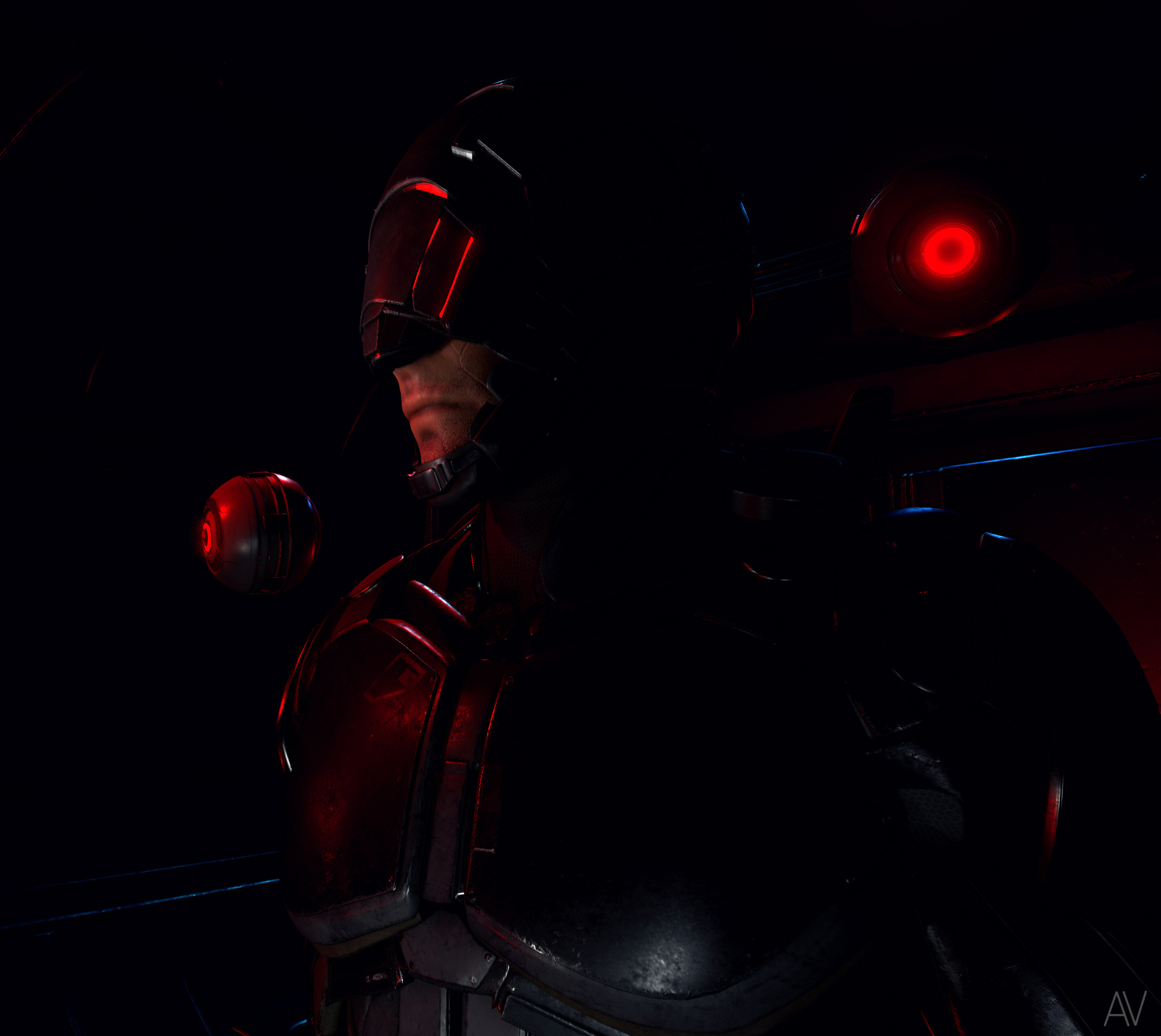
ZBthread_CloseUp.jpg
Another shot to show the texture fidelity, I used mostly 2k maps for everything…and realized that 1k/512 can work in some cases.
Using 2K for everything (small items/details) is not a great idea, I learned that quickly when cranking up the settings in UE4
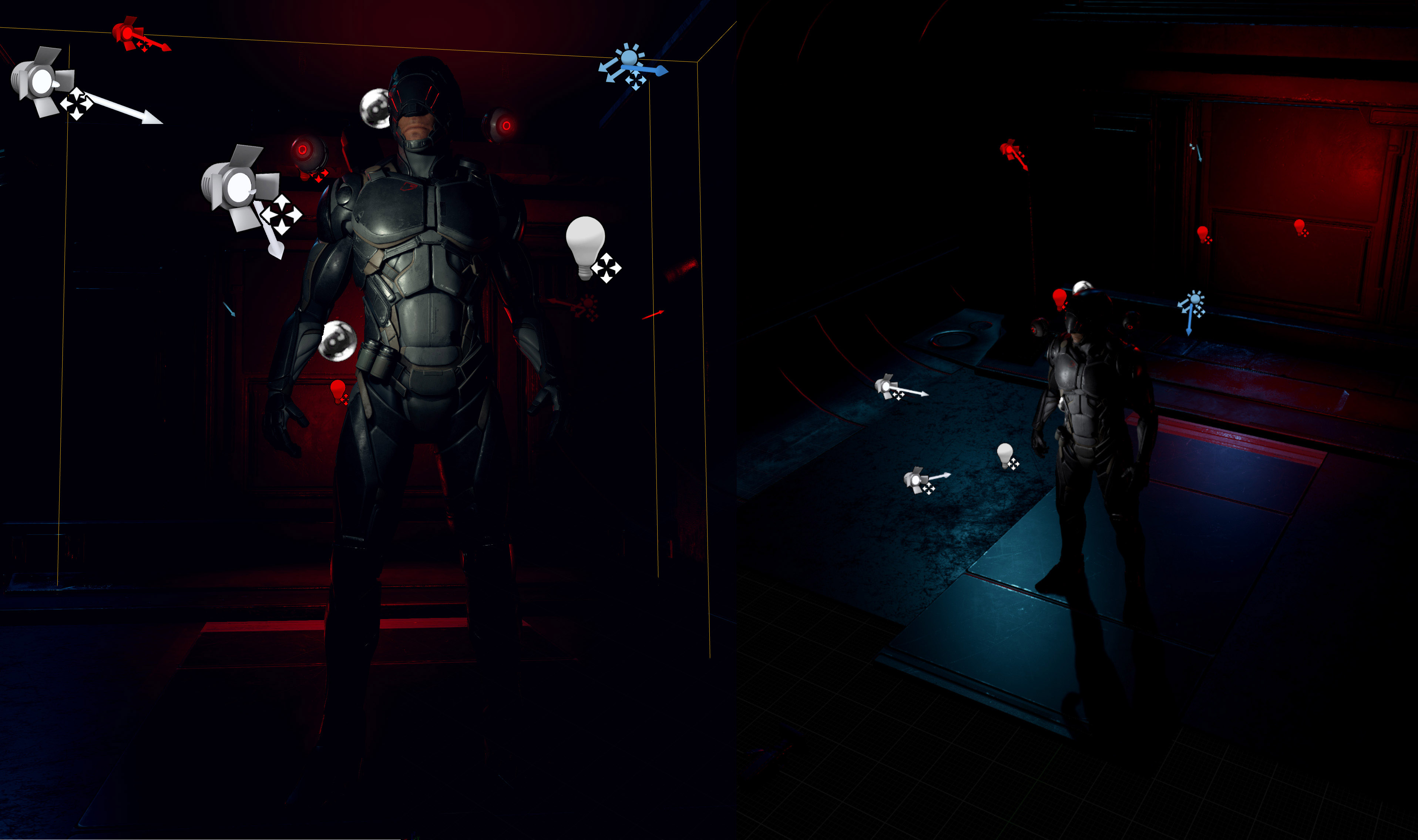
ZBthread_UnrealScreenshots.jpg
Showing some light placement in my UE4 scene, I had a nice environment surrounding him but I decided to blur a lot of it out because I felt it took too much away from my character.
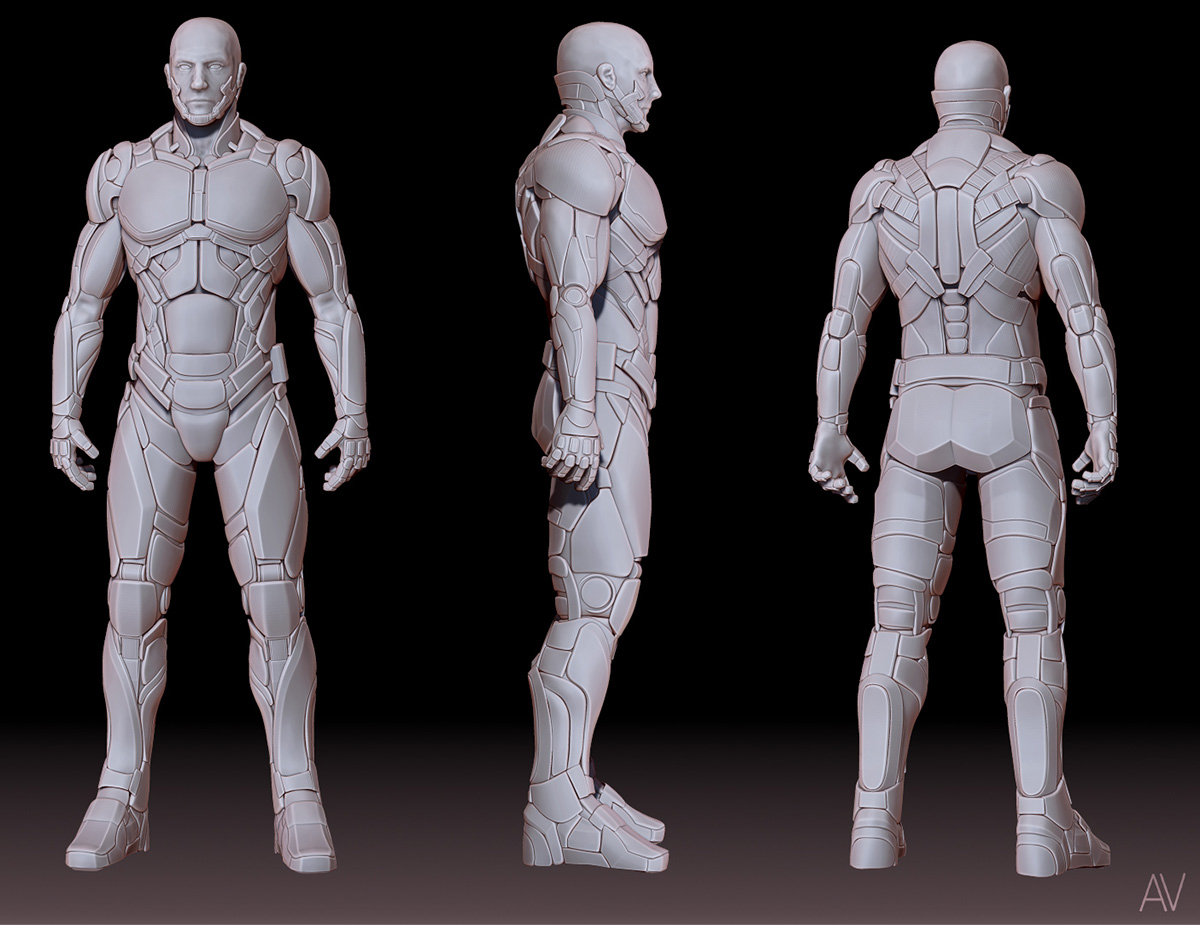
ZBthread_BaseModelTurnAround.jpg
ZB render without his helmet, I felt it was important to get the whole head in good shape before covering the top half, I tried to do it without the whole head first and ran into some proportional issues.
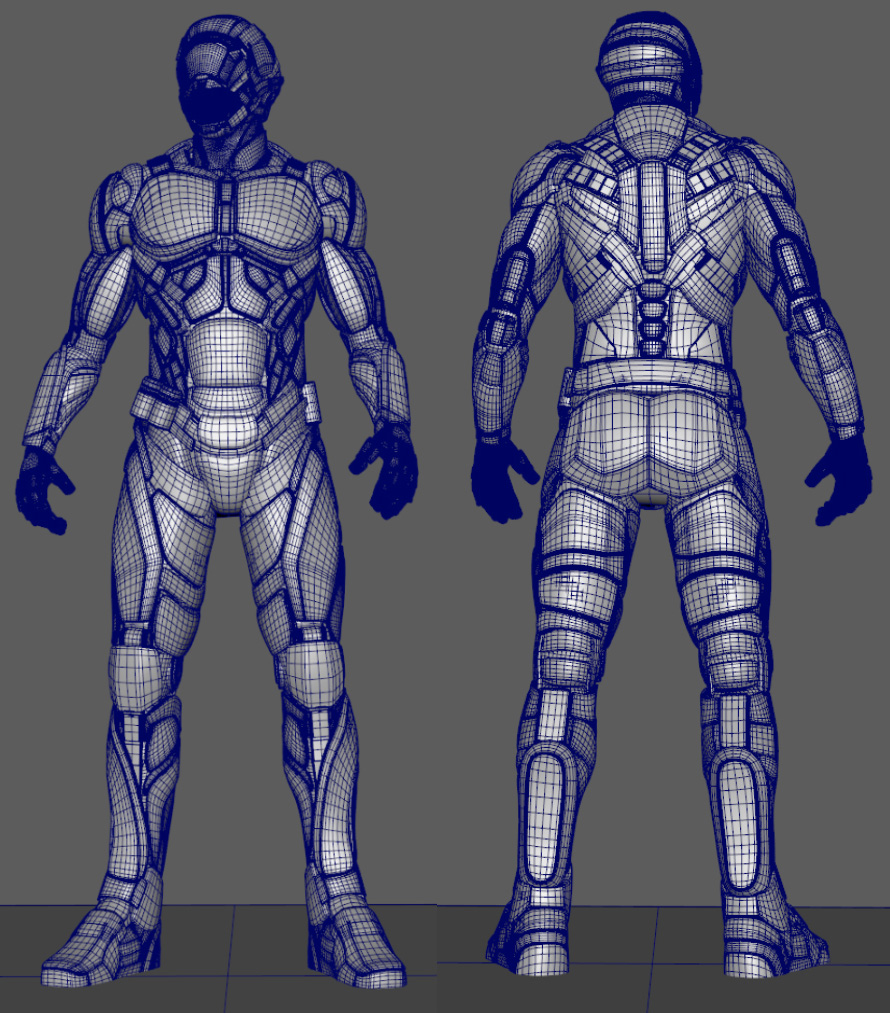
ZBthread_WireFrame.jpg
Maya wireframe screenshot.

Attachments
ProfileIcon4.jpg

nice armor :+1:small_orange_diamond:+1:

Thanks

Thanks for the feedback Takai, I just saw it now.

I recently went through my old work and updated some of my projects. I also added a new one I had forgot to upload.

My thesis character from the end of last semester, he’s basically a gun for hire in a futuristic city.
I used ZBrush for the sculpting/modeling, Substance Painter for texturing, Marmoset 2 for the
rendering and Photoshop for compositing. Also a little Maya to clean up some of the topology and UVs
[SUB]<strike>
</strike>[/SUB]

[SUB]<strike>
</strike>[/SUB]

ThesisFullBodyZBCNoLogo.jpg

[FONT=Arial]Below are some of my previous characters that I recently updated. I used ZBrush to create all of them, Key Shot to texture/render the Assassin
and Mech, Substance Painter/ Unreal Engine 4 to texture/render the Mercenary character.

AssassinNewComposite2017NoLogo.jpg

MechCompUpdated2017v2WithLogo.jpg.