ZBrushCentral

Re-Topology issues (just getting started)

Good evening everyone,
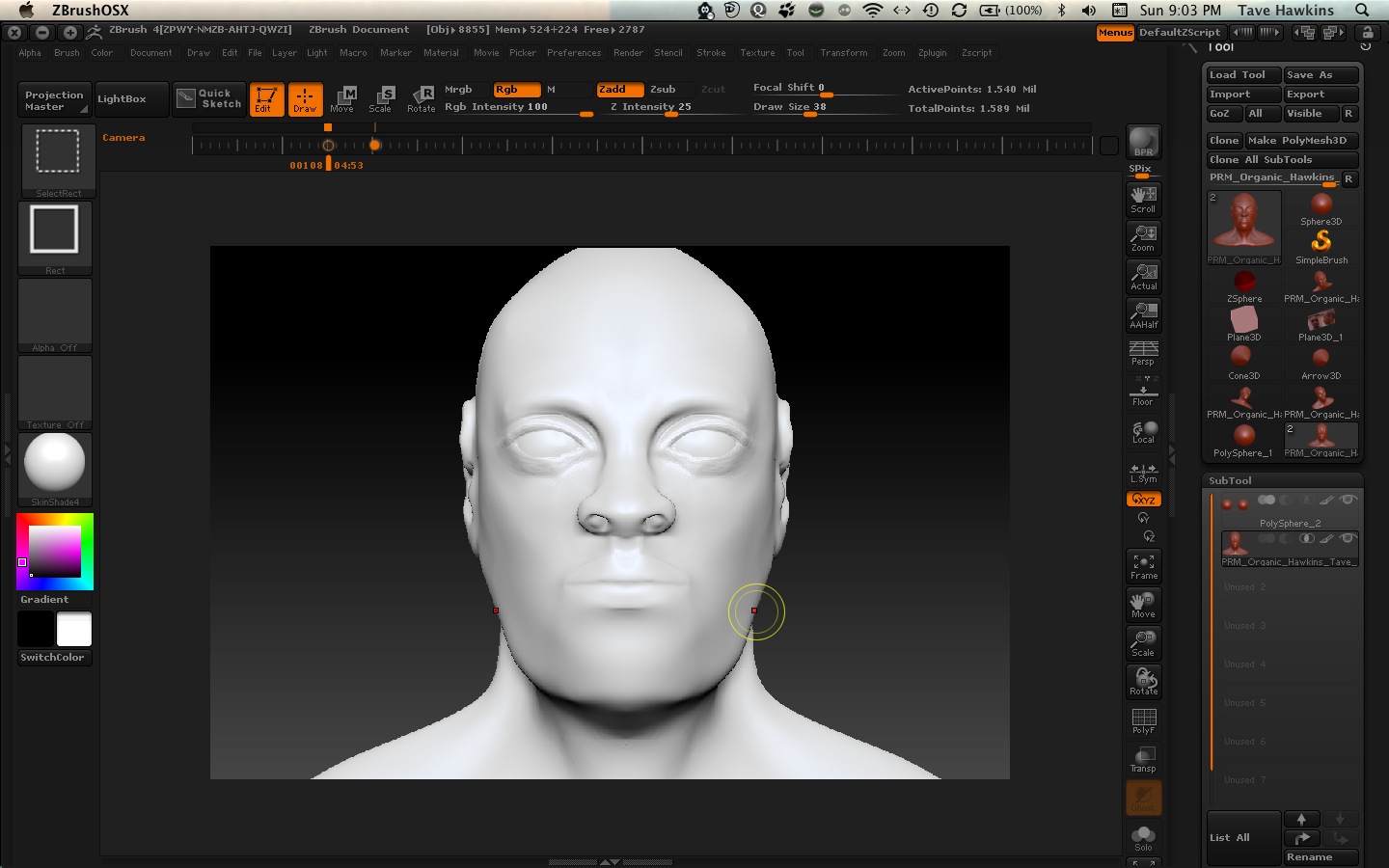
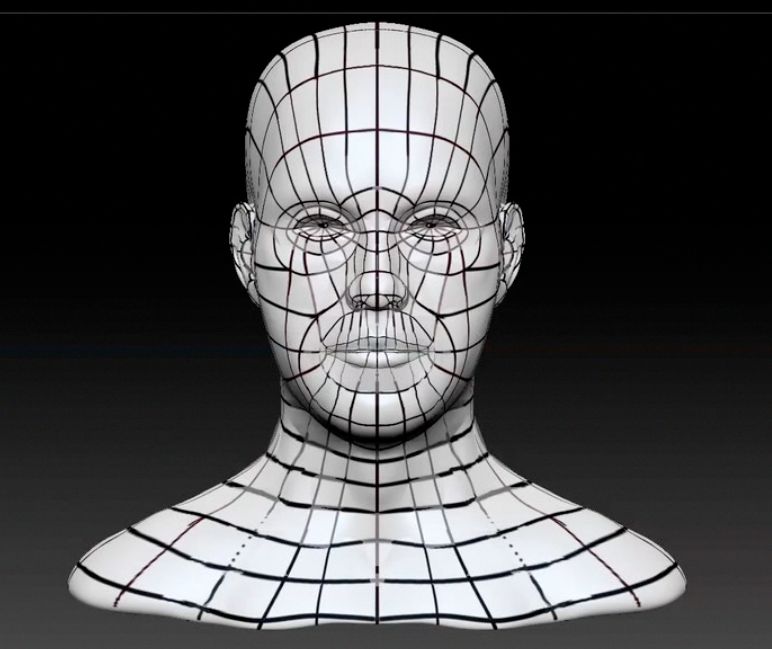
I’m in the middle of my first re-topology and haven’t been able to get my guides down. I’m sure most of you are well beyond my level so if this question seems redundant or trivial, please forgive me. Anyways, I’m trying to draw guides before I re-topologize. Unfortunately, I can’t seem to get the lines down on my bust. I’ve checked all my settings:

  1. Select my brush
  2. Turn on RGB mode
  3. Turn off Zadd.

I’m using skinshade4 for the bust color (a lighter color to ensure I can see the lines I draw) as well as a dark color “black” for the brush (to contrast with the lighter bust shade). Whenever I go to draw the lines, nothing appears. It’s obvious I have a setting off or enabled that is causing this issue. Unfortunately, I haven’t been able to determine what it is. I have attached a screenshot so you can see what I’m working with. I’ve been fooling with this for about an hour now. Any thoughts??

I have uploaded two screenshots. One has the guide lines I’m attempting to lay down on my bust. The other is a current shot of my UI with the settings visible. Hope this helps you to determine what I may need to set or undo.

Thanks for any and all suggestions
ScreenShot1.jpg

Attachments

ScreenShot2.jpg

Have you got a texture on your model? Check the Tool>Texture Map menu. Is the ‘Texture On’ button on?

It wasn’t on but when I switched it on I still didn’t see a change. When I go to paint the lines, nothing shows up. Any other suggestions??

If you’d had a texture map on the model it would have hidden the polypaint (and if the texture is white you wouldn’t realise). So for polypainting you need to make sure there’s no texture.

What brush are you using to paint the lines? (Your screen shot shows a selection brush but I presume that is because of the shortcut you’re using to do the screen grab.)

Also check you haven’t masked the model by accident by pressing Tool>Masking>Clear.

It looks to me from your photo that you are trying to paint white on white.

You’ve selected black as a color but the from the picture the palette show it sitting in your secondary color slot. That happens to me frequently. Press V to switch between primary and secondary colors.

Doh! Thanks Nancy. You can take over while I have a holiday. :wink:

Thank you both for your responses. It helped me narrow down what the issue may have been. I discovered about 20 minutes ago it wasn’t the setting within ZBrush but the settings on my Wacom pen. After adjusting this I am able to now paint on the bust. I’ve officially wasted about 9 hours with this for a school project due today (Re-topologize and blend shape). You guys/ladies are awesome. For a newbie such as myself it’s encouraging to know I can get assistance from seasoned veterans like yourself.

Thanks again!!

Marcus, can you hear me giggling over there on the other side of the ocean? :lol: