hello, Every master…
New guys in Retopo area…
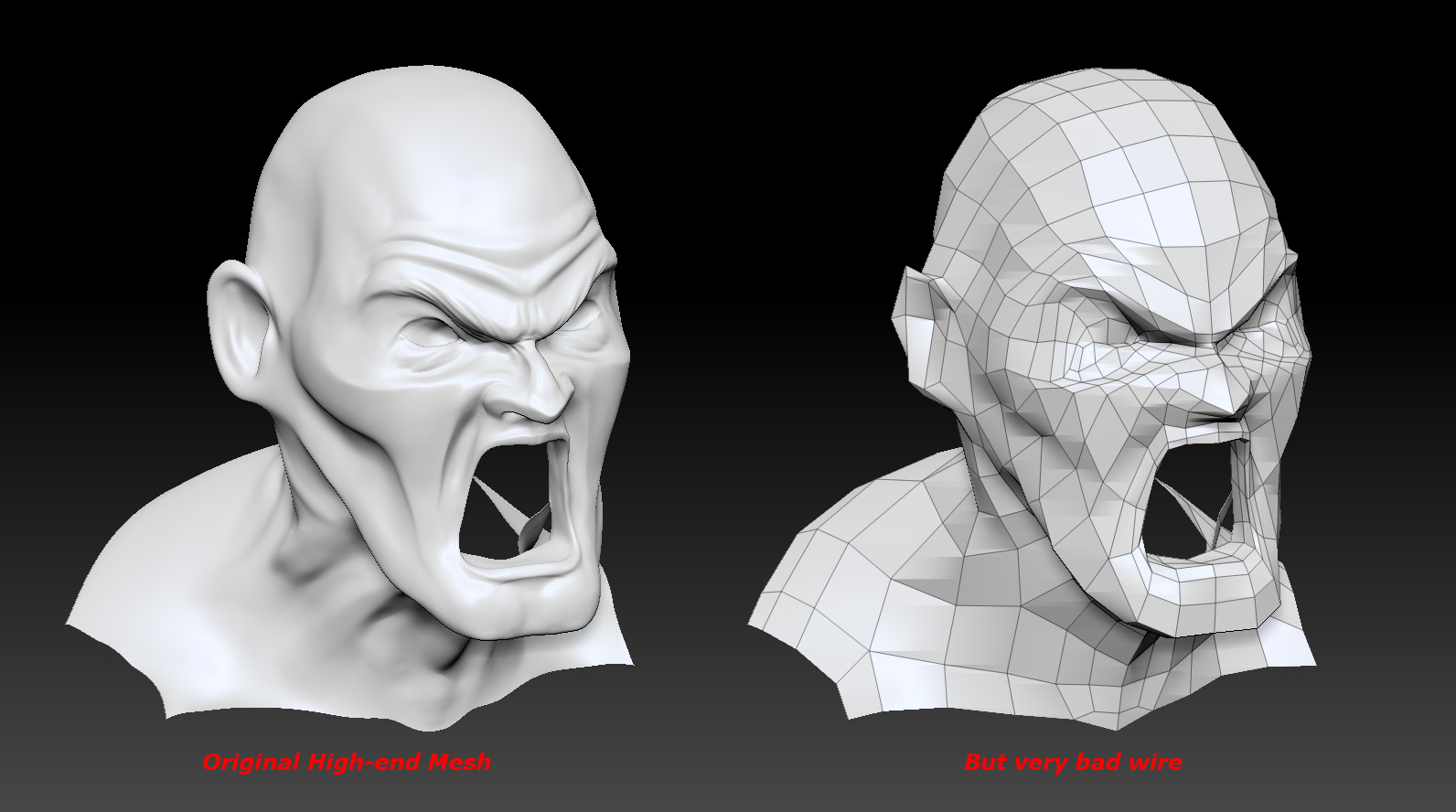
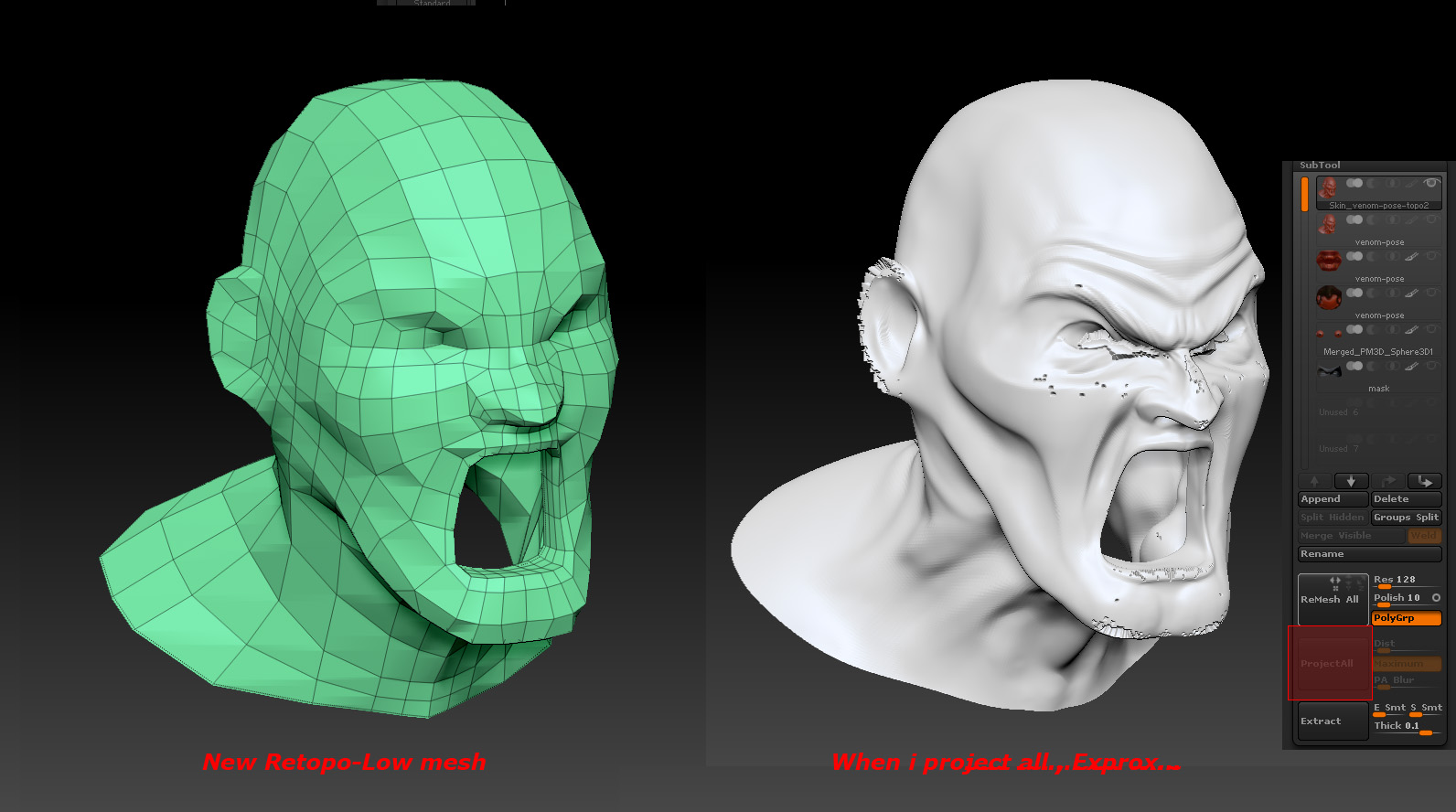
as you can see my 2 pics…
Could someone help me share some experience retopo here?
I really wanna do the retopo well…
Please… or show me some Retopo threads…
Thanks Alot.
Attachments
hello, Every master…
New guys in Retopo area…
as you can see my 2 pics…
Could someone help me share some experience retopo here?
I really wanna do the retopo well…
Please… or show me some Retopo threads…
Thanks Alot.
Ok not sure it is right to use the project all button for new topo. It took me a while to find what button they were talking about for the projection.
When making new topology in Zb. Use the Zsphere select your high rez model for the tools/rigging palette and make your topology. While still in edit topology after done with the topo layout go to Tools/Projection Project and click on the button I play with the Projection strength and usually end up making it a smaller number. Make your geometry in the Tools/adaptive skin high enough in subdivisions to accommodate your reference mesh or high rez mesh. Hit A and check your results.
If your model explodes when you press “A”, try setting Tool: Projection: Projection Strength to -1.
If there are flat spots in your projection increase Tool: Projection: ProjectRange.
Your topo looks pretty good otherwise and it doesn’t seem to be the problem here as far as I am concerned. I would think about putting some more edge loops around the eyes, ears and one on the lips though, it may help to some degree.
If you had x symmetry on while modeling and while making your new topo and still have little probs in the mesh like this. Make sure masks are off go to your higher subdivision level and take a small smooth brush on a low intensity and smooth out going down in levels and checking for more probs smooth them out too. After done smoothing go to a lower subdivision level and mask one side of your model that you like and go to Tools/deformation and hit the smart rystem button with the x on and your model should be matching on the x symmetry again. I usually start the smart rystem in the middle of my subdivisions and work down then back up it gets better results. For an example If I had 5 subdivisions I start at 3 go down to 2 then 1 then go to 4 and then 5. Don’t ask me why it works for me better than if I start to high or too low in the subdivisions.
If no x symmetry then just smooth it out softly and work your way down.
If you made your topo in another program. Like 3ds max or something else…and as long as you are using zb3.5r3 I don’t know if the other versions of zb does this but…
Make a low rez model in another program export as an Wavefront object. Open ZB and draw your original model with the high rez on the canvas. Go to the lowest subdivision and make a morph target. Delete any layers or masking you might have for it will cause some difficulties if you don’t. Save it. While model is still in edit mode go to Document menu and select new doc. Once the doc is opened double the size if you had it that way last time and then go to Tools/import and import your low rez or base mesh. Draw it on the canvas and go into edit mode. It may do that and make your mesh high rez. If model has some problems switch the morph target.
Hope this helps and happy zbrushing. 
Thanks Seavannah,
Thread is so helpful, will practice more and make it done.
Wish me luck.