ZBrushCentral

question - zbrush uv tutorial

Hello -

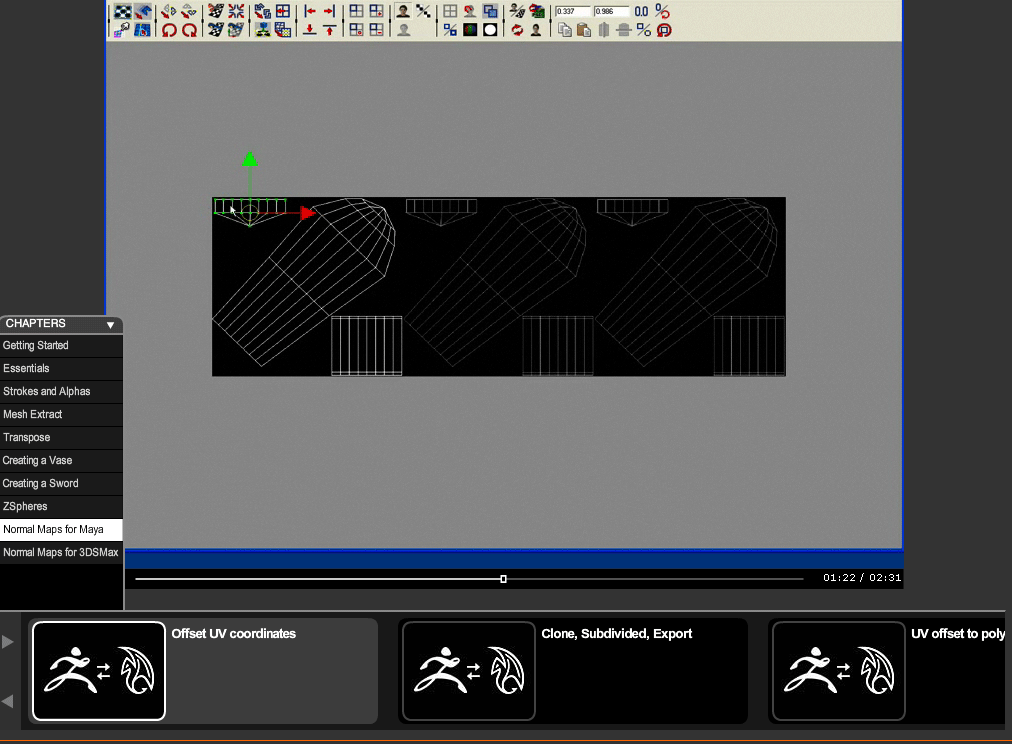
In the Pixologic Zclassroom - ‘getting started with zbvrush’ tutorials - chapter ‘normal maps for zbrush’ - I am having a problem.

In the Offset UV Coordinates section of this tutorial, in the UV texture editor, the three uv sections are given one section of the maximum U (3). In the video, this procedure brings up an image plane within the UV editor that references the three uv sections. It is repeated in each of the three U sections you just created. You are able to pull the UV sections over to where they belong on the image - matching the item placement in the graph so nothing crosses over eachother.

When I repeat this procudure in Maya, I do not get this reference image - so I must guess where to place the uv sections on the repeated graph. I cannot find any documentaion in Maya that shows how to create this reference image plane . . . how is it done?

See attached image for reference . . .
thanks

Attachments
imageplane.gif

not a zbrush question exactly but here goes…

select your uvs in the UV texture editor

move them over with move tool to where you want them (approx)

open your script editor, make sure echo all commands is checked
history>echo all commands

notice something like this
polyEditUV -u 1.020165 -v 0 ;

well copy it (ctrl c) and paste it into the mel work space (script editor lower window, ctrl v) and change it to
polyEditUV -u 1 -v 0 ;

highlight it and middle mouse drag it to your shelf, this will create a button

undo the move to your uvs and then with them selected hit that new button.

tip:
polyEditUV -u 1 -v 0 ; can be changed to
polyEditUV -u 2 -v 0 ;
polyEditUV -u 3 -v 0 ;

and so on

hope that helps:cool:

Thank you - you are very kind to reply. Unfortunately - I may not have been clear.

The image in the video contains a background in the UV editor that I do not get when I repeat the commands as shown in the pixologic tutorial video.

I found out why.

The user needs to create a UV snapshot, reload it as a texture map on the object, then press the middle ‘face’ button in the UV editor to show the texture map . . .

Pixologic folk - this should be explained or at least referenced in the video because it is a very important step in the process. If the user does not accurately place these objects, the model does not work.

Many thanks for your time -
p