ZBrushCentral

Question on mesh alignent when using project all

Got a question on mesh alignment when using project all.

1: I load into zbrush a mesh I want to deform (mesh 1).
2: I load into zbrush a target mesh, I want mesh 1 to deform to (mesh 2).
3: I do a subtool:append, appending mesh 2 to mesh 1.
4: I then do a project all.

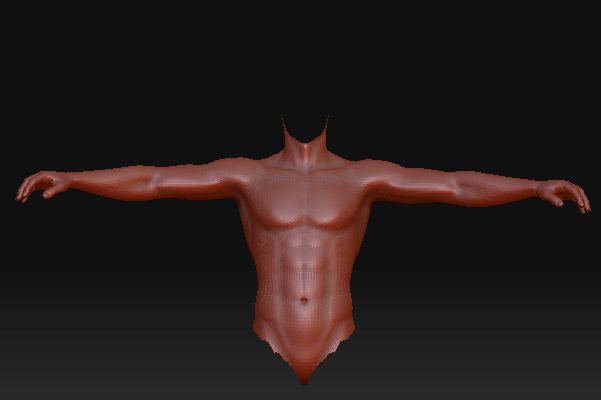
Now mesh 2 comes out distorted in the fingers, and navel area. I did the above with both meshes having legs, and a head, but I still had the same
distortion. Does mesh 1 have to be totally enclosed by mesh 2? I aligned both meshes as close as possible in poser, before importing into zbrush.

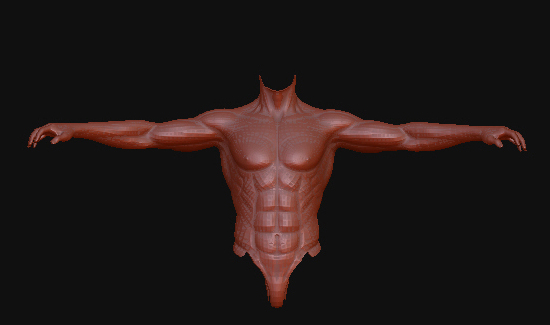
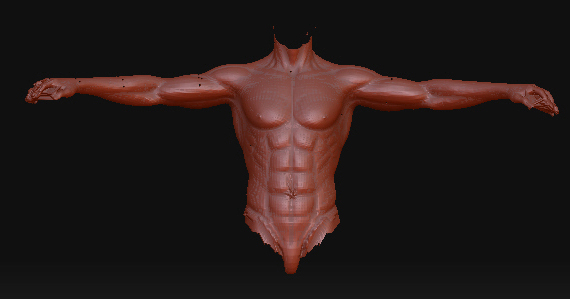
First pic is the result, second pic is mesh 1, third pic is mesh 2.
I put the mesh 1 pic in twice by mistake.

Attachments
Snap3.jpg

Snap1.jpg

Snap1.jpg

Snap2.jpg

The problem with the fingers is that they most likely don’t line up. So part of one finger is being projected onto another finger, and the whole mesh is going nuts in those areas. Projection will project a surface onto the other subtool’s closest surface. If that that surface happens to part of another finger… guess what?

Some projection errors (like the bellybutton) can be fixed by using the ZProject brush after. Just smooth out the bellybutton area using the Smooth brush, and then use the ZProject brush.

Great info thanks. Don’t know about the hands tho. I do have them lined up.
I put the hands thru 3ds max 2009, and they came out perfect. I’d do the same with both full meshes, but it takes 8 hours to do what zbrush does in a min. The hands took like a couple min in max.