ZBrushCentral

Question About The Make 3D Button in The Alpha Palette

I have been trying to use the Make 3D button on alphas.
I am using a 16 bit Grayscale PSD file for my imported Alpha.

The 3D shape comes out distorted with sloppy jagged edges.
It seems to not matter what settings I use or how complex the Alpha is.
I have tried circle alphas and more complex letters.
It seems that some times the Alpha comes out perfect and somtimes it doesn’t on the same settings.

I have tried to smooth out the distorted areas but it is hard.

Is there a way to use an Alpha to Make 3D and get a clean 3D shape?

jesus.jpg

Shermz

“It seems that some times the Alpha comes out perfect and somtimes it doesn’t on the same settings”

Are you talking about one Alpha or are you talking about different Alphas with the same Make3D-settings?
My guess would be that the problem is the PSD file that you´ve used. Maybe there´s a noise in it which you can´t see and which is blamable for the bad result. But I´m not sure.

I´ve searched with the advanced search feature and this is what I´ve found:

http://www.zbrushcentral.com/zbc/showthread.php?t=69045&highlight=PSD+noise

Although this thread is not about the Make3D function it might bring some light into the darkness.

The size of alpha makes a difference - you really need something at least 1064 x 1064 - but as you have found, there are limits to what can be achieved with the Make 3D button.

Another way is to use a plane - load the polyplane.ztl from the ZTools folder - subdivide it to get a good mesh density and then use the alpha to ‘mask by alpha’. Then create an extract from the subtools submenu. My picture shows the sort of result this way.

For text though you may find that a program like Elefont provides a better solution.

Attachments

Extract.jpg

Hey thanks guys!
I did try this out on several different alphas and did what I could to remove noise, or to make sure there were not hard to see opaque edge pixels in my alpha which I did find adds to the distortion.

Increasing the size of the alpha seems to work best at removing most of the distortion. I made alphas of 8000x8000 and 10000x10000 and saw a lot of distortion drop out in this case. And then the Poly count of my make 3D shape gets way lower which is good. The 3D shape was almost perfect but not quite. There was still a tiny bit of distortion that I can’t seem to get rid of fully. But it is more manageable. And I think some of this may just be attributed to the imperfect nature of typefaces.
If you notice the ascenders on some of the letters are not perfectly straight but are actually wavy. There are these tiny variations in the edge pixels.

The Subtools Extract method on a plane does seem to work best. I used this before. I just tried it again and I think it’s the way to go.

…I have tried using type tools like Zara. My big issue with them is I don’t know how to adjust the kerning in the programs. Words usually look bad if things like kerning are not adjusted. I tried Maya also but I don’t really like it for type. Unless it’s on like a letter by letter basis.

I don’t think I know of any other type tools?
Does anyone know if there are any other good tools that allow you to adjust things like Kerning?

…And this example I’m showing is of the face Bembo. But ZBrush is doing a pretty bad job at making Bembo 3D.
Using Make 3D.
And using Extract it’s still not perfect but I left some Edge Smoothness on so I will see what happens when I bring the E Smt slider down…

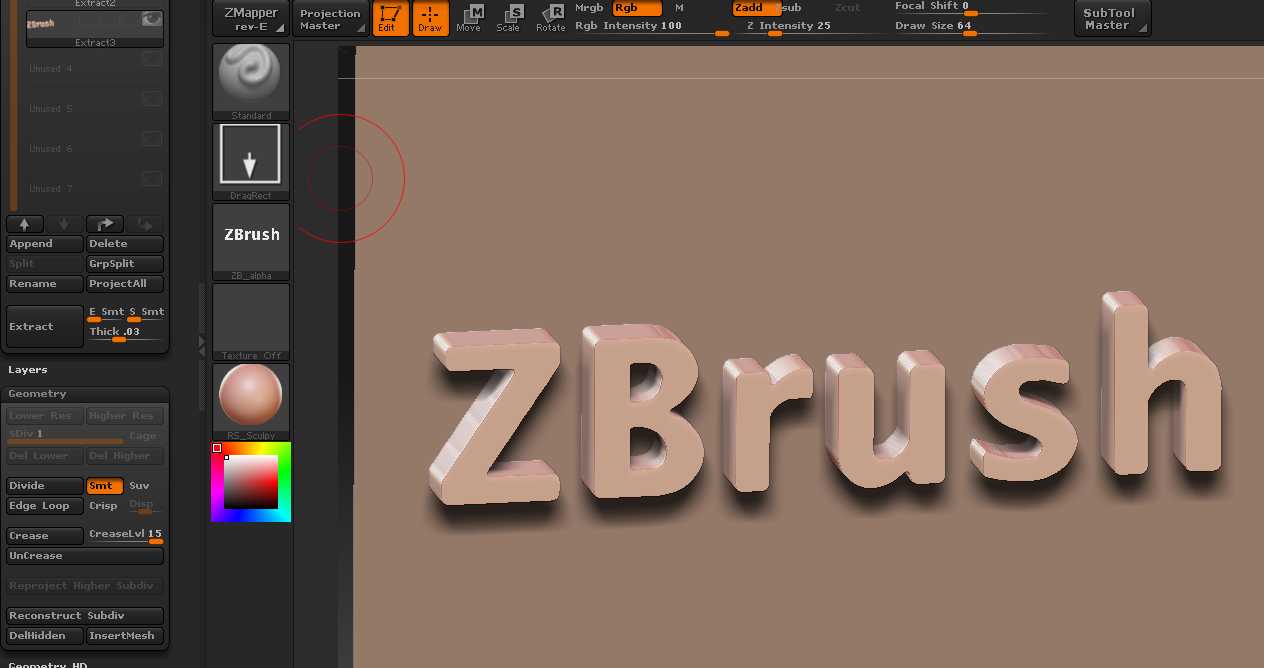
I think you’re hoping for rather too much from ZBrush if you are trying to get the finer points of typography. In terms of 3D, you really need to consider a program that uses nurbs so that the glyphs are accurate before converting to OBJ (if you wanted to bring them into ZBrush).

Yeah, I know. That’s why I do like using Maya. I just don’t like it for strings of text too much. I don’t really use the Bevel or Poly options. I like using Nurbs Curves starting out ungrouped. And then I can make my ligatures or have seperate controls for each letter to position or animate each letter or curve individually. And then group the string.
…And you can just export the selection as an OBJ for the ZBrush detailing.

Thanks, Shermz