ZBrushCentral

question about LCD tablets

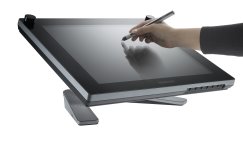
Hello im allot in 3d art & designing for private use and autocad for my job… does any one have a wacom LCD tablet out here? and what are the benefits and where should i look at ? when i want to buy one? im planning to buy one… are there more options than only wacom? and whats the best?

kind regards poisonic

Attachments

itemimage.php.jpg

well, its quite cool to work with a Cintique, but thats it. You do hide a lot of the screen with your hand and forearm, which isn`t so good. Think of “pop-up-Drop-Downs” at the mouse pointer…

You have a nicer “feel” to your works, because its kinda more direct-working, but this doesnt`t compensate the problem with the Hiding of Screenparts…

and those bastards are expensive…just a prestige thing…

Regards,
Thomas

an alternative is to get a tablet pc. I just got a toshiba tecra m4 last week; same draw size as a wacom a4, and its a full laptop to boot. This refurbished one I’m typing on now cost about £700, and it runs zbrush great.

Great fun sculpting heads on the tube home. :slight_smile:

mestela, please forgive the stupidity of this question, but what is a tablet pc? Please explain your setup, as I need to upgrade my system as soon as I get a job.

Cheers,

LD:cry:

its not a stupid question at all a tablet is a drawing tablet with an lcd screen and a pc in one also many laptops have a tablet fuction today

but a question is the tablet notebook your using presure sencitive?

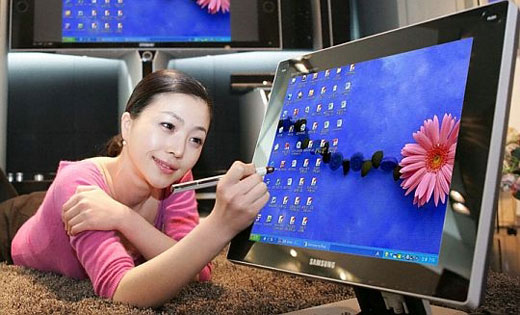
what about the tft screen samsung is bringing on the market… syncmaster 720TD its way cheaper but is it using the same technology of wacom?

Attachments

samsung720td.jpg

here another picture :slight_smile: of the samsung 720td

Attachments

samsung_touch.jpg

Well my vote is for my Wacom Cintiq 21U. It is without a doubt worth every penny if your in this industry to make a living. That said, they are pricey, but no more than a 30" monitor, or a SAN network, or whatever other cool stuff you need to do your job. Everyone has to make the decision on hardware and software on their budget level for the work/play they are intending. :wink:

Whatever you choose, enjoy. :wink:

A tablet pc is a laptop which allows you to draw on the screen, like a cintiq. The first generation tablets sacrificed performance in order to be thin, small, light, and have long battery life (5 to 9 hours). They found niche markets in medical (doctors doing the rounds) and warehouses. With 2nd gen tablets, a few manufacturers ignored the thin/small/light design and instead made regular laptops with tablet functionality thrown in, like the M4. This makes them too big to carry around like a doctor’s notepad, but are great for sketching or messing about in zbrush. 1st gen tablets are normally just the screen and pen. The m4 is basically a standard full 14 inch laptop with a center pivot that lets the screen be swivelled and folded backwards against the keyboard. Look at cnet’s video review to see what it looks like:

[http://reviews.cnet.com/Toshiba_Tecra_M4/4505-3121_7-31473536.html?tag=sub](http://reviews.cnet.com/Toshiba_Tecra_M4/4505-3121_7-31473536.html?tag=sub)

Note that the tecra is kinda bulky (most tablets are 10 or 12 inches), and is about to be overtaken by several dual core tablets that promise to be faster-lighter-better. Still, it runs everything I need (maya, photoshop, after effects), functions fine as a normal laptop, and the tablet functionality is a nice bonus.

Yes the tecra m4 is pressure sensitive. it uses a wacom digitiser beneath the screen, as do most tablet pc's on the market.

I don’t think the samsung monitor is using wacom technology. An article mentions that ‘the stylus stays charged up for three hours before it needs to be replenished’. A standard feature wacom love to crow about is their battery-free pens.

http://us.gizmodo.com/gadgets/peripherals/samsung-intros-notouch-touchscreen-156330.php

Cheers for clearing that up for me mestela.

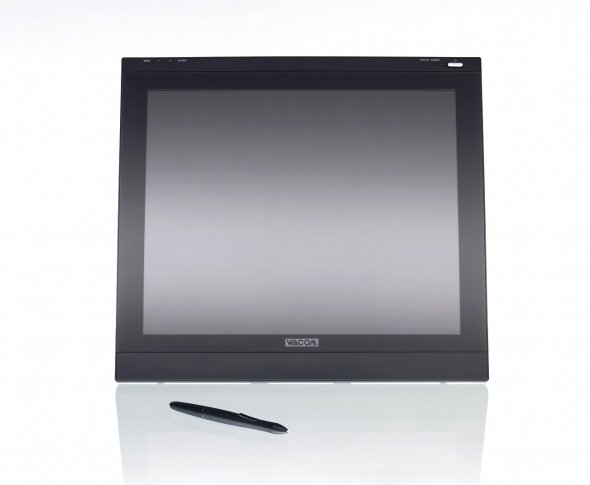
I use an Optoma PI500, a 15 incher that was, I believe, $400. It’s really not the best thing in the universe – its pen needs a battery, it doesn’t work in some programs (GIMP being one; I think I heard it doesn’t work with Flash, but I can’t verify that), it has a few calibration quirks, and you can pretty much forget about driver updates. But I still think it was probably worth the money – or it would be if I used it enough. I really suck at using a tablet without a screen, and I don’t have a working scanner (and even if I got one, it wouldn’t be useful for digital drawing/painting, y’know?). Nothing beats drawing right on a display, be it pencil and paper or pen and tablet.

So far I’ve found it easier to work with the mouse for all my 3D stuff, no matter what it is I’m doing. There is an occasional exception where it’d be easier to do something with a tablet, but such exceptions are uncommon for me. I just use the tablet for 2D artwork, but it’s still awesome for that (other than the annoying quirks). But that’s just me… some people find a tablet really useful for 3D.
  • Kef

Opinions vary on whether or not drawing on the screen is good. Some folks are put off by the ‘hand covering interface’ issue. Others feel it should never be otherwise.

I got the Toshiba Tecra M4 as well and loaded it up with ram and a second battery. It weighs a ton and it’s large… And I find having interface bits covered by my hand to be kind of annoying.

However, nothing beats being able to grab my laptop and go paint or ZBrush anywhere I want to (that’s not in direct sunlight). For me, the portability completely trumps all other concerns.

With some software undervolting of the CPU and general tweaking, I’ve been able to get upwards of 4.5 hours of solid ZBrush time on one charge, about 3 hours of gaming or 6-7 of light web use. Oh yeah, the M4 has graphics good enough to play most modern games at high res. A nice extra!

here’s the results of my first week with a tablet pc, trying to do a new head between oxford circus and white city (about 20 mins), bit of tidying up at home afterwards.

[speedHeads.JPG](javascript:zb_insimg(‘31728’,‘speedHeads.JPG’,1,0))