ZBrushCentral

Question about connection of meshes

680
Hello Everyone,

I have a question that I could not find the solutions for:

Please see the attached image. I’m trying to create “bridges” (or new planes) between the certain points on the 3D mesh (depicted by the arrows). It is a dynameshed object. I’ve tried the CurveBridge brush, however, the resultant surface is too thin. I’ve also tried the Shadowbox sculpting, however, after the dynameshing, the resultant surface dynameshed incorrectly (the holes are created)…

Please advise what is the best solution to connect the surfaces.

Thank you so much in advance.

Best,
682684

Attachments
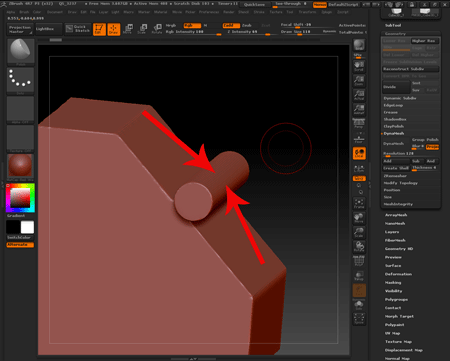
Image-for-ZBrush-Central.png

It is not clear what you want from “connect surfaces”. Having in mind that you are using dynamesh and topology is not relevant you could use curvedsnapsurface brush to create the piece. If you want it straight you can set stroke>asline and disable bend. You can move around the line once created to adjust it and tap the host geometry to create it.
The thickness is determined by the radio of the brush (in red, no blue). Too thin surfaces will create holes in Dynamesh.

Then you simply dynamesh after you have what you want.

693
Hi Altea,

Thank you so much - it worked as needed.

Best,