ZBrushCentral

Proper Use of SliceCurve

Alright, say I have a creature model with some spikes or horns or whatever, and I decide I don’t like them and want to flatten them back into the body, or just chop them off. What’s the best way to do this?

I’ve tried using TrimCurve, but it seems to result in making new polygroups, which I don’t want.

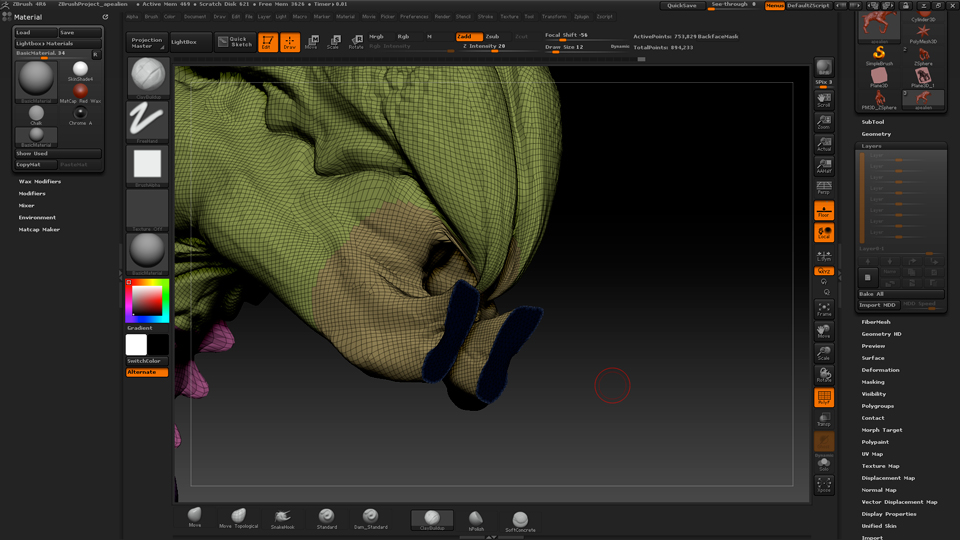
So I try SliceCurve, which at first looks like it does what I wanted, but turning the camera reveals my spikes are still there, just flat.

Trying to smooth everything away doesn’t completely get rid of the spikes, just makes them tiny.

So what’s the best way to go about doing this?

Attachments
1.jpg

2.jpg

3.jpg

use trim curve, and isolate everything you want to be a polygroup, then group visible.

Is there no way to prevent TrimCurve from making new polygroups? Or something that acts like TrimCurve without that function?

after you smooth it, dyna/remesh and you’ll be able to smooth the points away.


You can use SliceCurve brush in conjunction with DynaMesh.

After that, you can just isolate and delete the part you cut off and the remainder will be all one polygroup.

.

You’re probably looking for ClipCurve.

@ zber2: where did you get that from? Is that even in the ZBrush docs? Very useful, thanks for sharing.

@zber2

That looks useful, but will it work without needing to delete subdivisions?