ZBrushCentral

projection problems

hi,

I’m trying to project some detail (stitching etc.) from a single sided cylindrical form onto a cylinder of nearly the exact same shape but with thickness (created via the morph difference command). I can’t work out how to or I if I can do it. I’ve tried the projection shell slider both ways, inner, outer, farthest, no alteration of any parameters… nothing gives the correct result.

Can anyone suggest how these parameters should be approached?

thanks

Attachments
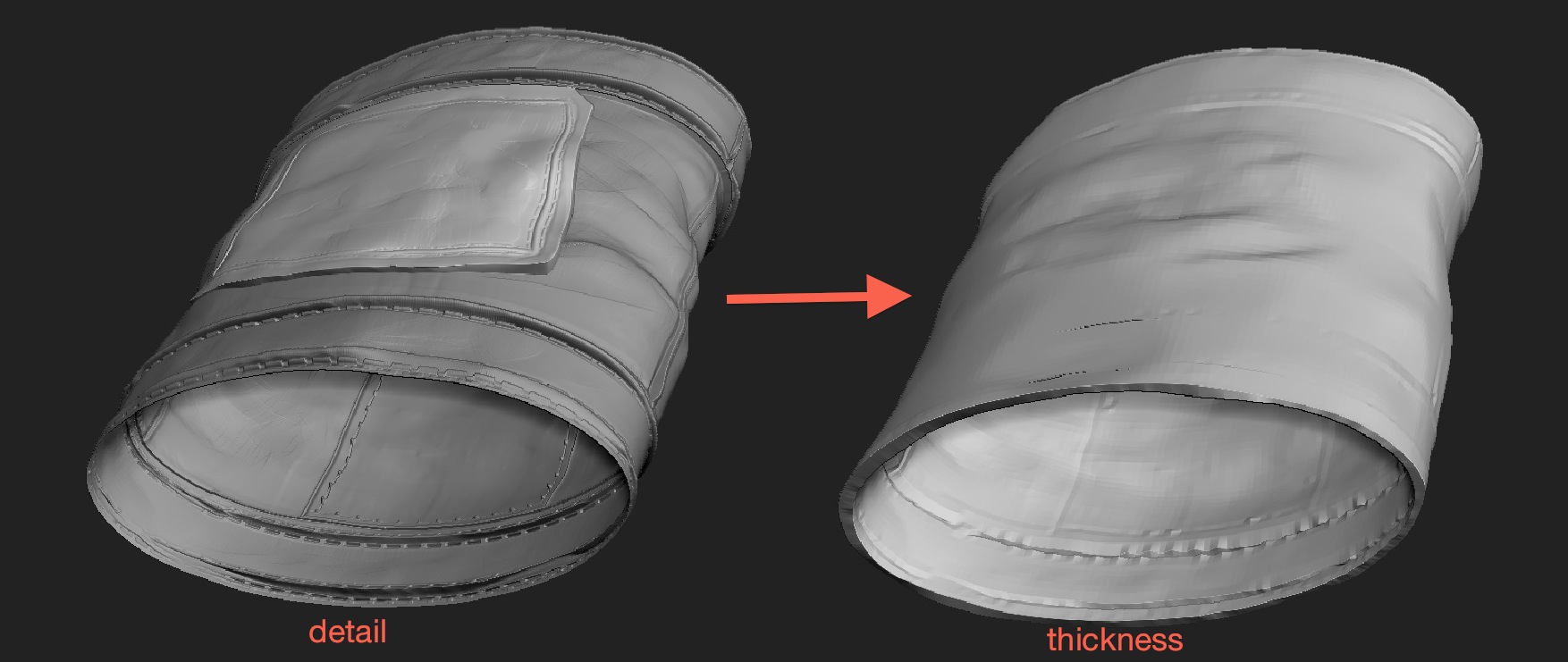
projprob.jpg

you can’t do what you’re trying to do…at least not the way you’re trying it.

If you project a mesh with thickness onto a mesh that is a manifold mesh then you’re gonna have a bad time (insert ski instructor) :stuck_out_tongue:

You’ll want to add thickness to the actual high detail mesh. Play with the sliders inside of tool.geometry.extract you should be able to make a thicker version of your mesh and keep most…if not all of your details.

hi, yeah I’ve found out the hard way. I used a similar approach to the one you suggested in the end (merging the two and retopologizing it then projecting from the merged tool to the retopo’d one)

I didn’t realise you could add thickness more easily in ZBrush. I can’t see the tool:extract command though - - has it been replaced by the new ‘create shell’ ?

thanks for the advice

j

I found the extrract command - -it’s in tool:subtool…

My bad. Yeah, subtool…eh.