ZBrushCentral

Projection problems at Edges of Mesh (Project All from HighPoly on LowPoly)

Hello,

I am trying to get realistic reprojected details on a mesh, but there come up wrong results and badly distorted geometry.

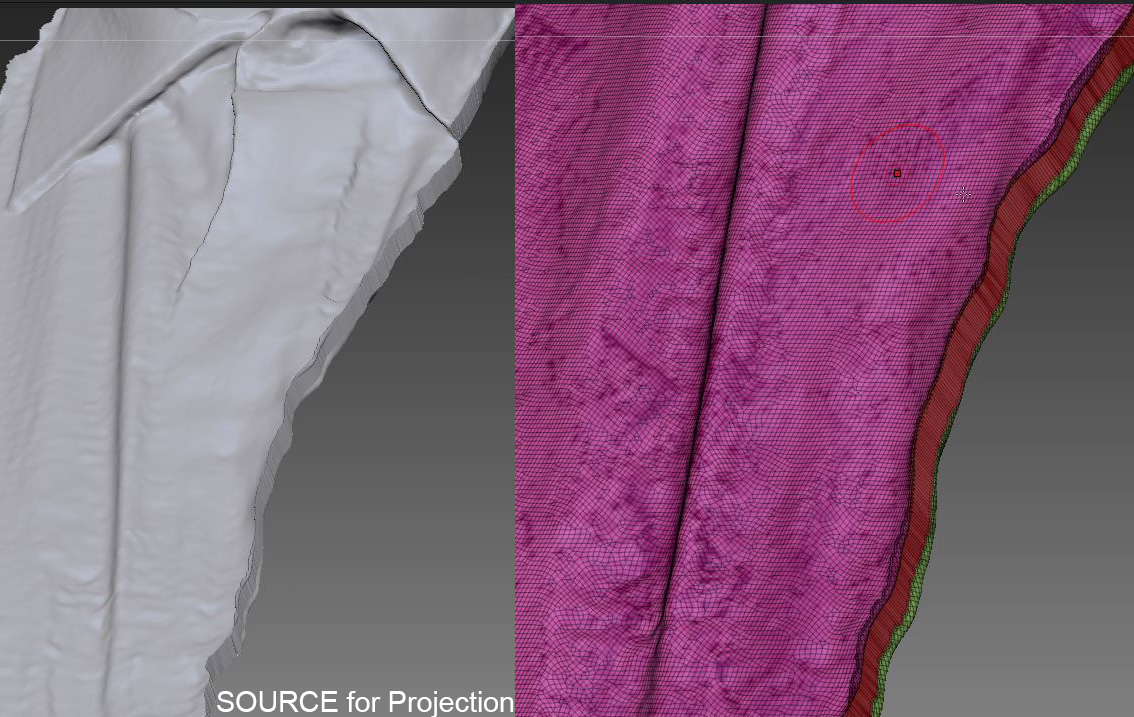
The high resolution subtool, which I wanted to project was originally only a surface, to which I added thickness.
I added thickness, because without thickness a reprojection lead to errors, too.
I named this subtool “SOURCE” in my screenshots.

I created from the SOURCE a duplicate
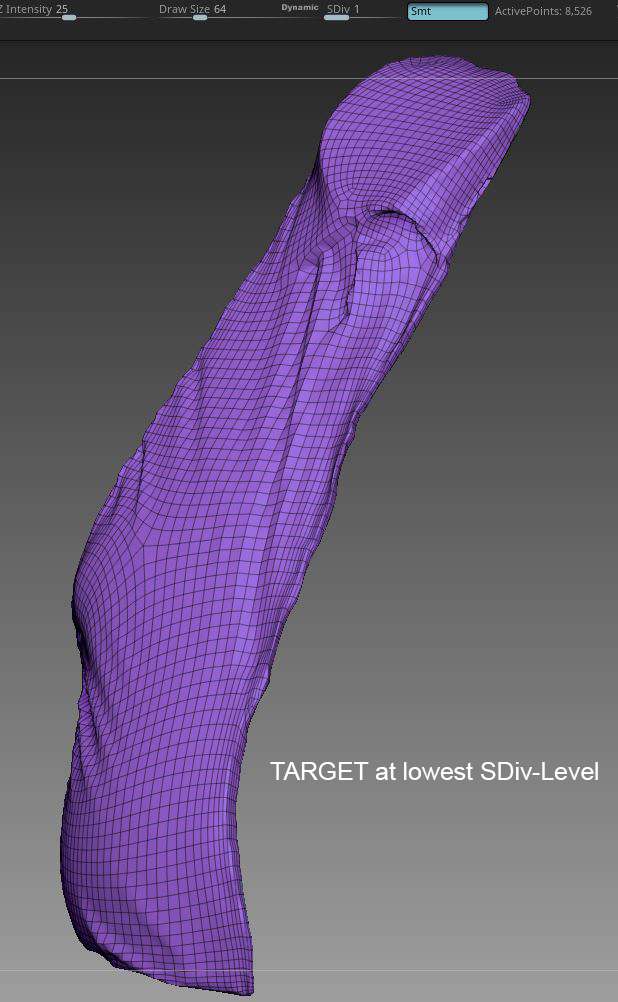
and smoothed it a bit in Dynamesh, checked MeshIntegrity and Zremeshed it.
I named it TARGET in the screenshots.

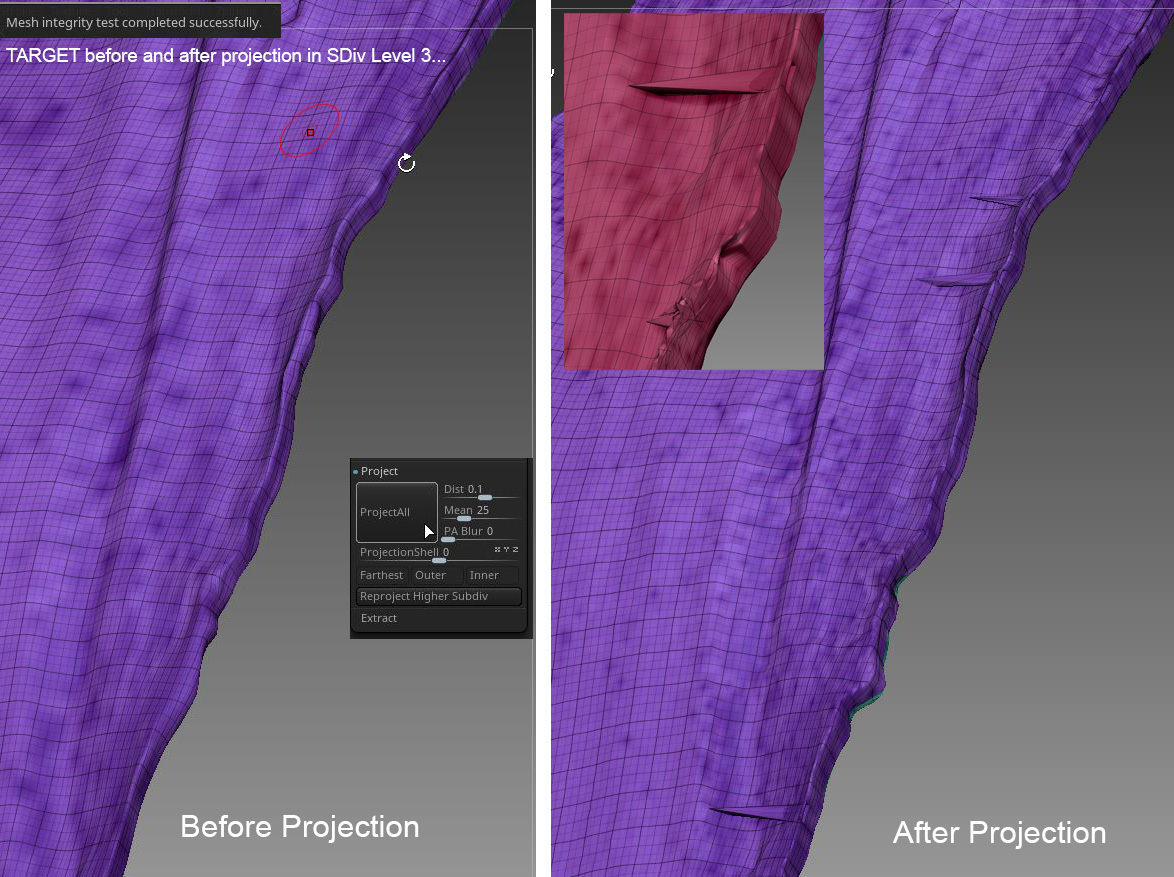
When I want now to reproject details, I get a lot heavy projection errors at the edges.

=> Please see attached screenshots below.
When I use “outer” or “farthest” at the projection panel it is not any better.

This happens after a quite long process, only aiming to get a remeshed Subtool, that has no thickness.

=> Any suggestion to solve the current issue or experiences in another workflow, are welcome.
I think this is a basic task and nothing very unusual.

I also worked with masking before projection, but it doesn’t help. The result is already with a masked backside, because I need details of course only the front.

Many thanks in advance
Projection ERRORS ZRemesher.jpg
Projection SOURCE ZRemesher.jpg
lowRes target Zremeshed.jpg

Attachments

Projection ERRORS ZRemesher.jpg

Projection SOURCE ZRemesher.jpg

There’s no one answer to solve projection issues. It may require some trial and error. If I had to guess based on your screenshot, I’d say that the geometry in your SOURCE mesh is pretty extreme, and possibly problematic for projection. You’ve got that impossibly sharp and jagged edge right next to those long stretched single polys.

Since there’s no especially fine detail to worry about, it should be feasible to Dynamesh the Source object at high res first to more evenly distribute that geometry, and project to the Target mesh from the Dynameshed version.

Here are some other ideas:

  1. Read the section on transferring detail in the Zbrush docs…they describe a gradual subD level by subD level projection process that may be more forgiving.

http://docs.pixologic.com/user-guide/3d-modeling/topology/zremesher/transferring-detail/

  1. The first tweak with poor projection results I usually make is to increase the .dist slider in the Subtool > Projection menu.

  2. If the distortions are minor–a few flyaway verts here and there–you can usually fix them by dropping a level or two of subdivision, and smoothing the verts back into place.

Hi Spyndel,
thanks for your tips!
I already tried to dynamesh the “source” before and I’m always projecting in steps.

I will try next time (*currently I have to work in other software) with higher “dist” at the first level.
And I will maybe save a morph target…

By the way:
My subtool palette containes 25 objects (testversions, previous steps for comparison, other mesh parts, UV, color information for reprojection, ZGuides etc…)
Couldn’t ZBrush get in future also simple folders for the subtool palette to sort all of them better?
And abity to see more than only 7 subtools. A separate floating window as known from layer panel of photoshop is something I am always missing.
I don’t know where to post that suggestion… It would be just a general improvement…