Hello problem solvers!
I’ve searched the forum to see if my problem has a solution but I couldn’t find anything relating to my particular problem. I apologize in advance if I missed it.
I seem to be having difficulty with the Double Sided feature in Projection Master.
Even though I have Double Sided on (Fade is turned off), the forward side comes out fine but the rear-facing side comes out all chunky and jagged. See the attached images to see what I mean.
[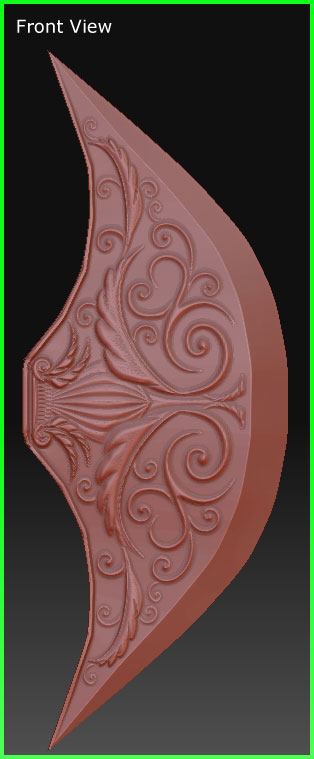 ]
]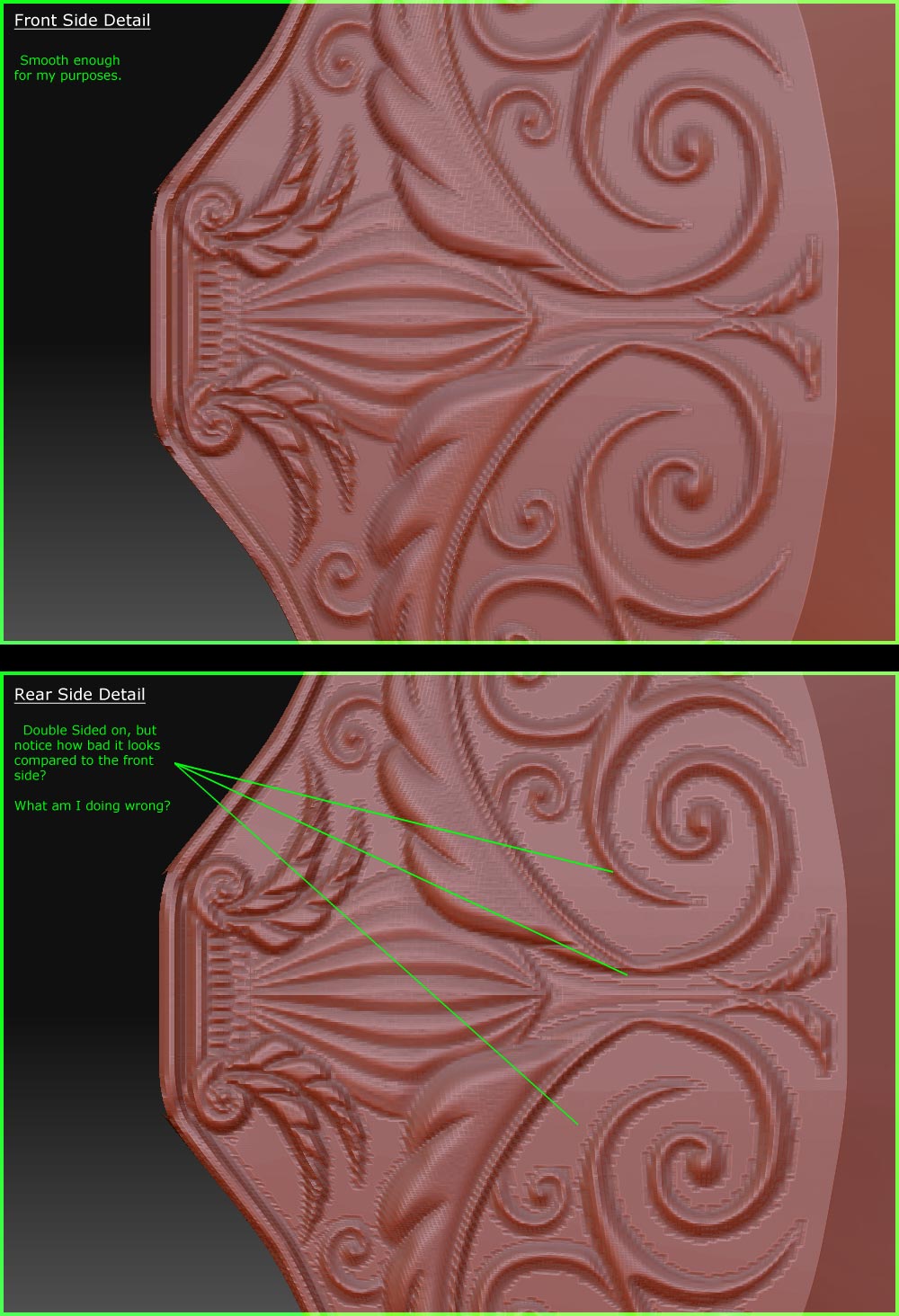
The alpha I am using for the projection is a 1024 X 1024 greyscale .JPG. Maybe it’s not a high enough resolution but that would not explain the difference between the two sides.
I am using ZBrush 3.1 on a PC.
Any advice would be greatly appreciated.
Thanks in advance!