Hello everyone,
I am currently following a tutorial creating a pillar that has grooves going down it.
However I am having some symmetrical irregularity issues.
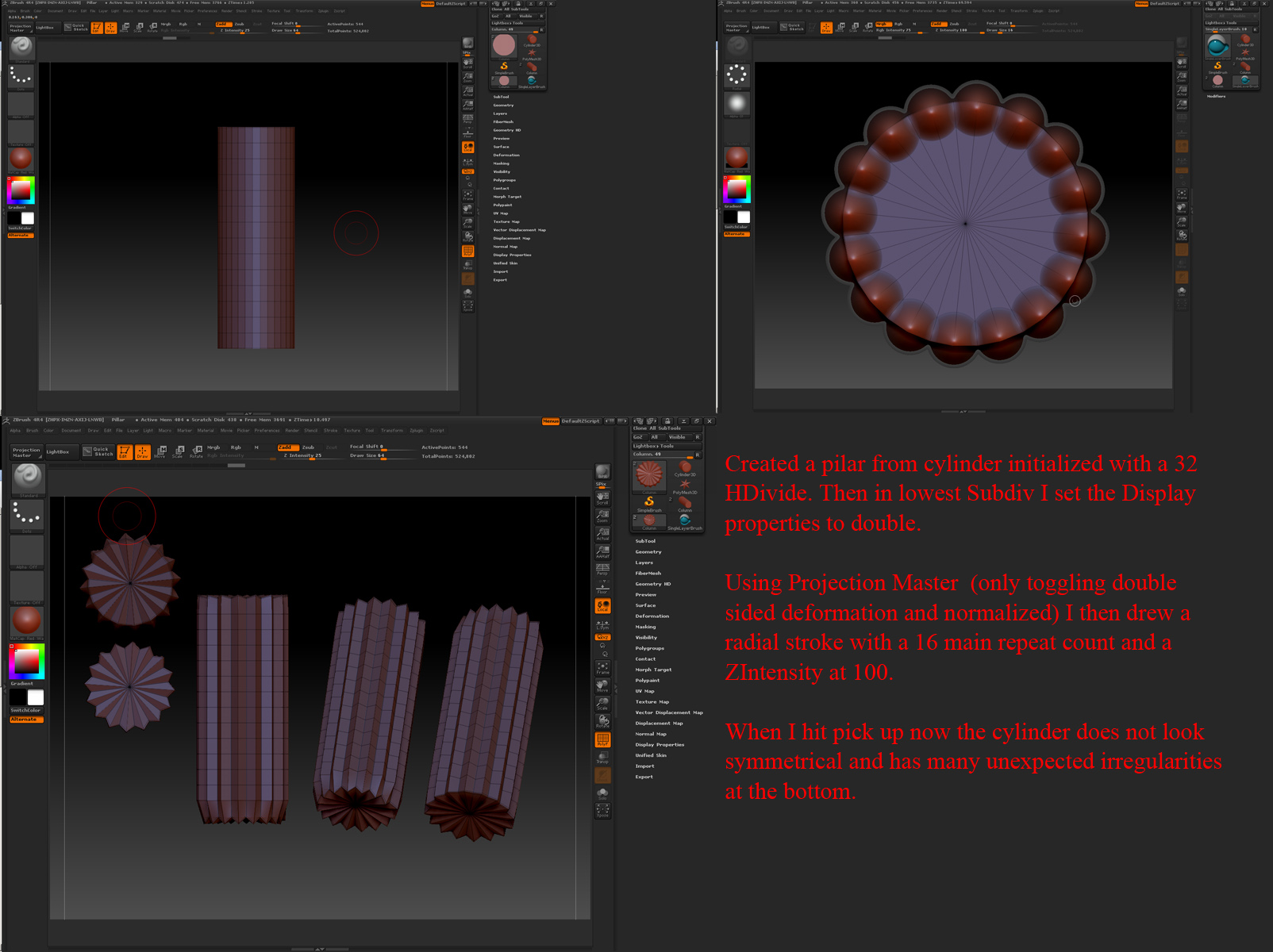
I created the pillar from a cylinder initialized with a 32 HDivide. Then in lowest Subdiv I set the Display Properties to double.
Using Projection Master (Only toggling double sided, deformation and normalized) I then drew a radial stroke with a 16 main repeat count and a ZIntensity at 100 and Alpha 1.
When I hit pick up now the cylinder does not look symmetrical and has many unexpected irregularities at the bottom.
In the tutorial it comes out perfect?
I think the tutorial might have been done using an older version of ZBrush.
If the image did not upload below I pasted a link to an image showing the outcome and process:
http://www.flickr.com/photos/60598884@N05/8183500627/
Any advice will be much appreciated.
Cheers
Specs:
ZBrush 4R4
Quad Core i7 3.4 GHz
Windows 7 64 bit
16 GB RAM
Nvidia quadro 4000
Attachments