ZBrushCentral

Projecting Detail on Low Poly Mesh?

[HR][/HR] What is the best way to project details from a high poly character sculpt that uses multiple subtools onto a low poly mesh?

I am at the “pulling my hair out stage” of trying to figure this out. I have a high poly (9 million) character sculpt made up of three subtools. The first is the upperbody and shirt sculpt including the head, the second is the pants and the third is the pants back pockets. I have tried two methods, 1st being to use “project all” in the subtools menu. I brought in the original low poly mesh that I subdivided when I started the sculpt, and am using this to project the detail. I loaded all of the subtools from the high poly mesh separately using “append” to the low poly, then one at a time used “project all” under subtools to project the detail. This works pretty good for the top subtool and the pants subtool. ( I say pretty good and not great because it is a little inaccurate where the two meet, but that is probably because the mesh is not an exact retopo) I have also tried merging all subtools and projecting as one mesh but that resulted in the pants not projecting at all. The main issue here is when I try to project the back pockets subtool, the result is terrible.

Video of this method:
http://forums.cgsociety.org/showthr…f=140&t=1013816

The second method I have tried is to use a zsphere with the high poly, using the Rigging menu. Then I go under Topology and select the low poly mesh. Then I go to adaptive skin and hit preview and Zbrush crashes because it can’t divide the mesh because of the polycount. This confuses me because I thought it is supposed to subdivide the low poly mesh and not the high poly, but I guess I am not doing something correct. This method has worked for me before using pretty low poly meshes. I tried using Decimation Master and decreased to 4 million polys and tried this method with the same crashing result.

Video of this method:
http://www.alexandervonsass.com/projectingtut/

I am having better luck with the first method, but I am still not getting acceptable results. I am not sure, but it could be because the top half of the character subtool is not a mesh extraction, and was sculpted from scratch, while the bottom two are mesh extractions? Sorry about the long post, if anybody knows a good way to project details from such a high poly mesh that contains multiple subtools onto a low poly mesh I would really appreciate it. I also would like to note that I am trying to reserve the subdivision levels, which both of these methods are “supposed” to do that if they work correctly. Thanks for your time, I hope somebody can help!

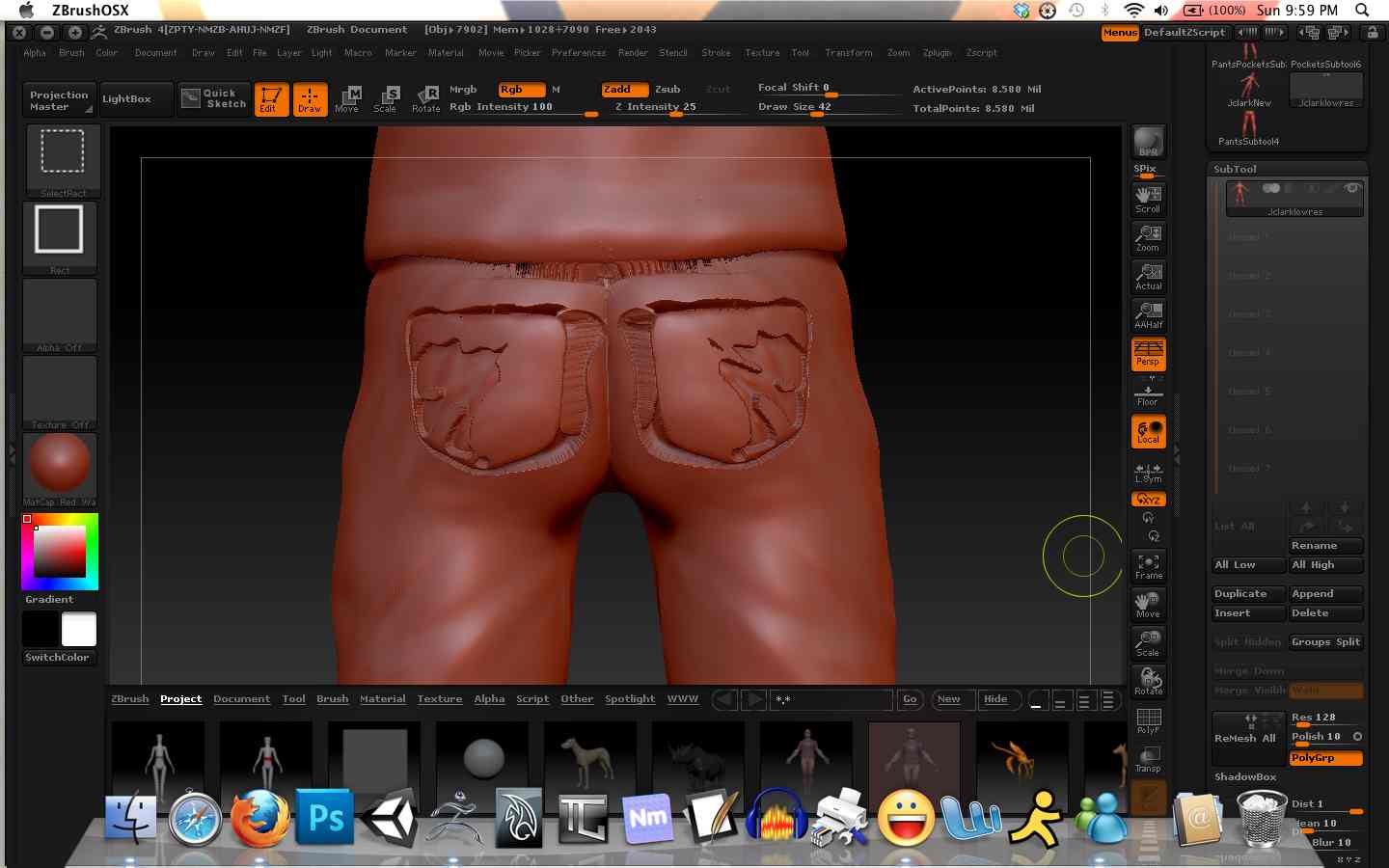
Images: Back1 is how the mesh should look with all three subtools projected, however only the upper and pants subtools are projected. Back2 is the result of when the back pockets subtool is projected.

Attachments
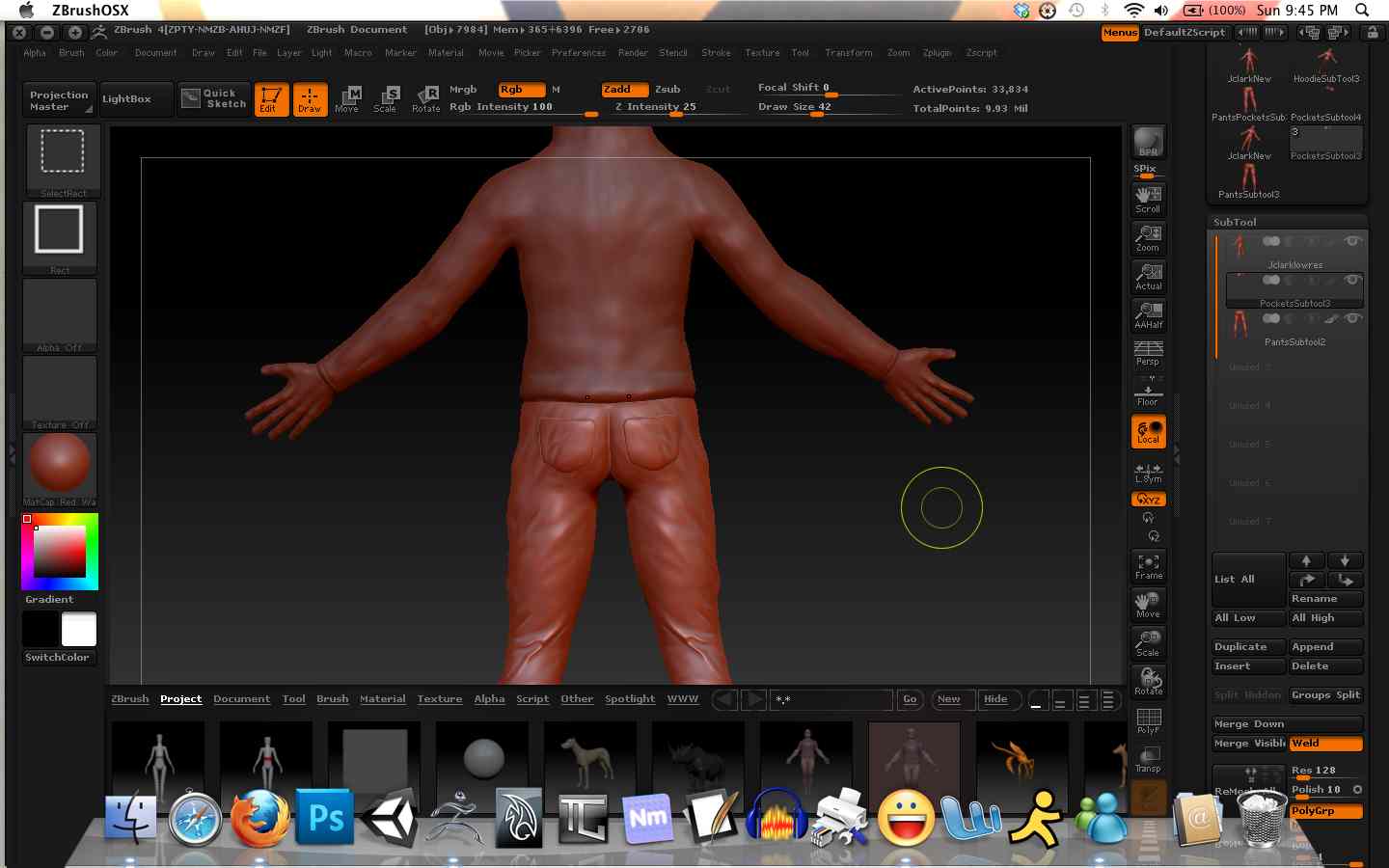
Back1.jpg

Back2.jpg

cannedmushrooms free-mium Zbrush learning http://www.youtube.com/watch?v=zstQsU56zsg&list=PLAF8FE85B2A969BD3&index=21

I am having the same problems you are having. I am using z4r2, but the same thing is happening to me, and I can’t seem to get any resolution to this.
In addition, I cannot rig in z4r2 with or without subtools…my mesh explodes when I try moving the rig. Hopefully, someone will figure this out soon so I can rig again.

Loqutos

They tweaked the values to Project All a bit in the new version. If you’re projecting from the subtool menu, I find I usually have to increase the Dist slider in small increments at a time to get the results I want. Thats probably whats happening with those “holes” in your projection.

I’ll try playing with the Dist slider and see if that helps. Regarding that video, I am a little confused how that will help. Do you mean use remesh instead of the low poly model I am trying to project the high res details onto? And can you use remesh with multiple subtools? Sorry I am just a little confused how to use this method with multiple subtools.

Ah, yes, Im sorry. I assumed one of those methods you were using was the projection tools in the subtool palette. In which event, you would append your low poly target mesh to the reference mesh as a subtool (unless you used Remesh all, in which case the new low poly mesh automatically appears as a subtool), subdivide it sufficiently to hold the detail you want projected, make the subtools you want to project visible and hide anything else, and hit Project All with the target mesh subtool active. I actually prefer this method, as I feel like I get a little more control over the various aspects of the process, and the topology/retopo process has its own quirks I like to deal with separately.

In this scenario you will likely have to increase the Dist slider until you get the results you want to prevent those “holes” in your projection.

If you’re projecting directly from the zspehere/rigging/ retopology process, try increasing the “Projection Range” slider in the Tool>Projection palette.

Ok I am going to give the Dist slider a try first thing tomorrow. I believe the method you described is what I have been trying fortunately. As for the zsphere rigging, zbrush crashes whenever I hit preview under adaptive skin for some reason so I guess that method is out. I believe it is because the reference mesh is too high poly (9 mil). Anyways I will try to play with the Dist slider tomorrow and post back. Thanks for the info everybody, I’ll let you know how it goes tomorrow.

If you want to manually project detail onto your retopo’d mesh because toplogy projection isn’t working for you for whatever reason, just make sure Projection is off in the Tool>Projection menu, and generate the low poly adaptive skin which will be added to the tool palette. Append that skin to the reference mesh, and go through the process I detailed above.

Were you not crashing for some reason (that shouldn’t happen, obviously), you could probably fix the projection error in the topology process by increasing the “Projection Range” slider in the Tool>Toplogy menu.

Ok I figured this out for the most part. I had some issues that needed cleaning up with the pocket subtool itself, but after that it still wasn’t projecting perfect. I manually sculpted and smoothed the strange artifacts of the pockets because they were not that bad after I fixed the subtool in maya. I later tried the same process for a sneaker, and noticed that the “Projection Shell” was really helping with the problem I was having before. It seems that if the projection shell is not large enough, the details can become cut off and look distorted. It helped when projecting similar detail on the sneaker, so hopefully increasing the projection shell will fix this issue for anybody else that may be having it. The “Dist” slider seems like it acts in a similar way, but I had it all the way maxed when I did the original projections so it wasn’t fixing the issue. Thanks for all of the informative posts everyone.