ZBrushCentral

projecting around spherical objects with PM

Sorry if this has already been covered somehwhere, but a search of Projection Master in the forums produced about a zillion returns and more specific searches like the title of this thread turned up nothing.

so my issue:
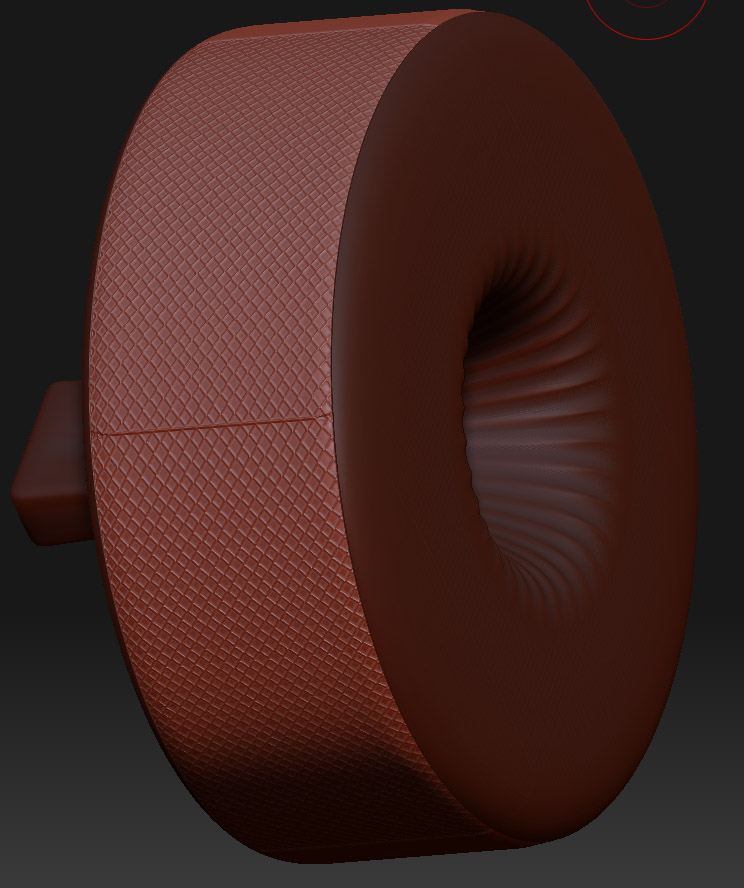
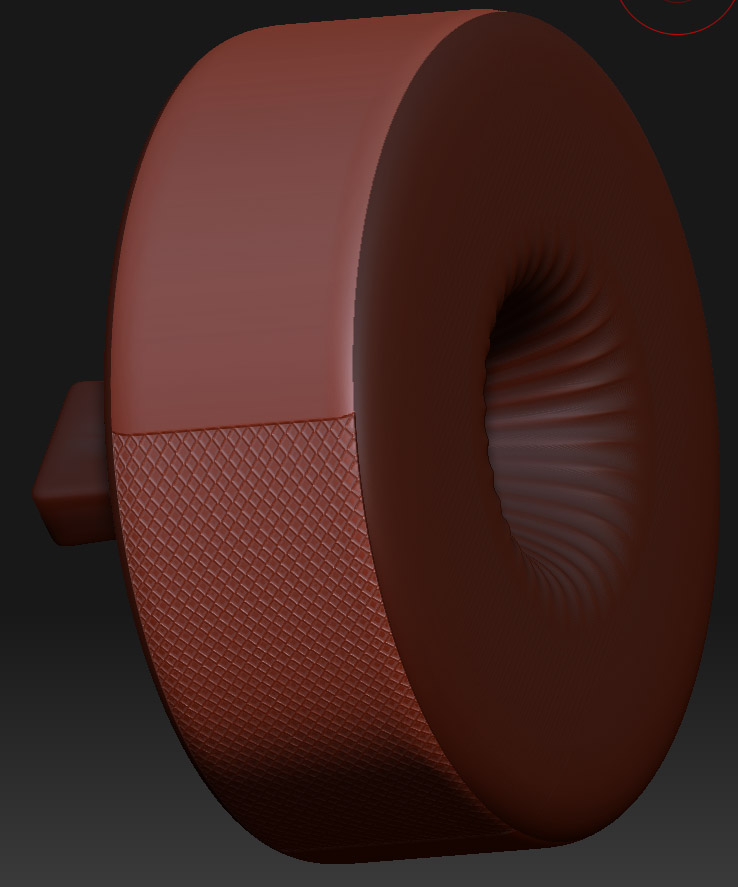
i’ve got a cylindrical object that i want to put a pattern on for surface interest. i’ve made a alpha with the pattern i want to project on to the surface. the problems are:

  1. as the pattern projects around the object, it gets distorted.
  2. even if i only use PM on the portion with faces with normals which face toward the camera, i still have the problem of matching up the pattern so that there are no seams.

since ZB’s scale tool does not have any type in value (its all eyeballed using the scaling widget), i can’t draw the pattern the same size every single time which makes eliminating the seam very difficult.

the images below (hopefully) illustrate my problem.
001.jpg

is there anyway to project around an object of this type more easily? thanks in advance for any and all help!!

Attachments
002.jpg

003.jpg

I would lay out the UVs in an external app, then you can project your pattern on as an alpha.

hi dustin, thanks for the quick reply! sorry, i’m not sure if i entirely understand what you’re suggesting. i assume you mean layout the uvs for the side of the cylindrical object so that its a rectangle in uv space. what i’m not as sure of is what you mean by “then you can project your pattern on as an alpha”.

thanks again!

I think he’s suggesting a textural approach to the problem. Unwrap the UVs and apply the repeating pattern as a texture. Simple cylindrical projection would probably work as well.

From that point it could be rendered as a simple bump map on your object in an external program (which would probably achieve virtually the same effect for less hassle, or…

…once applied in Zbrush, you could use one of the “Mask By” controls in the masking pallette to derive a mask from the texture, and inflate the details in or out… or do it manually with the layer brush…or even apply it as a displacement map and covert the displacement to real sculpting with full displacement mode.

See, heres a quick example with a cylinder primitive, one of ZB’s default textures, and the default mapping on the object, and it’s in the ballpark of what you want to do.

[[attach=157348]quickdispexample.jpg[/attach]]![quickdispexample.jpg|800x394](upload://lcpiHFZGzQ0ewvsgofWAymC3aoN.jpeg)

If you make that pattern as a repeating texture, and play around with the options in the Displacement menu, you might be able to get what youre after with simple cylindrical mapping and some careful masking.

Thanks! that’s exactly what i’m trying to do…and with much less brain damage to get it done :slight_smile:

cheers!!