ZBrushCentral

Projectall problem

Hi,
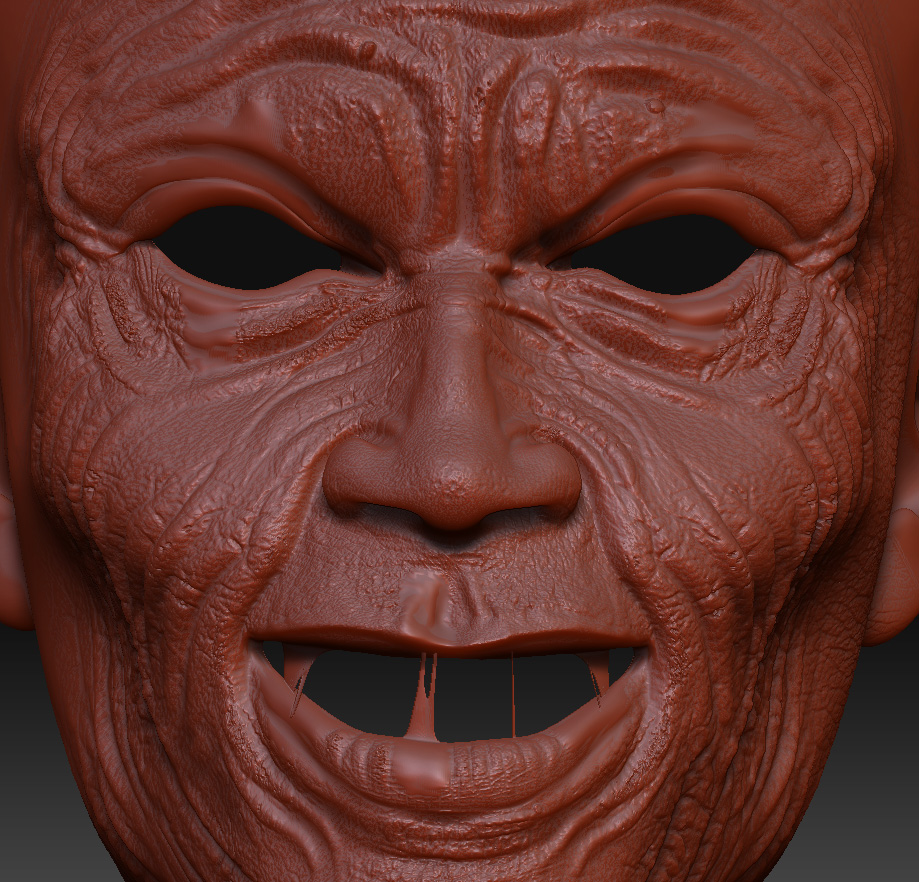
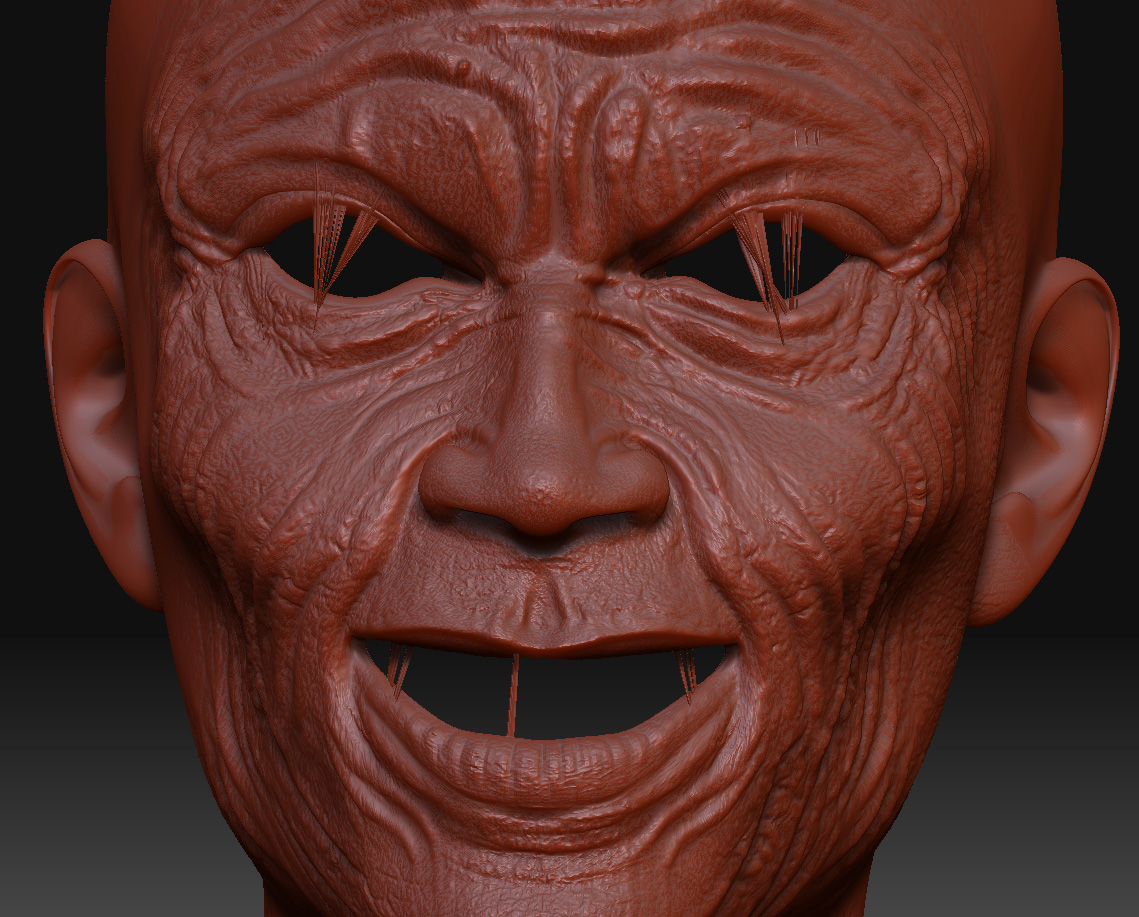
I know that there was written a lot about this, BUT, searching forums I did not find any solution for my problem. What have I done, well, exported obj (level 1) then made UVs, then imported in ZB, append to it model that has no UVs and then projectall. Result was ok, except for the holes. I thought when using mask this will help me, but it did not, now is there any way to do something with this? I was trying even with smooth tool, but around mouth it just would not make it look as it should!

Attachments
projectall.jpg

if you haven’t changed ANYTHING other than the UVs, you don’t need to project the object

just go to the lowest subD
tool>morphtarget>storeMT
tool>import>find obj with new UVs
tool>morphtarget>switch
tool>geometry>go up subD’s to check for explosion

you will be all set if it didn’t explode.

goast666, I know this method and it did not work, result was cubist sculpture

this will always happen when using projectall around holes, which is one reason why i’ve started capping my eye and mouth holes before sculpting. The only way I’ve found to fix this problem is to store a morph target before projecting details, and then after your details are projected use the morph brush to go in and painstakingly paint your original morph back in on these areas that are distorted. You have to start at level 1 and go all the way to the end… it’s a long and painstaking process, but it works.

eldee.s
I will try your method, I hope this will work, well smooth tool makes area around eyes ok, only mouth hole is problem…thx by the way

did not help eldee.s at all

@eldee its much easier if after you projectall you switch your morph target back, then mask those hole areas, then with the morph brush on a big size just paint in the projection, very quick this way.

spaceboy412, it is not working around mouth, still those “free vertex” are making problems. with smooth tool I could repair eyes, but I do not know why it just will not work with mouth. I guess I have to do all again with UV model. This makes Zbrush not very helpful software.

This is what I am talking about, eyes great, mouth no way! Now what? Everything from the beginning? This must be joke!

Attachments

sculpture.jpg

May I suggest you try Projectall at a lower resolution first (both meshes) then go up to the highest level and Projectall again?

It may or may not work, though. Projectall is not perfect and I have had my share of issues with it.

Revanto :stuck_out_tongue:

before you project the mesh store a morphtarget. after the projection, look for areas that “spike” (in the mouth). switch the morphtarget to the smoothed UN PROJECTED version. Then mask off the areas that had the spikes. Grab the morph brush, and go over the object to bring back the sculpt. Then try the Zproject brush on the areas that were spiking. If that still doesn’t work then you have to rescult the places where there was spiking.

This is a common problem. Using combo of the Smooth brush and the ZProject brush as goast suggest works for me.