ZBrushCentral

Project All problems with bad spikes on the mesh after projection

I have two subtools. First is chest vest with ornament (multiply subdivision levels) and second are yellow brads (nails) on the vest without subdivision levels. I would like to merge it down with saving of multiply subdivision levels.

I did that:

  1. Subtool>Remesh All creating new lowpoly subtool based on vest and nails
  2. Geometry>Divide subdividing new lowpoly subtool created above
  3. Subtool>Project All projecting vest and nails on new subtool with high subdivision level created above

Effect has got many bad mesh spikes with no difference with initial setup of properties (Project All). I tried with many distances, blur and mean displace tolerance with no good final effect.

So i modified my process. I duplicated vest and nails. Then i merged it down and created Dynamesh from it. I inflated it (Deformation>Inflate) to make bigger merged mesh. Then is Project All for this merged mesh. Effect was the same with spikes and many errors on the mesh.

How to do it right. I would like to have one mesh (vest with spikes) with many subdivision levels. I want create for it displacement map or vector displacement map later but i have no problem with that.

If you want i may show that bad spikes on mesh later.

Attachments
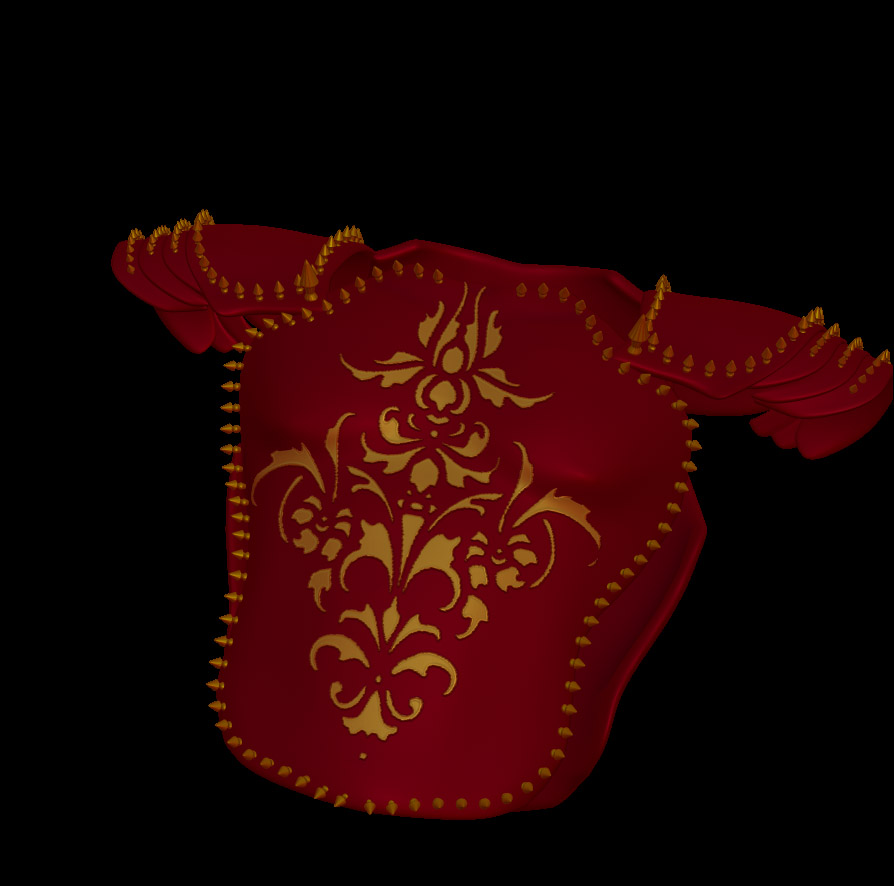
BPR_Render.jpg

Maybe i should do insert mesh method but i don`t know how to do it in that case.

If the spikes had previous subdivision levels, you might be able to reconstruct them and then just merge it down. Otherwise, if they’re just as low as they can be (same result from the IMM brushes), I’d just personally leave them as a separate subtool. Is there a specific reason why you would want them merged into a single mesh?

As for projecting: try only subdividing once, projecting the detail, then subdivide again and repeat the process for each subdivision level added.

I tried your suggested method with projecting every level of subdivision with no success. I thought that i have to merge it down into one mesh becouse it will be better for rigging and smaller for operate (displacement maps generate more polys in the moment of rendering). I want rig it in Modo. I think it will be better for shorter rendertime using replicators in modo than left it unmerged as a different subtool becouse it will give more unnecessary geometry. I would like to merge as much as possible in one mesh and create all needed maps for it :). I made that nails by insert mesh curve and i thought that will be easy to merge it down into one geometry. “Merge down” button is merging two meshes without real merging polygons. “Remesh All” button gives me good result but it creates high density mesh. I may do it also in low poly but after that and after few subdivisions i can`t “project all” needed details into that mesh (bad mesh with many spikes which are hard to remove).

So is it not so simple as i thought :wink: