I’ve been using ZModeler, and noticed a number of problems and limitations it has.
-
Bevel Edge Loop cannot control which side of a loop gets beveled.
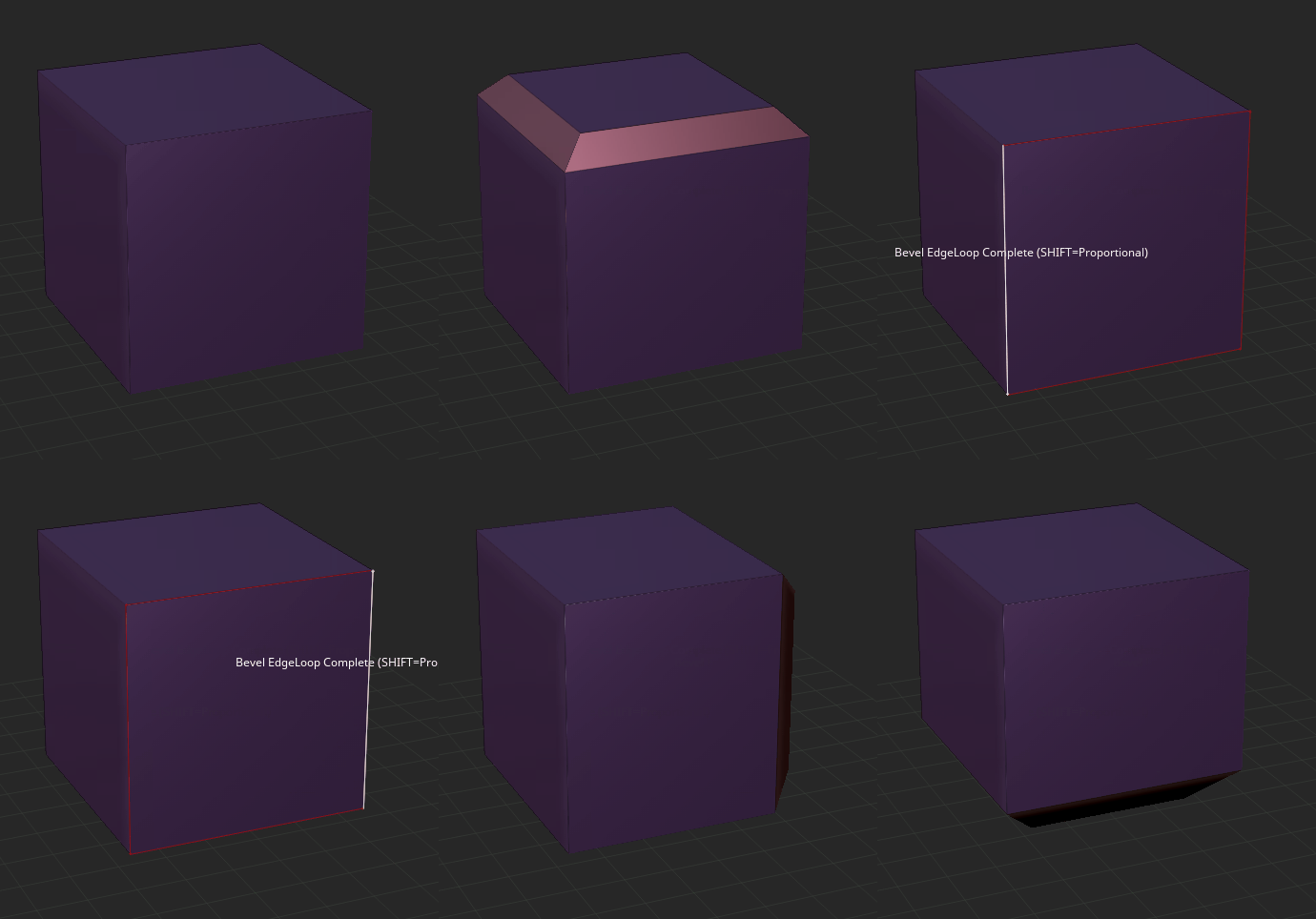
As you can see, it’s impossible to bevel the loop on the front facing the camera. Other tools can adjust the outcome based on the position of the cursor, such as polyloops (which fair no better in this case), so I don’t understand why that couldn’t be used to offer more control here as well. -
Bevel Face ALWAYS bevels every individual face in a group, no matter what setting is used.
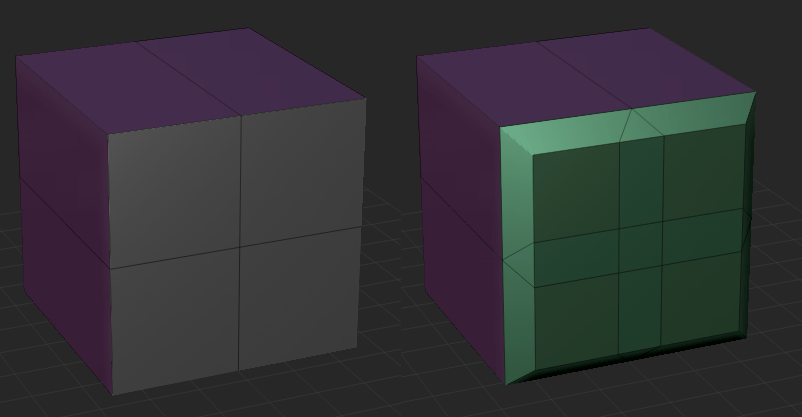
I don’t know why this would even be the default function, let alone the ONLY function, since this would almost never be the desired outcome.
This goes into #1 as well, since beveling the front face would normally be how you would work around a problem like this in other software, but you can’t here. -
Edge Move and Edge Move Infinite Radius are literally the same thing, just with different target options. I don’t know why this couldn’t be cleaned up by just adding the extra target options to Move.
-
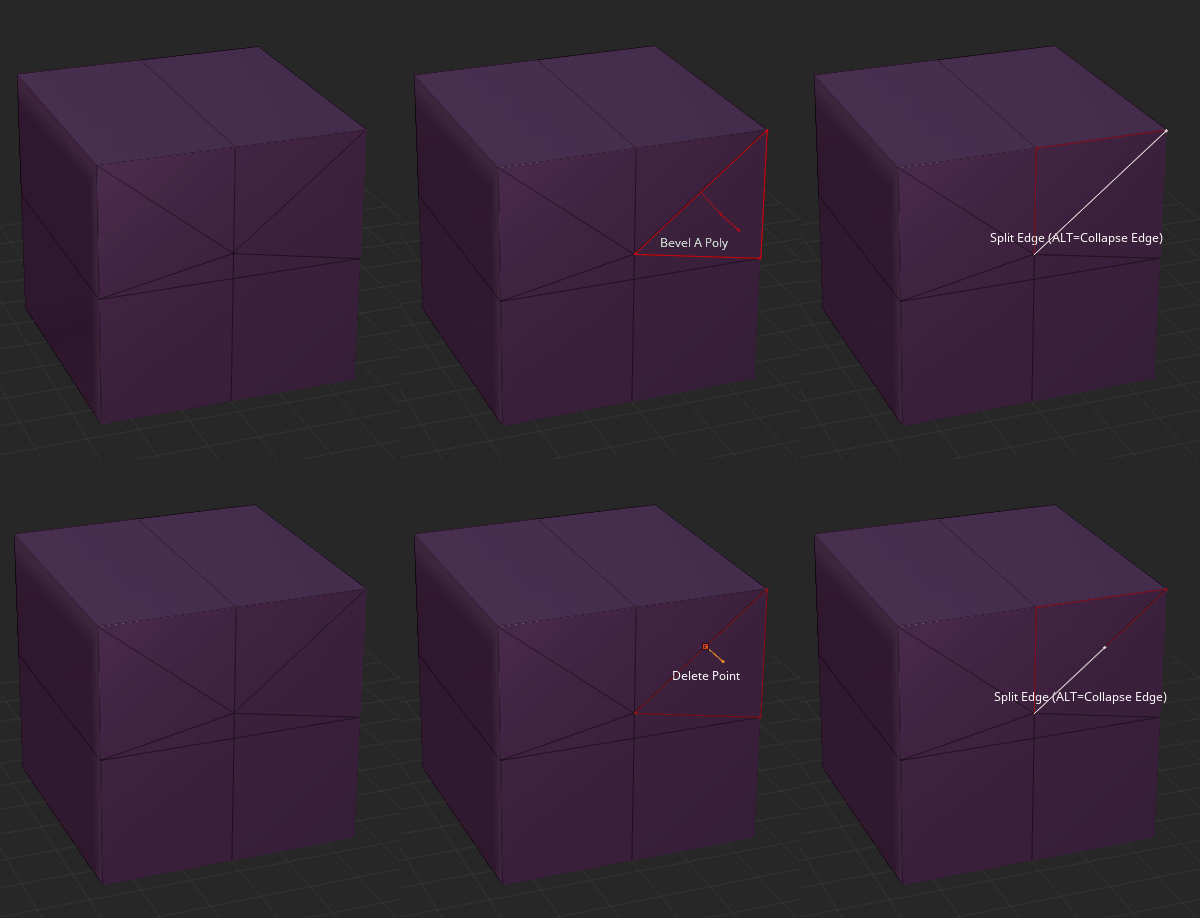
Points are invisible. You can only tell where they are by the edges branching off of them.
This seemed fine at first, but then I started using the Edge Split tool. For the longest time I thought that it couldn’t be used on triangles, because it had no visible effect. As it turns out, it just wasn’t adding extra edges around the new point because it didn’t need to. The new point was in fact there, but impossible to see.
-
Edge Curves cannot be placed on loops, and have to be placed one at a time. This is incredibly slow and tedious.
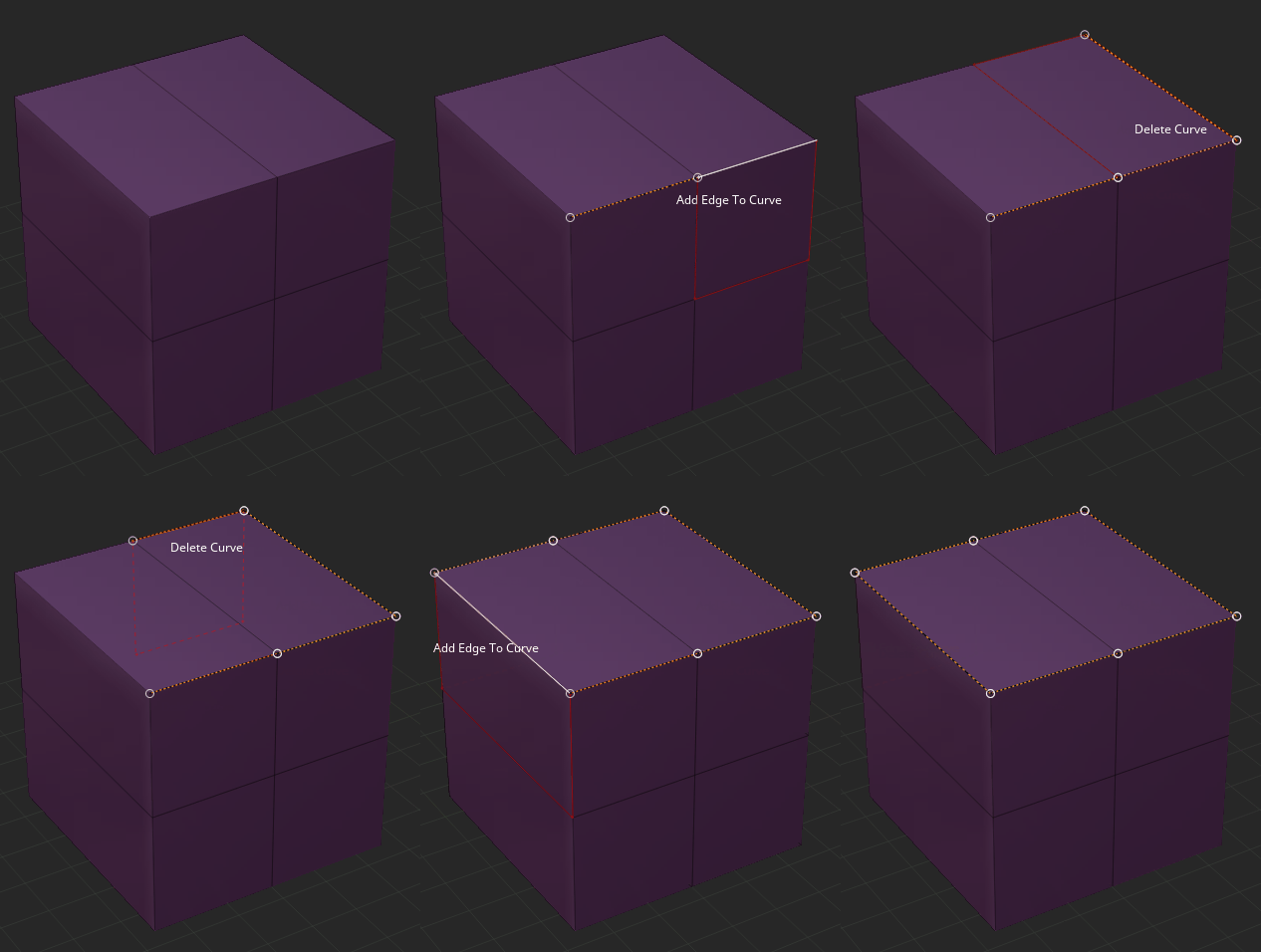
Using these would be the only solution to #1, but can be an EXTREMELY slow solution depending on the density of the mesh. -
If you use a curve brush on an Edge Curve, it treats each edge as a separate curve. None of the segments will be properly connected, even if it’s a single continuous line of edges.
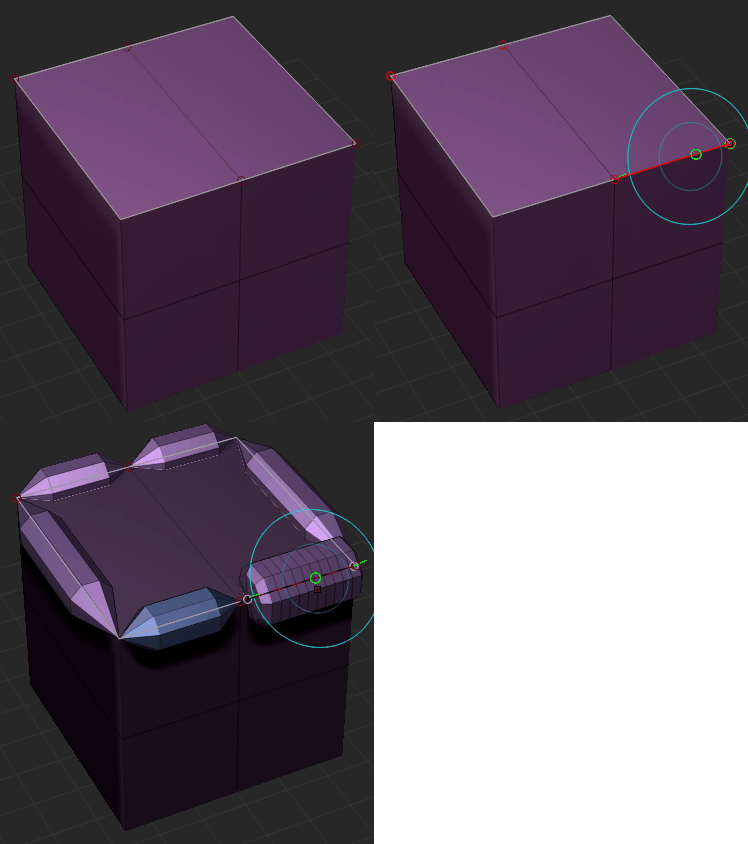
This is just a basic Tube brush. -
It appears to be impossible to bevel a single edge.
I assume this is because it would attempt to create an NGon. But theoretically those should just be triangulated, like when splitting an edge. -
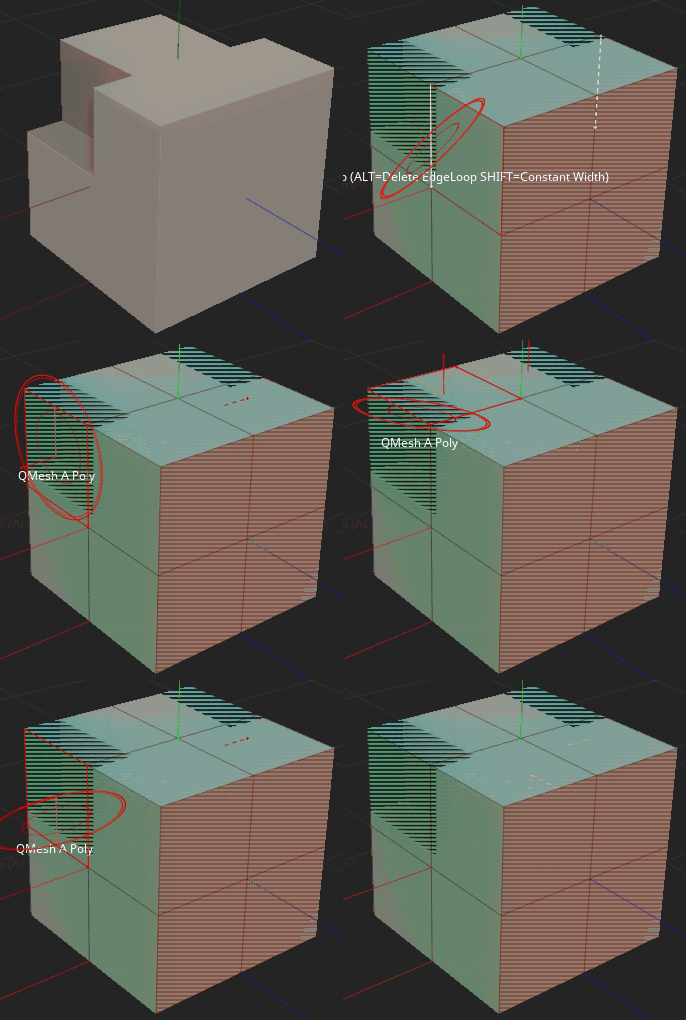
ZModeler does not play well with live booleans. They technically work, but when hovering over a booleaned area the cursor goes nuts, making it hard to select elements properly.
-
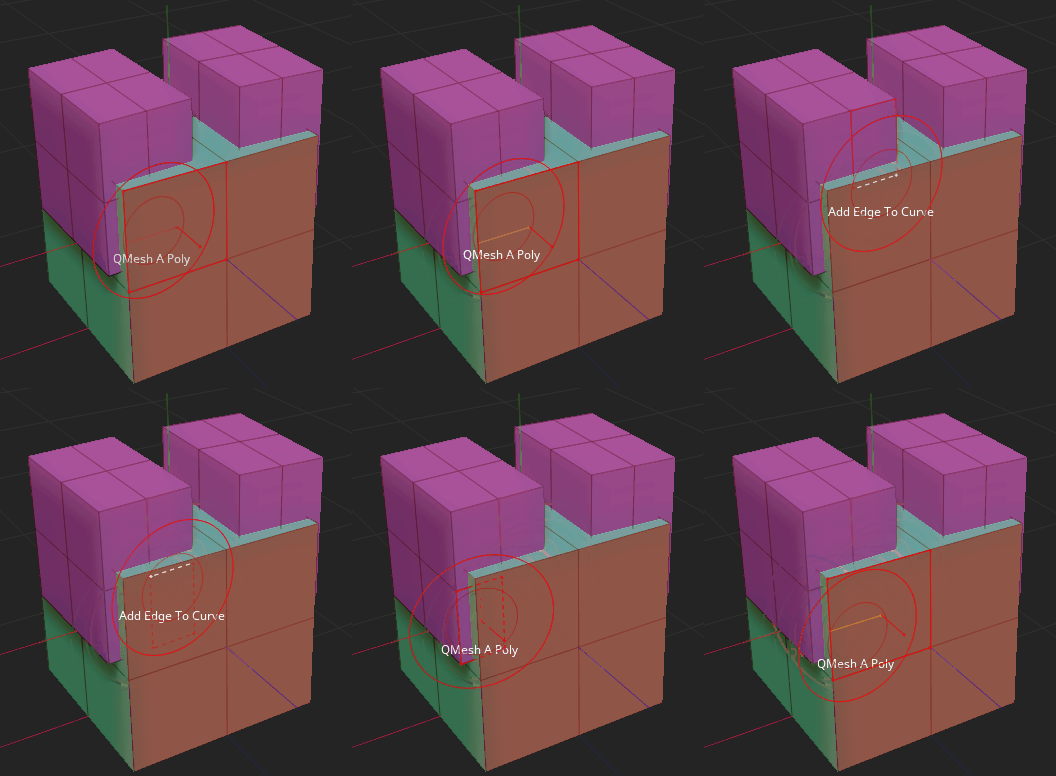
When meshes are intersecting closely, ZBrush gets confused on which element it should highlight.
-
There’s no way to perform edge actions on groups of edges, like you can with faces. Edge Curves seemed like the answer to this at first, but the only action you can apply to them is a bevel. Being able to Move them would be particularly useful, since you can’t just Repeat Last movement to additional edges.
