ZBrushCentral

problems with UV´s

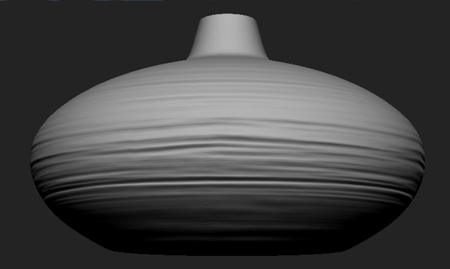
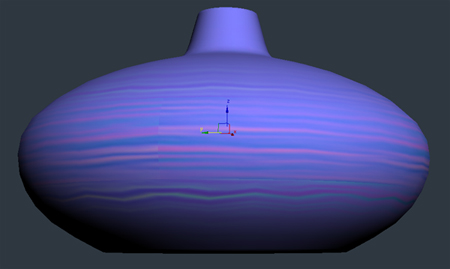
hi, i´m having some problems when i make normal maps in zbrush and apply it in a model with turbo smooth, the texture don´t fit the model like in zbrush, i think the problem is when you subdivide a model in zbrush it do not smooth the uv´s like the turbo smooth does, is there a way to get this fixed? i have tryed to use mesh smooth with “Old Style Mapping” marked and worked, but there is another way to get it right from zbrush? there is the images for the example, the first is in max, the second is a zmapper print
max.jpg

Attachments

zbrush.jpg

The problem is the way Zbrush smooths the UV’s…like you said, it is different than how turbosmooth works.

But on that note, if you’re going to use turbosmooth, why not just dump out the iteration of your object that you’re going to use anyway?

If you’re going to use turbosmooth with one iteration, just dump out your obj with the second subD level? Generate the maps for that object, and then apply those back in Max.

Should work like a charm.

Hope that helps.

thanks goast666! this will solve the problem, but for example i will apply the normal in a character to make a skin later on, i cannot export it with any higher subdivision level and not left it low poly neither, what can i do? i have tried to mark the “smooth uv´s” option in zbrush but it smooths the uv´s in a different way too =/

normal maps should “always” be generated for the mesh that they are going to be applied to.

You can simply generate your normals for say…2 iterations of turbosmooth.

so you generate your normals in zbrush on your 3rd subD level.

the export out the low, add your turbosmooth to that object, then apply the maps…the “should” work fine. But then again, you’re using max…so only god knows.

thanks!!