ZBrushCentral

Problems with normal map exporting [Answered]

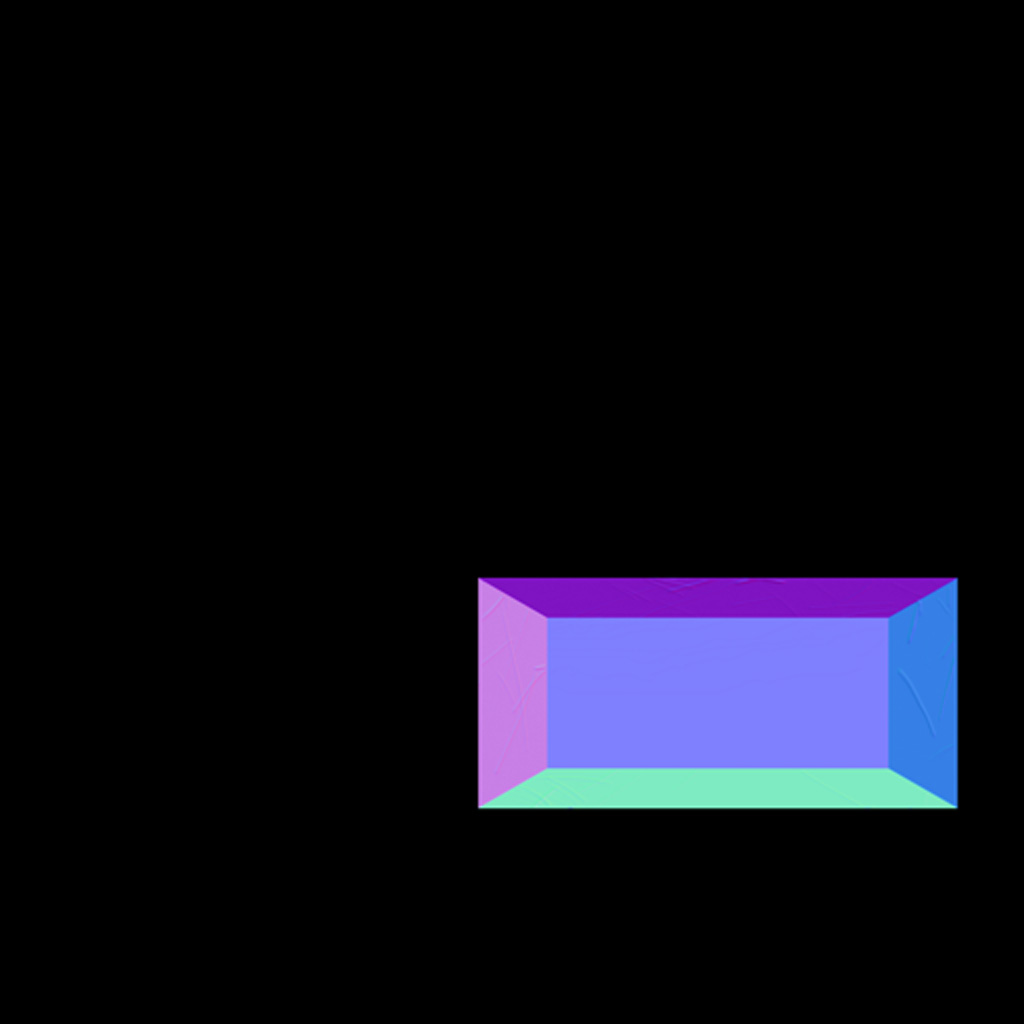
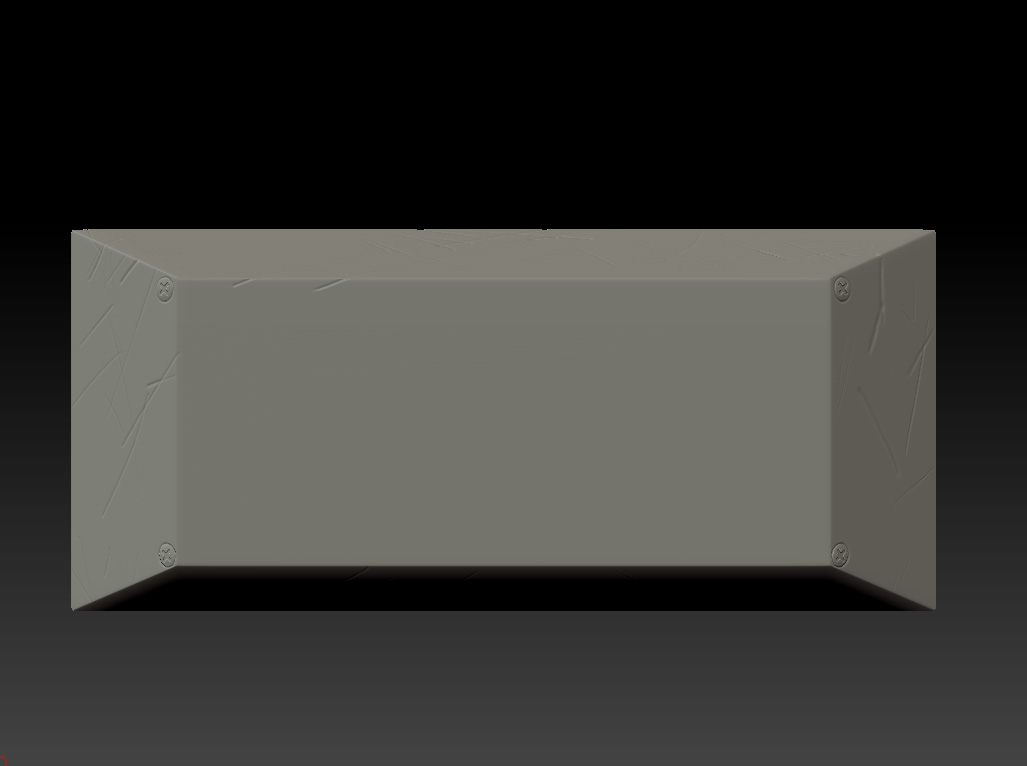
Hi guys, I’m new to zbrush, sorry if this question is to simple, I’m working on a simple prop, and I want to get the normal map but somehow I can’t, I don’t know why, the thing is that I’m getting all the scratched details but the bolts don’t seem to show up in the normal mapping process…I also tried exporting the mesh so I can get the map from maya…but the exported mesh is in Lvl 1 subDiv although I ask for the highest…can anybody give me a hand here? thanks a lot! :slight_smile:

Attachments

NM.jpg

Model.jpg

hi, first check your uvs, and make sure they are laid out right and no overlapping. You can check this by clicking “new from UV check” button on the Texture map menu. If there is some red, it means you have some overlapping. Once you made sure of this, go to your lowest subdivision level of your mesh, so it calculates more information into your map. Then go into your normal map menu, and click create normal map. I usually uncheck the smooth UVs option, because it’s easier for me to control the maps placement by doing this. Good luck.

I just tried it the way you told me, but it just Didn’t workIs there some kind of “envelope” when a normal map is created? because I can’t find any other issue? what do you think?

Are you using any HD Geometry?

Nop, I just added the sculpted detail as you normally would, and it’s not even raised so far up. It is just one Geometry btw

Can you post the model? I’ve no idea what the problem might be.

Sure, here is the link where you can download my file, because I couldn’t upload it here due to the size :stuck_out_tongue:

Thanks a lot for your help

http://www.megaupload.com/?d=I0MRHSTB

Your UVs are causing the problem. The corner edges are all squashed together so the bolts are just not showing. You can check this by pressing Tool>UV Map>Morph UV (do this at the lowest subdivision level).

Also, for a hard-edged object like this you don’t need to turn on Smooth UV in the Normal Map settings.

HTH,

Thanks! that process of redoing my UVs worked, I just have a last question…which program would you recommend working UVs? I mean, which one can give u a better UV layout?

There’s no simple answer to that. It depends on what sort of thing you are modelling. For organic things, the UV Master plugin that ships with ZBrush is a good solution. If you want more control, and the ability to layout UVs for different types of model, then you may want to buy a dedicated program. But most 3D programs come with some form of UV editor, so perhaps what you already have is enough. It’s really a personal decision.

alrighty then, thanks a lot for your help and advise!