subtools working with the central figure is decentered and I can not put it back in place.
Help !!!, someone who can tell me how to get him back to his place?
Thanks!!!
Attachments
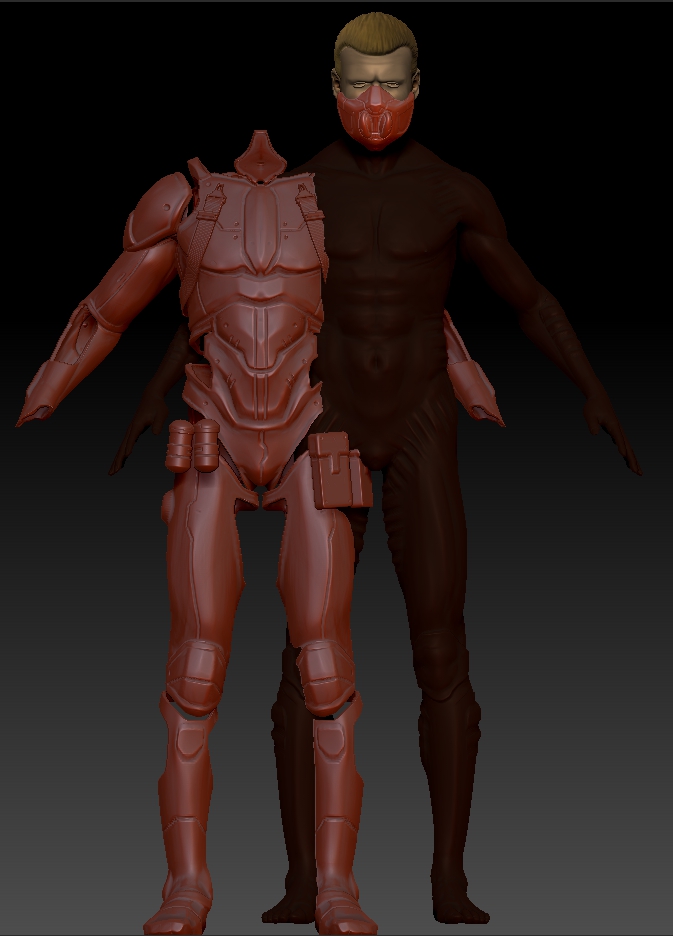
subtools working with the central figure is decentered and I can not put it back in place.
Help !!!, someone who can tell me how to get him back to his place?
Thanks!!!
I guess both are symmetrical and should be touching the floor. Have you tried to change the position to 0-0-0 in both objects? In the tool-Geometry-position section. If they have different height this solve horizontal axis but not vertical but at least is a start. If you only want to move the armor perhaps could match all or some of the values of the body to the armor.
The bigger object or the host in the tool set the 0-0-0 values of the tool. For any subtool smaller or recently appended in the tool it will fit in the horizontal axis (X-Z) but will be floating in the center of the bigger object for the height value (Y) for 0-0-0. This means separated of the floor.
I don’t know if exist a tool to snap to the floor automatically.

Thanks, I’ll try this. I was going crazy , thanks again
Also as I guess you have different versions of the same file you could go to an older version where the position is correct are copy the position values X-X-X as long the size was not different