ZBrushCentral

problems loading an Image on Canvas

Hi Guys

Please help me out here…
am using the LOAD IMAGE function on the texture palette to paste my reference on canvas so i can
sculpt as i view my reference but my Ztool keeps intersecting with my ref/canvas so my ztool is obstructed behind it…
and i can’t work!! How can i fix this? PLEASE HELP ME OUT

Here’s what i mean, wen i load my Polar bear ztool its fine, but wen i rotates it, it gets obstructed!! (view attached image)

Attachments
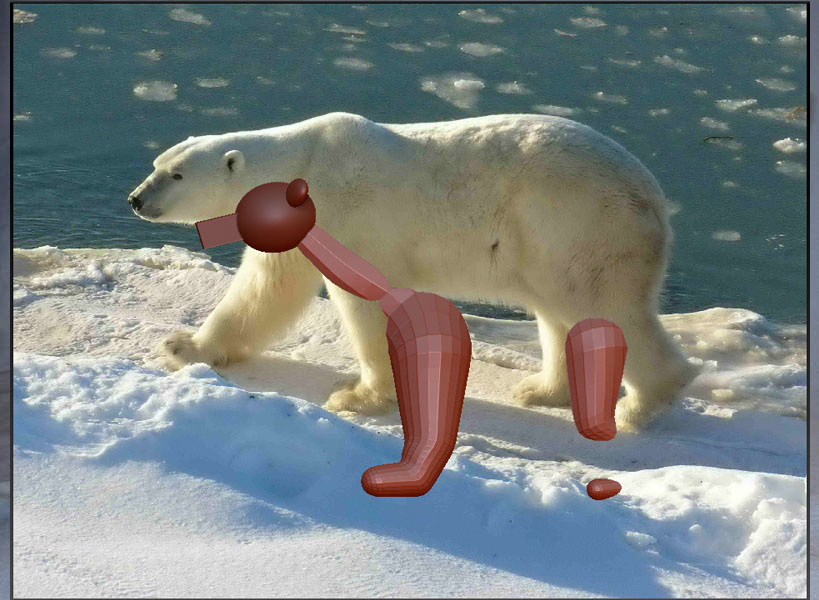
RoyalDux-PolarBear copy.jpg

under> texture > image plane > load image will apply your reference image to a plane 3d, append your model to it in subtools
click on it and sculpt your model.you may have to scale - size image plane with model - you can save your model this way to continue later and delete
it when done:+1: zb 4r5 also has app transparent now with image in backround also in lightbox there are grids which you can edit near the bottom of the draw menu - cheers

Heyy Gary

Thanks alot for your reply

Appending my ztools to the reference /3d plane is a good idea but i dnt really like the fact that wen i rotate my ztool my reference will rotate with it…

Am still new to zbrush so i kinda find this a distraction in a way… (am still used to my ref staying still, u knw wat i mean)is thera way to make my image plane stay still…perhaps utilizing the layers palette to make separate canvases…i try but failed so i let the zbrush pros gv it a try :wink: ur efforts will be very much appreciated…

NB:am using zbrush4R3

Draw your ztool on the canvas and enable Edit before going to Texture>Image Plane>Load Image.

Dude u got it spot on!!

thanks alot mate…i cant believe all the trouble i went thru was just because of the oder of doin things…its not fair

thanks zber2 i appreciate u taking ur time helpin out…you too Gary :slight_smile: cheers good people.

Happy zbrushing