Hi All,
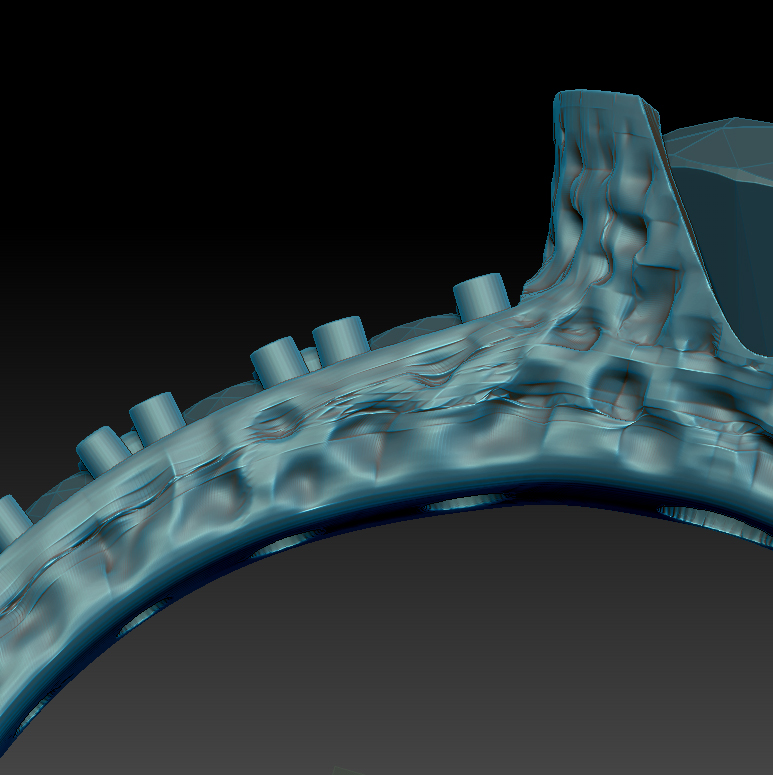
So I am working on a ring and trying to get a textured surface. I had imported an .obj file from Rhino (exported out in the highest setting). In Zbrush, I Sdivided the subtool about 4 times to get to around 3 million polygons. I worked on the surface texture on the lowest Sdiv level and thought it would smooth out when I went to higher levels. However, the photo below is at the highest Sdiv level and as you can see not all areas have smoothed out.
What is a quick or best way to have the surface overlaps/folds/chatter cleaned up without losing the crisp lines on other areas of the model?
How do I avoid this problem in the future? perhaps I’m not importing correctly or using wrong settings?
thanks
Attachments