ZBrushCentral

Problem with User Created Menus

I have searched the forums and I have yet to see this problem or a solution posted anywhere.

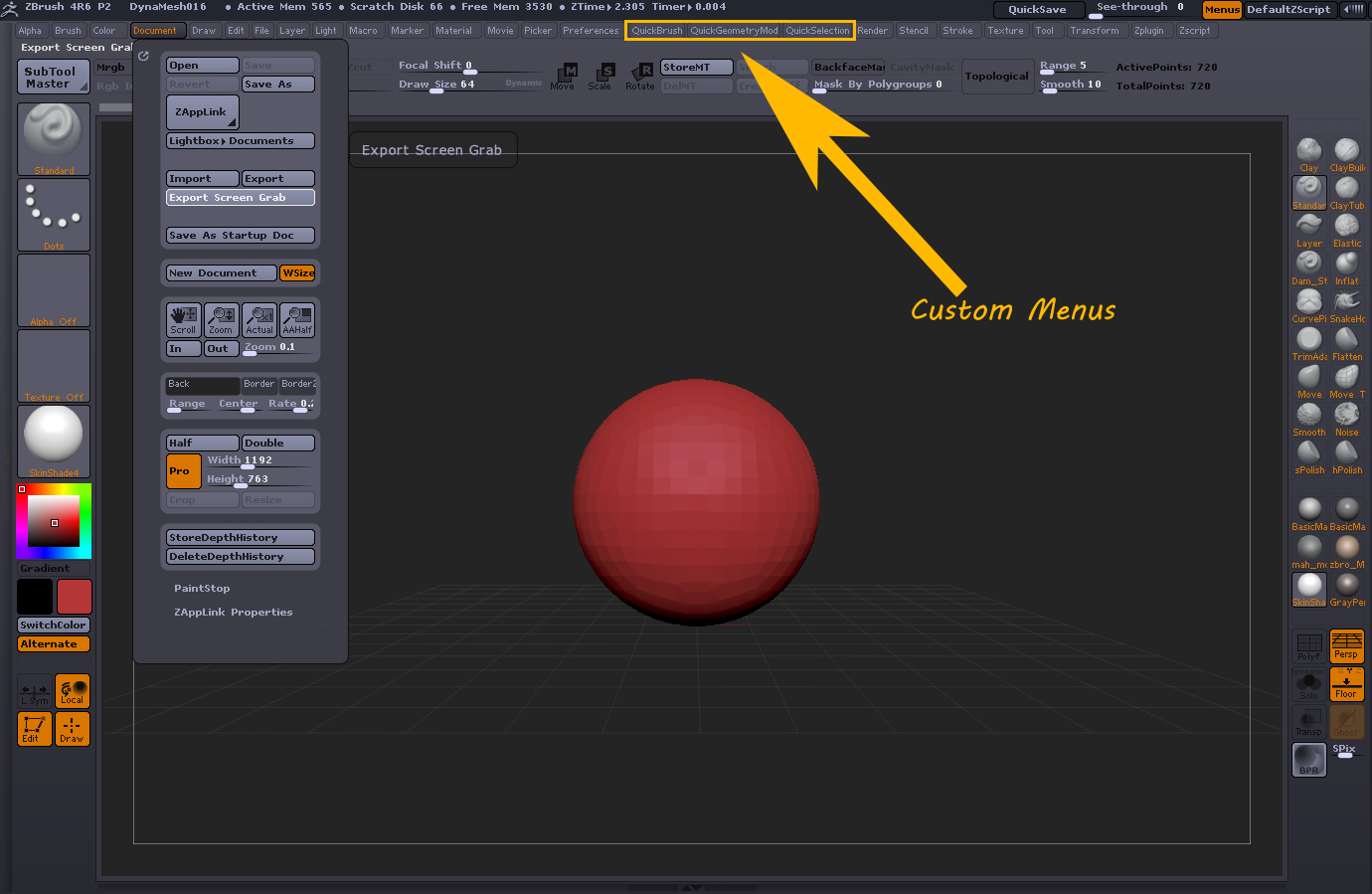
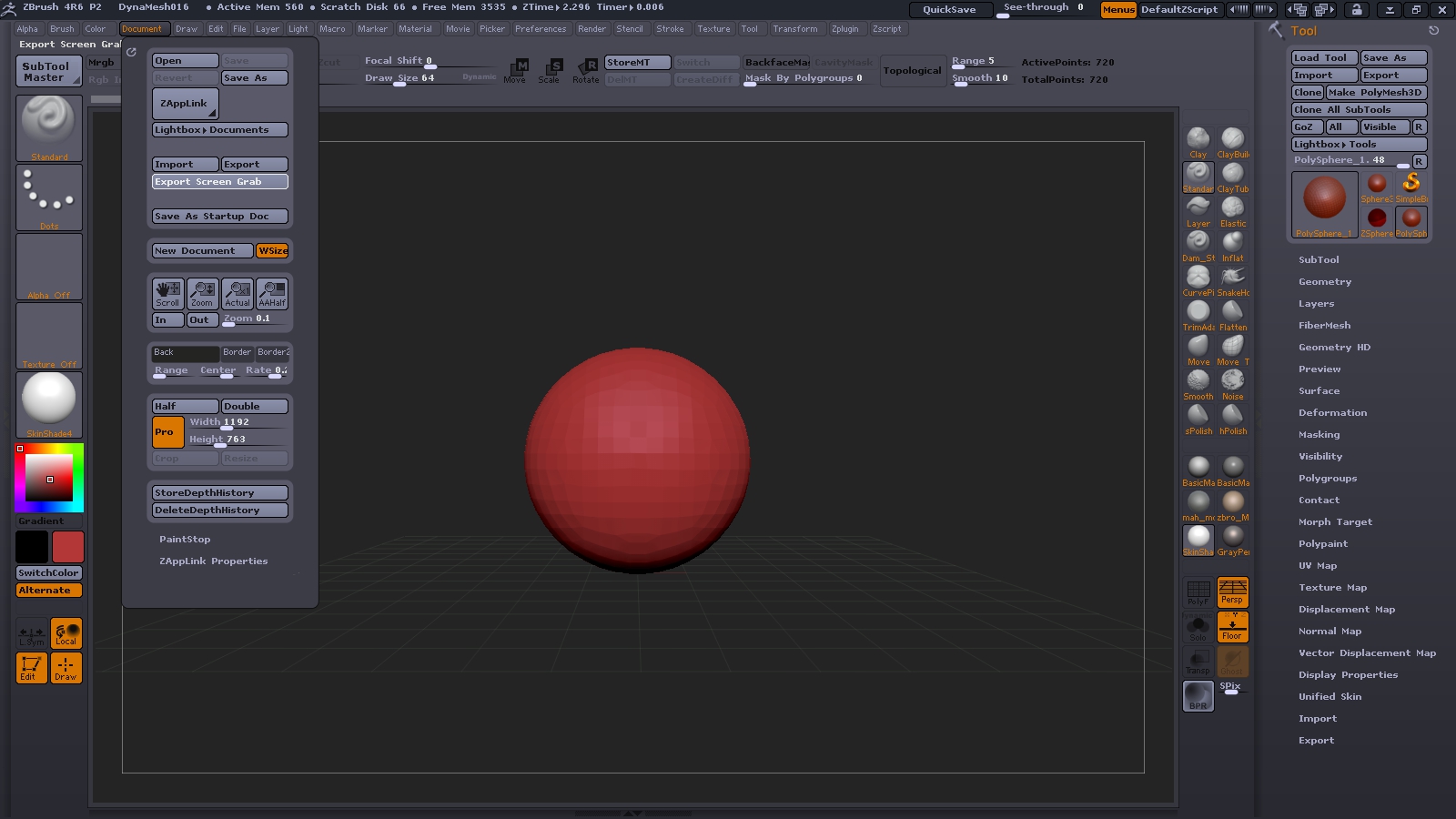
I have created several custom menus, hotkeyed them, and saved/stored the configuration. At first these function as they should. However, after 2-3 uses of zbrush (opening and exiting) the menus completely vanish. The rest of my customUI remains intact - only the user created menus are gone. I attempt to reload the UI and everything loads except for the menus.

The only workaround I have found is to save a copy of the customUI file to a folder outside of the zbrush directory and use this to load the UI whenever this happens. This problem has been persistent, happening 4-5 times in the last 2 days.

Any ideas?
OS and ZBrush version? Should be ZB4R6 P2.

Windows 7, 4r6p2.

http://www.zbrushcentral.com/showthread.php?182029-Missing-tool-in-menu-after-customizing-my-own-tool&p=1055150&viewfull=1#post1055150

Maybe? What about if you use Restore Custom UI?

When this occurs restoring the UI restores everything except the custom user created menus. The menus are completely gone, not even visible on the menu tab at the top of the UI.

Unpredictable behavior, Bug? I’ve seen things go wonky after a while or after certain operations but nothing reproducible. Screen grab of before and after could help solve the mystery.

After a few attempts I was able to get it the problem to repeat itself. I am beginning to think it has to do with the upgrade from 4r5.

Attachments

ZBrush ScreenGrab2.jpg

ZBrush ScreenGrab01.jpg

Changing folder structure in the ZBrush folders can lead to unpredictable results. Your menus, they were created via the Preferences panel and have standard function icons or buttons dragged into them? I’d probably be looking for any unneeded .cfg files and delete those.