Hi
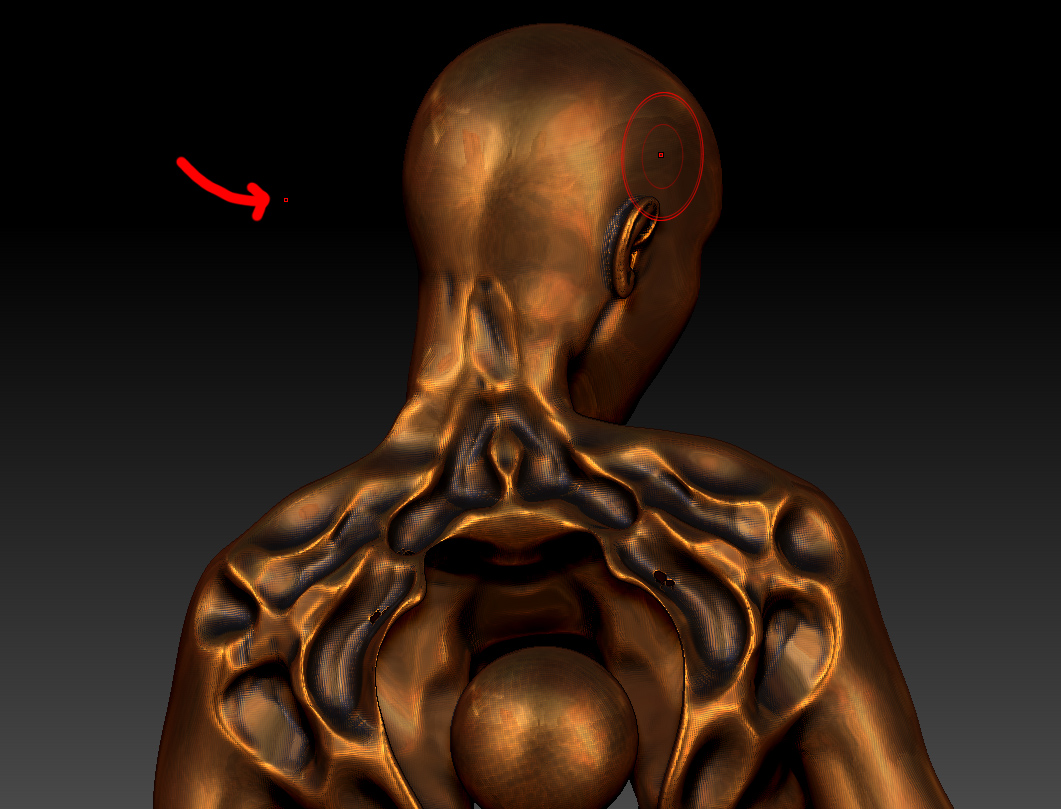
I have problem with symmetry after importing model from max. The body is ok, but the head is a little moved and one of the point is “in the air” don’t know how to solve this,
Attachments
Hi
I have problem with symmetry after importing model from max. The body is ok, but the head is a little moved and one of the point is “in the air” don’t know how to solve this,
The model needs to be posed symmetrically, it’s sort of like using the bounding box as the mirror line. Based on the image it looks like the head is tilted to one side, which would throw off the center of that area.
If the topology is perfectly symmetrical aside from the pose, you could try Transform: Use Poseable Symmetry.
Thank you for an answer, well with Possable the symetry is completely lost :D, cant even tell where symetry point are exactly on mesh 
Well I think I missed something while importing to Z from Max and I will never figure it out 
Show the entire mesh, lowest subdivision level, with polyframe on (or wireframe in max). If the pose or topology isn’t symmetrical then there’s your problem.
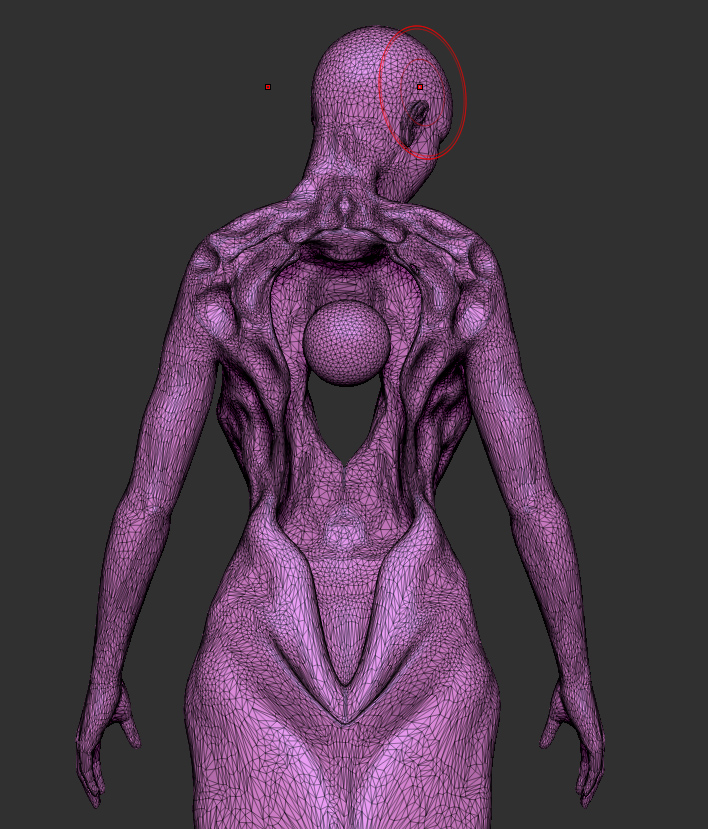
just as Cryrid said, your model isn’t symmetrical so you can’t use symmetry. The reason the rest of the body works is because it is symmetrical. If you make the head symmetrical then you can use posable symmetry and rotate the head but continue to work on it as if it was still perfectly symmetrical. The only way to achieve this at this point is to sculpt each side of the head.
Side note…are you sculpting on a mesh composed of nothing but triangles? was this decimated? Never sculpt in a SDS software with only triangles. I’m assuming this came from Sculptris (not a SDS sculpting program). In order to get the most out of your mesh inside of Zbrush you’ll need to retopo the mesh or generate a dynamesh or unified mesh to help you clean that up so it will work bettter.
Thank you for answer, the model was done in 3ds, then moved to Z, thats why triangles- I sculpted in dynamesh, but to show some low sub I decimated (I don’t know other way to get lowres mesh from highres w/o retopo, im kinda learning yet to solve million problems). Next time i’ll do all job from 0 in Zbrush to avoid problems like that.
If you started in Max it probably had a low enough subdivision/topology to begin with. Then you could just use D and Shift+D to step up and down subdivision levels.
Trying to sculpt on a decimated mesh is going to be a trainwreck. You could try remeshing or dynameshing at a lower resolution (perhaps on a duplicate), turn off dynamesh, subdivide once or twice, and then project the details back onto it. I’m not sure if that would do much towards symmetrical topology though.