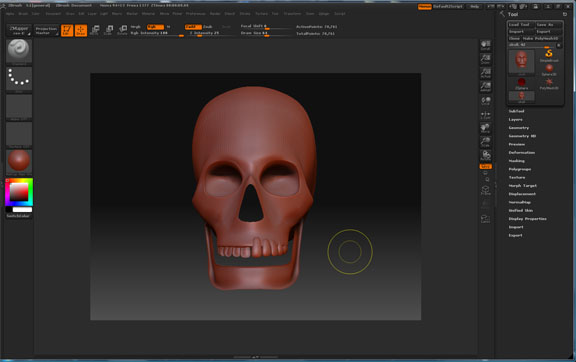
Hey guys, I’m new to Zbrush and to this forum. I have a Problem that maybe some of you have encountered. This is the first model I’ve created on my own in Maya. I exported the model as an .obj, when I load the obj in zbrush some of the geometry turns out inverted. Such as the jaw bone and the teeth on the left side. I suspected this was due to the fact that I modeled the right side and then duplicated and inverted it to create the left side. Anyone know what I’m doing wrong?? I tried deleting history, freeze transformations, cleanup polygons. Every time I end up with the same result. Any help would be greatly appreciated.
Thanks, Cedric

Attachments