ZBrushCentral

Problem with "New From Polypaint" function

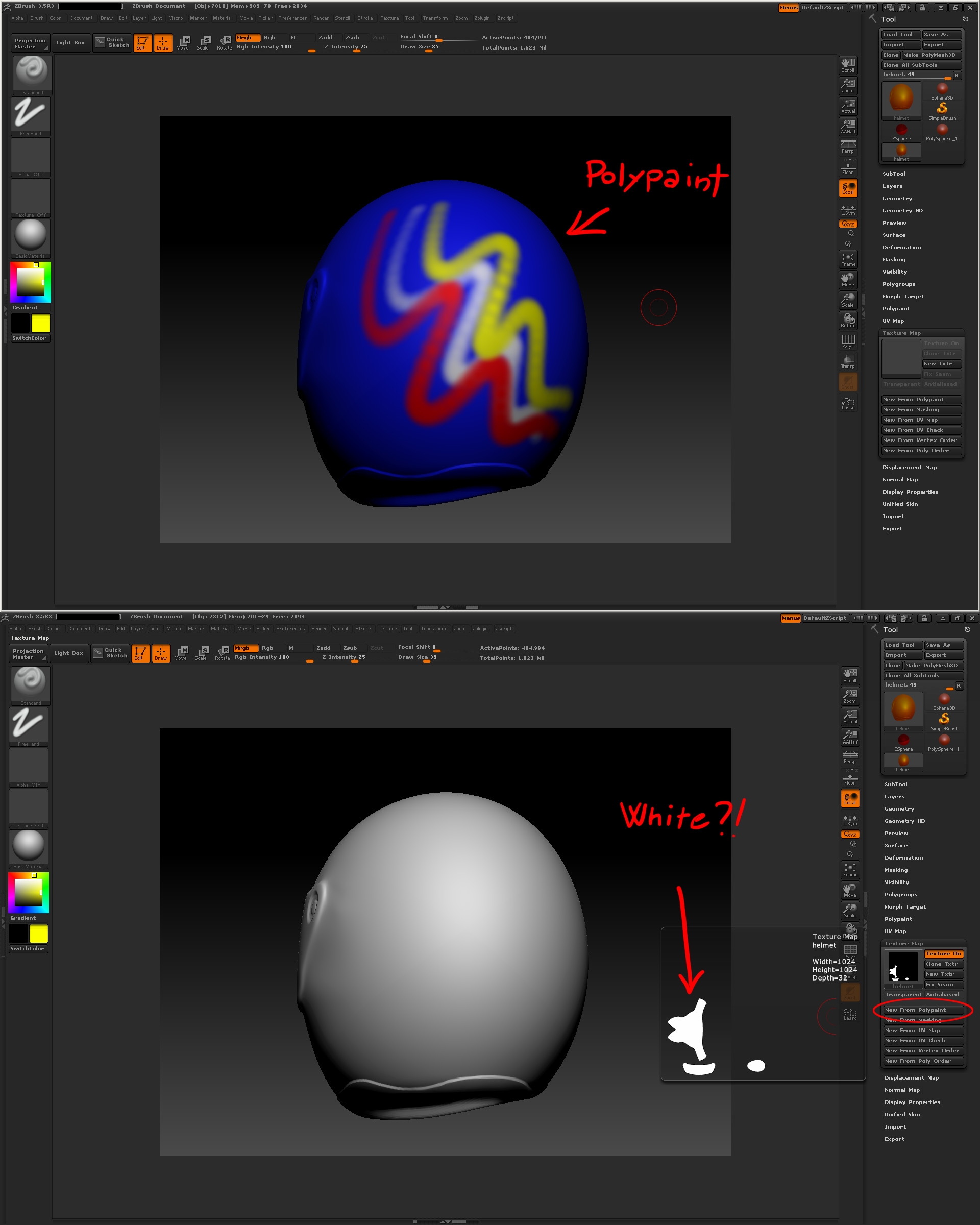
Ok, I’m getting crazy about this, I don’t understand what’s going on… I have my model, I polypaint it, but when I go to Tool>Texture Map>New From Polypaint the generated texture is white! It seems that it doesn’t see my painting! I tried to do it on a sphere and it works, so what am I doing wrong?! :cry:

Attachments

polypaint_problem.jpg

Hi there. Just turn on MRGB or just RGB and voilá instant visible Texture.
I assume you have prepared everything else like: a UV Map, an empty Texture Map to determine the size.

Hope this helps.

before you make new texture from polypaint try switching to your lowest sub d level and generating a puv tile then new texture from polypaint

that might work thats the way i do it

try it and let me know if it worked

Hi dsoellbuster, thx for the reply but it doesn’t work. I click on RGB but I still have the white texture. And yes, the object has UVs and I’ve tried to apply first an empty map. Any idea? :cry:

Ok, I think I found a bug. So, basically if I paint, than I MOVE THE GEOMETRY SLIDER back and forward, than I click again on New From Polypaint, it works! :eek:
Am I the only one that find out this bug?!

You mean the subdiv? I don’t think that anyone else ever encountered that :o

Yes, the subdivision slider! It looks like until I switch to another level of subdiv it doesn’t store the paint information! It’s really weird, but at least now I can generate the texture from my paint… :o

I just had the exact same problem that you described Rikk. And yes, turning the subd’s down and then up again did the trick. Very wierd.

Oh, man. Same bug.
I was ripping hair out of my nose. Thanks you so much for solution.

I have exactly same problem ! Thanks for solution… but it’s horrible when you have heave mesh and switching between level takes time :frowning:

I believe you can switch to 5th level of subdiv and then back to 6.

Ditto, same problem, same solution. Weird!