ZBrushCentral

Problem with Directional Brush and alphas

Hi! I’ve been working through Gnomon’s Introduction to ZBrush 4, and I’ve run into a problem. One section shows how to create alphas using GrabDoc and making a seamless texture from that.

I can make the alpha correctly, but then I’m supposed to invert the alpha and use the Directional brush with the Drag Rectangle stroke to make the seamless texture.

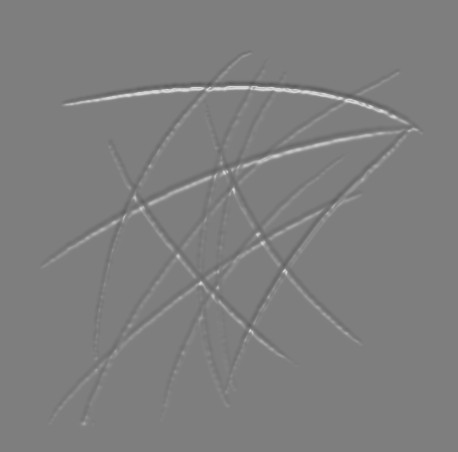
Here’s what the alpha is supposed to look like:

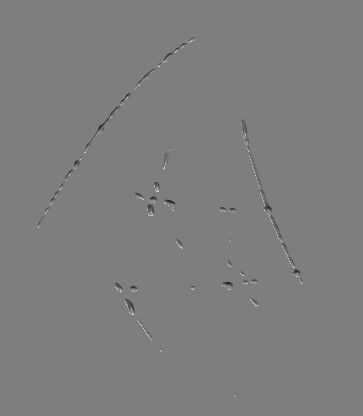
Here’s what it looks like when I use the Directional Brush:

I have to raise the Intensity slider in the Alpha palette > Modify panel to get it to look right. I’m using ZSub.

Has something changed in the Directional Brush since ZBrush 4 first came out? I’m using 4R6.

Thanks in advance!

Attachments
Alpha_grab01.jpg

AlphaGrab02.jpg

what does your alpha actually look like, and what size is it?

ZBrush crashed before I could save it. However, I made another one as an example which has the same problem.

ZGrab01.jpg

Size is 512 x 512 px.

I’m attaching it as a zip file - it’s a 16-bit PSD. It wouldn’t let me attach it as a PSD - too big. ZGrab01.zip (110 KB)

Odd thing is, if I use the Simple Brush with Drag Rectangle, it works fine. But if I use the Directional Brush with Drag Rectangle, it doesn’t appear to make any mark at all, or it acts as though it is clipped, unless I adjust the Intensity. Strange.

Thanks for your reply! :slight_smile:

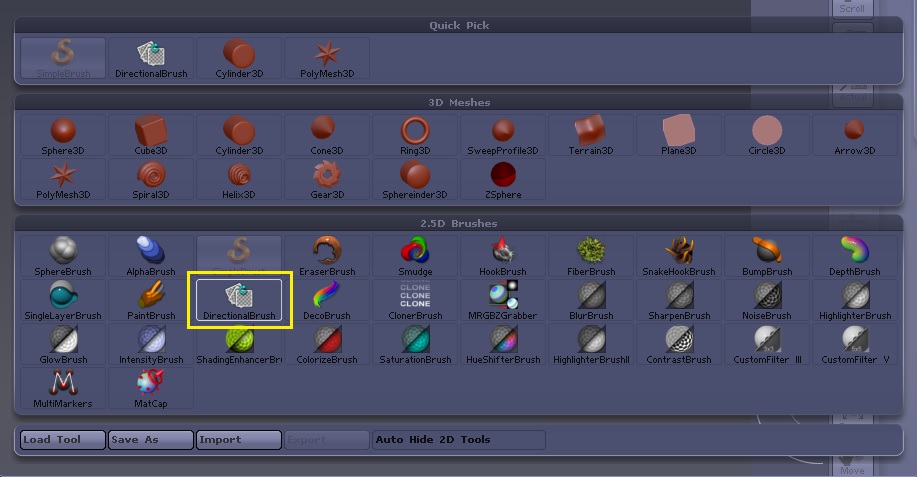
What brush is the directional brush? Are you talking about the directional modifier?

It’s one of the 2.5D brushes. (See screenshot - it’s outlined in yellow).

DirectionalBrush.jpg

The tutorial was showing several ways to create alphas within ZBrush. You fill a document layer with a material, and then draw strokes on it with the Simple Brush, then use GrabDoc to create the alpha, invert the alpha, and use the Directional Brush to drag several copies of the stroke to make a seamless texture and then save that as a new alpha.

However, the stroke depth seems clipped when using the Directional Brush to drag the strokes. The tutorial said to use the Directional brush because you can rotate the strokes as you drag them on the layer. It seems to work fine in the tutorial, but Scott Spencer was using the first release of ZBrush 4. Something may have changed between 4R1 and 4R6 that changed the way the brush works or maybe introduced a bug.

Thanks again!

i would just use wrap mode to make a tiling alpha so you get access to all of the 3D brushes.