Hi, I’ve just pretty much finished modelling up a character, taken it in to Maya, and I needed to cut a hole in the mouth that I modeled to be able to have the character open and close his mouth (whereas it was firstly sculpted with a closed mouth in ZBrush.
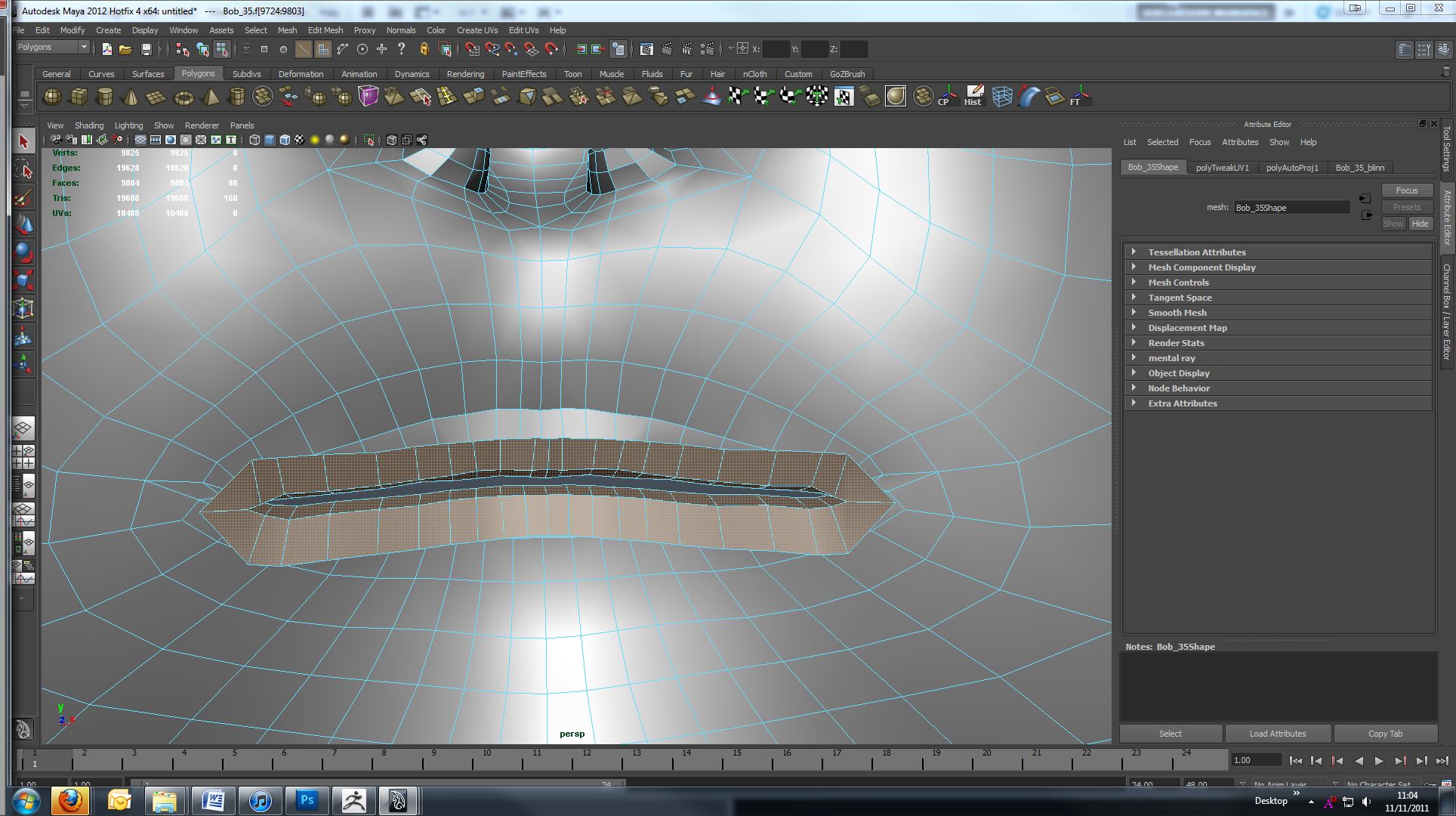
In Maya, I’ve added a couple of edge-loops of polygons around the inside of the mouth to look like the back of the lips go in to the mouth:
When taken back in to Zbrush via go-z, these polys of course have no detail applied to them through the Divisions… and they are not applied to the UV map that I created using UV-Master (therefore my displacement and texture maps do not work on these).
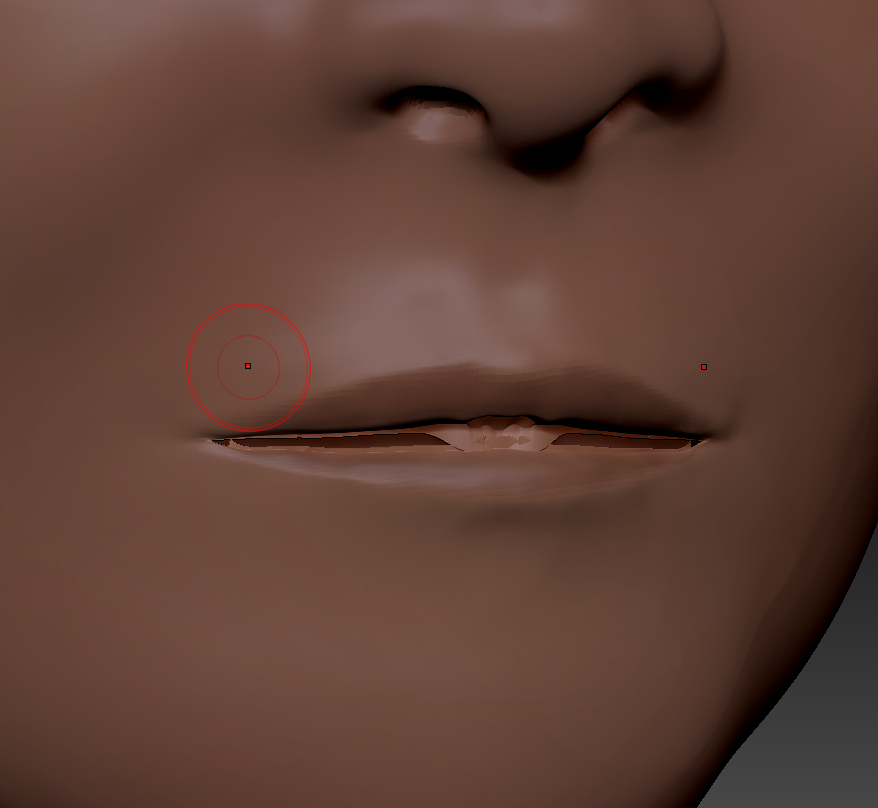
When I go up to the highest subdivision in ZBrush I get this weird distortion:
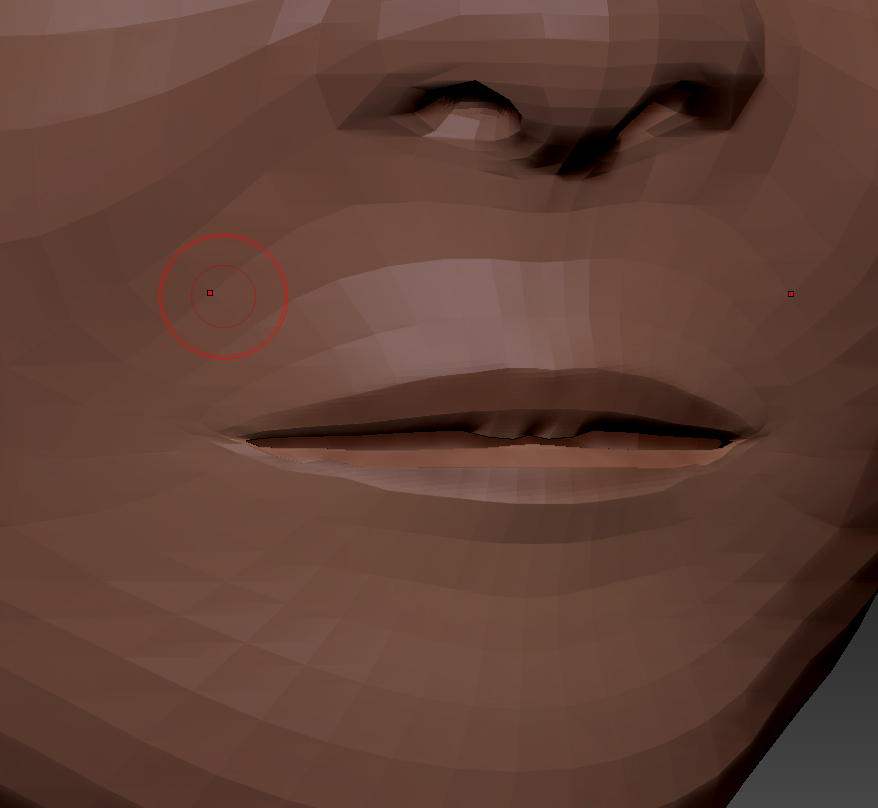
Then when I go back to the 1st subdivision after going up through the subdivisions it’s changed to look like this:
Is there a way I can sort this out?
Thanks for any help :).
Attachments