ZBrushCentral

problem with alpha masking e customized ui in zbrush4r3

hi all :slight_smile:
i am a new zbrush user and i write because of a problem i have with zbrush 4 r3: i am unable to use the masking function with alpha and drag rectangle associated. i also can’t use the customizing ui options in the preferences menu… does anyone know what can i do to solve these probelms?

thank you in advance

alberto
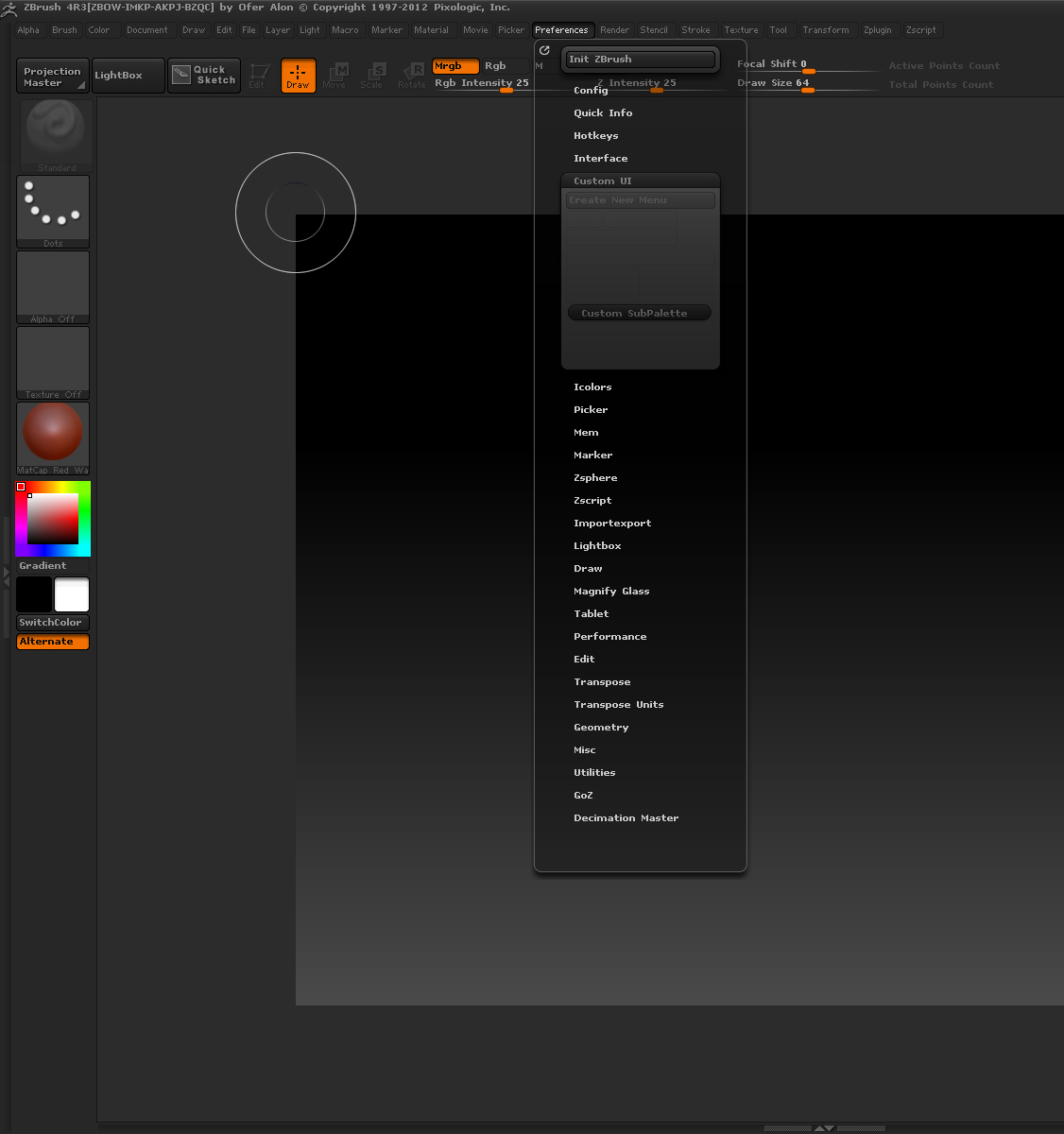
Could you please provide some more information or maybe some screenshots of the masking problem.

To enable Custom UI, go to ‘Preferences>Config’ and turn on ‘Enable Customize’.

To customize the UI, hold down Ctrl+Alt and drag the buttons to a different place. When finished, turn off ‘Enable Customize’ and click ‘Store Config’ in ‘Preferences>Config’.

Thank you zber2 for your answer. Actually when I go to ‘Preferences>Config’ I can’t click on Enable Customize because it’s invisible and blocked… I updated zbrush4 to the release 3 just few days ago. May be the installation process was not correctly done? About alpha masking I found the solution holding CTRL when selecting alpha image to associate to the masking brush. Before I was just selecting the alpha without holding ctrl key and when I proceeded to mask a part of tool I had a flat masked area without any texture.

I’m sorry for my English, I’m Italian

Thank you
All the best

ALBERTO RUPERTI

Viale Vicenza 85

36061 Bassano del Grappa (VI)

Attachments

ui.jpg

Regarding the masking, yes, you have to hold down ‘Ctrl’ when you select the alpha.

Regarding your custom UI, I’m a little confused by the screenshot you are showing. If the ‘Enable Customize’ (see image below) button in ‘Preferences>Config’ is greyed out then there is probably something wrong with your installation. Can you show a screenshot of the ‘Preferences>Config’ submenu open as I have in the image below.

ui1.JPG

thank you zber2, watching your screenshot i found the right solution… the button enable customize was not greyed out and now i’m able to customize my zbrush interface. sorry it’s only a week i’ve started using zbrush and i need to get more confident with its complex structure. do you know how can adjust the brightness level on canvas? my tools sometimes appeare so dark that i can’t see properly their surface details.

alberto

Hello Alberto,

There isn’t any brightness setting for the canvas. If the Tools are being drawn dark on the canvas, then you probably have a dark color selected in the color palette. White should normally be the selected color. See image below.

color.JPG

thank you zber2, i thought there was a kind of customization for colors and brightness in interface because i was noticing that you have different colors for your active buttons compared to those of default interface

alberto

Slight misunderstanding there. You originally said in post#5, “my tools sometimes appeare so dark that i can’t see properly their surface details”, but what you probably meant to say was buttons or menu items. “Tools” in ZBrush mean 3D objects, as in the “Tool” menu.

You have a couple of options for making a color scheme of your own. See images below.

After you choose a color scheme, you have to go to ‘Preferences > Config’ and click ‘Store Config’ button so that color scheme is there next time you start ZBrush.

UI color 1.JPG

UI color 2.JPG

thank you zber2 for your precious suggestions :slight_smile:
alberto