Hi all,
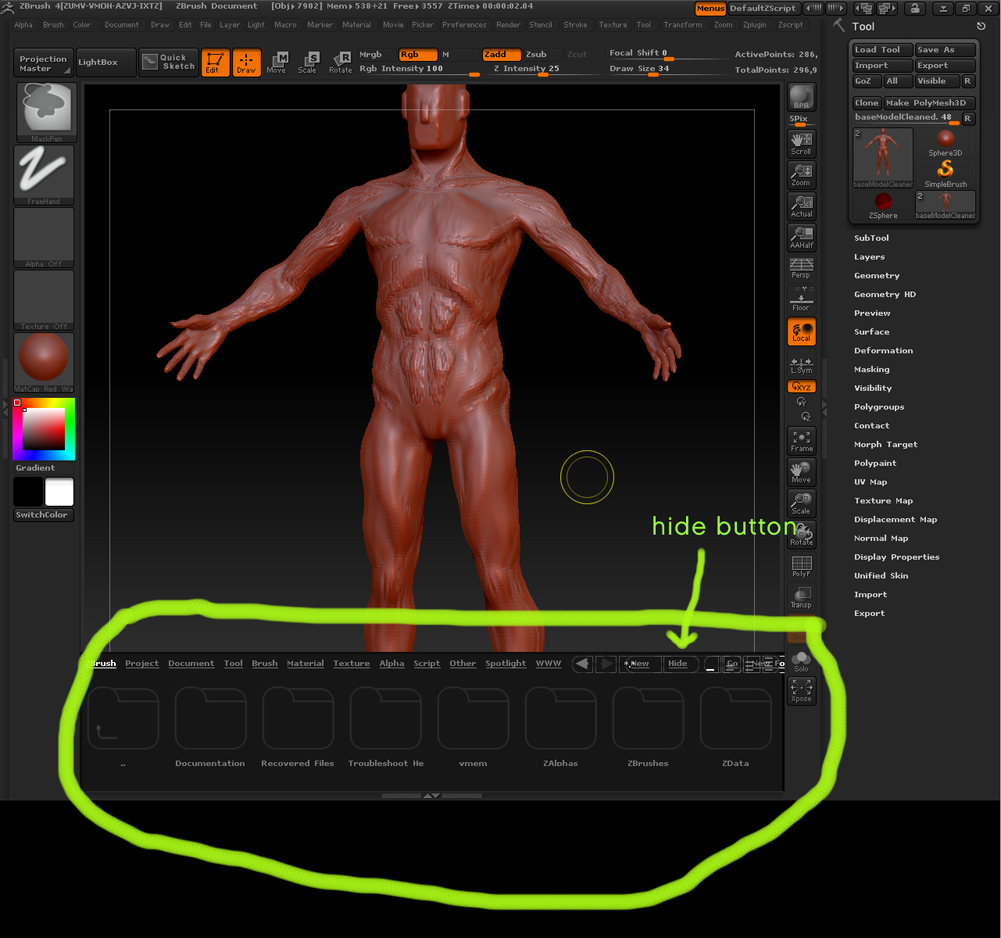
Has anyone had trouble with this tool bar? (attached)
I cant make it go away
it appears to have a “hide” button but nothing happens when I click it
and its taking up like 20% of my screen space
thanks for any help
Attachments
Hi all,
Has anyone had trouble with this tool bar? (attached)
I cant make it go away
it appears to have a “hide” button but nothing happens when I click it
and its taking up like 20% of my screen space
thanks for any help
Press the ‘Lightbox’ button at the top of your screen or the comma button on your keyboard.
Also in the Preferences / Lightbox panel there is a setting to toggle on/off “Open at Launch”
http://www.pixologic.com/docs/index.php/File_browsing_with_Light_Box
That did the trick
thanks!