ZBrushCentral

problem sculpting a cube3d (bug??)

Hello,
I did the following steps:

  • create a Cube3D
  • convert it to Polymesh and divided it
  • align the mesh to the front view by rotate+SHIFT
  • sculpt on it
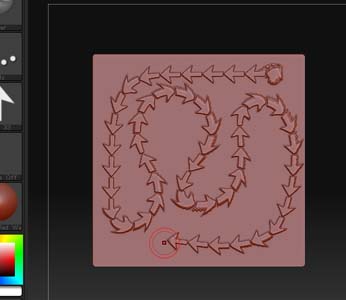
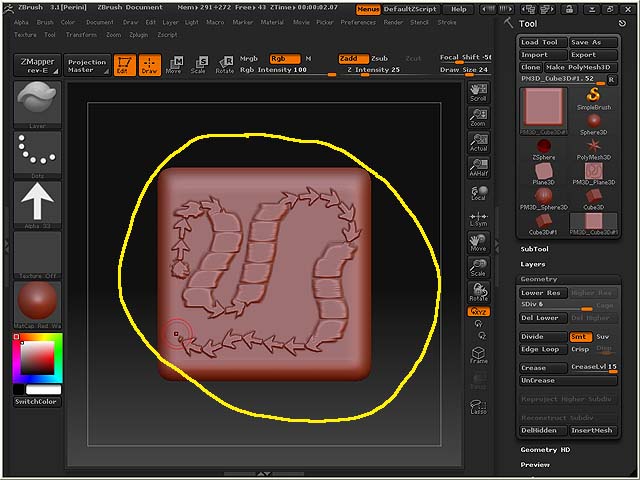
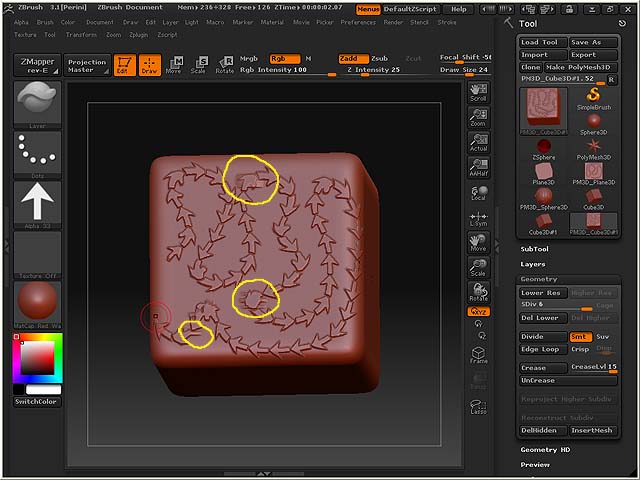
    and at this point I get an unwanted and annoying effect (see pictures!), that strangely does not happen with other types of primitives.

I have not found a way to get rid of it; making a unified-skin didnt help either. I could just reduce it a bit by slightly rotating the cube so that it does not face exactly to me.

This happens only when an “Alpha” is selected. If I set off the “Alpha” I don’t have any problem, but still I need to use alphas.

Does anyone know anything about this?
Thanks in advance!

Attachments
test1.jpg

test2.jpg

test3.jpg

test4.jpg

I forgot to say:
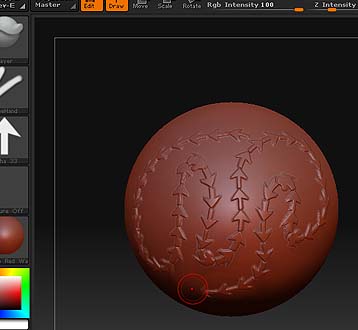
the first two pictures are respectively a Sphere and a Plane3D, and there is NO problem with those.

It has to do with the topology of a Cube3D. The Cube3D has uniform poly distribution across four sides, but the sides along the Z axis are quite a bit different. The problems you’re encountering appear to be due to that.

For your purposes, you might want to use the Polycube3D instead. It’s in the ZTools folder in ZBrush.

aurick is completely correct on this. I don’t know why Zbrush even came with geometry with Tri’s all over it…anyway. Just load up the polycube3d or polysphere3d when you want a primative.

That was what I thought as well in the beginning.
I instead realized that if I sculpt on a cube3D the only faces which work well are surprisingly those with the “poles”. The ordinary faces with regular topology do NOT work.
Unfortunately the Polycube3d does not help. The problem does persist. I suggest you to try: it takes approximately 30 secods and I’m really starting to think this is a bug, and a very annoying one :frowning: :frowning:
I would be really happy even finding just a workaround…

Actually I made a video to easily illustrate what I believe it is a bug in zbrush.
You can find it here:

http://www.youtube.com/watch?v=6wtBGJN0kNQ

It would be nice to have any kind of info about this. It is very surprising I’m the first experiencing this, and I still find it hard to believe.

I’ve experienced it too. But it only happens if I snap to one of the orthographic view via shift-key. If you rotate the cube a bit and draw its fine.

masc

Sorry edit: it seems it has nothing to do with the orthographic view it just happens randomly. :confused: But its less offen. hmmmm

I think it is a bug inherent to the topology of a cube that zbrush probably handle in a rather misterious way.
I experimented more and I found that:

  • the bug shows up only when you sculpt on a totally flattened surface of a mesh that has the same topology of the cube
  • The cube faces with the poles work correctly
  • The faces of the cube with “uniform” topology do not work
  • the bug DOES persist also if you convert the cube into “Uniform Skin”
  • as a consequence if you take a Polysphere, “Flatten” one of its sides, and try to sculpt on it, you are gonna experience the same bug.
  • rotating the view-point might reduce the effect but does not solve the problem completely.

I wonder if building the cube in another package and importing it as an .obj could solve the problem.
For the moment I avoid the cube-topology by making a minimal “adaptive skin” created from 3 aligned zspheres and flatten the sides.

OK this is getting almost ridicolous:
when I try to flatten the sides of ANY polymesh the geometry->flatten does not work properly! it appears to be bugged as well!!!

To be precise geometry->flatten on Y or Z axes with negative values doesnt work: it kinda bends the mesh instead of flattening it.
Again I wonder how so few people (Pixologic staff included) could not spot immediately such evident problems.

After all this pain&frustration I’m still using Zbrush: perhaps I fell “in love” with it, and if so, I now understand when people say that “love makes us all stupid”.

I patently wait the new version or that holy souls like aurick could shed light on the path.