ZBrushCentral

Problem polypainting extracted geometry

For the first time, I tried my hand at extracting geometry to make a tuxedo bib for a cartoon character. I cleared the mask, assigned the Basic Material to the extracted bib, subdivided, and proceeded with Color>FillObject. As indicated in the attached image, my efforts resulted in this blotchy mess. Can anyone clue me in to the problem?

Attachments
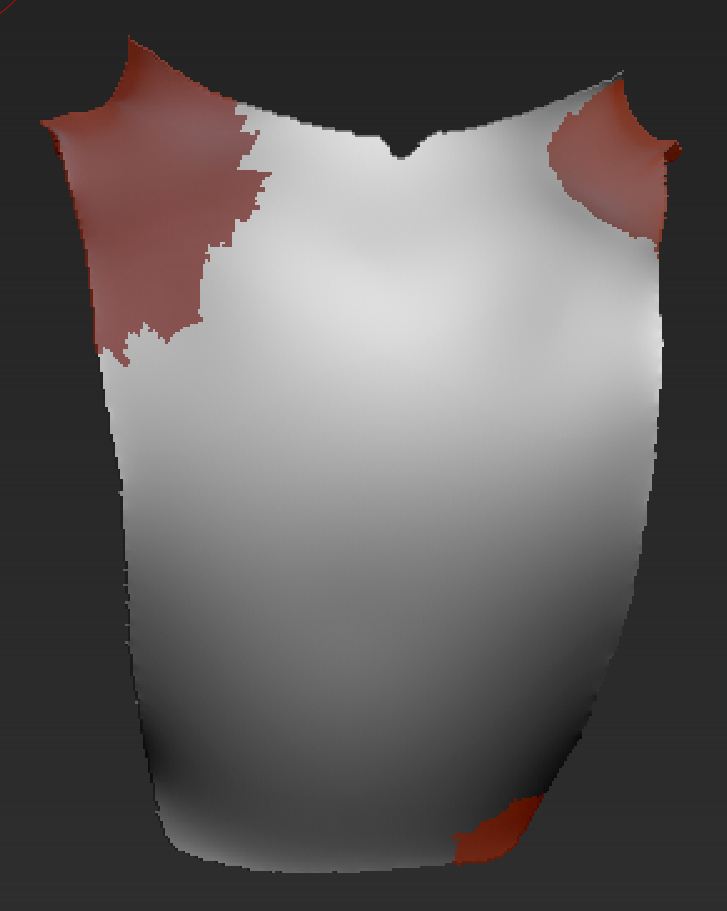
Painted Extraction.JPG

If your going to FillObject, make sure one of the material or color channels are on first. (You didn’t mention that you included that step.)

Anyway, to reset the material, select the ‘Flat Color’ material, turn on ‘Mrgb’ button then Color > FillObject. Now you can select any material and color and ‘FillObject’ again.

Thanks a lot. I had assigned the Basic Material successfully. Since I only wanted to paint, I only selected Rgb. I thought Mrgb or just M were selected only when sculpting. At any rate, I followed your advice, and it worked. Many thanks.