ZBrushCentral

Problem Concerning Polypainting

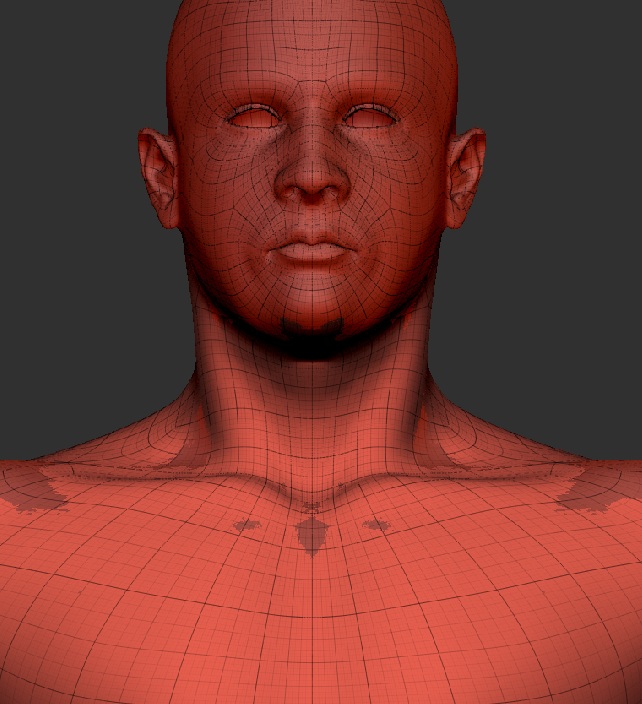
I have a character model that I’m working on, and everything is fine on it until I attempt to fill the object with a base colour. In this instance, I’m trying to fill it with a light skintone colour and do a colour test for the face, but whenever I try to fill the object with colour, it looks like it’s adding a copy of the model on top of my object. This only happens whenever I turn Polypainting on, or attempt to fill the object with colour. I’ve included two screenshots - one of the problem, and one of the problem with polyframe turned on. I can’t figure out how to fix it, any suggestions?

[troubleshooting_1.jpg]troubleshooting_2.jpg
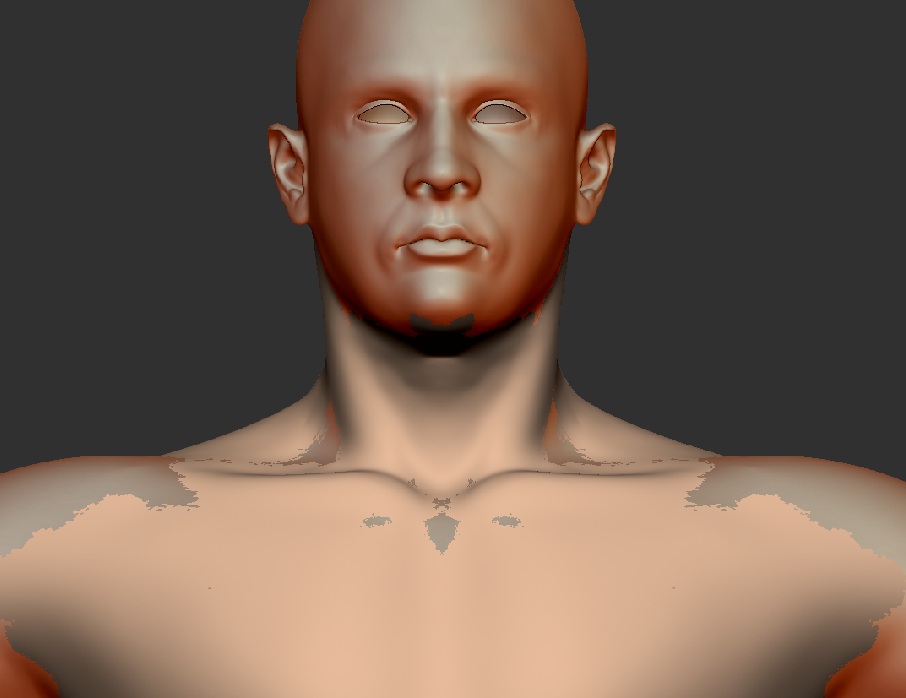
I exported it as an .obj and opened it in 3.1 - no problem there.

It looks very much like you have two overlapping instances of the same geometry in the tool, somehow or another. Either that, or you had somehow dropped a 2.5D “copy” of the model to the canvas underneath the model that was occupying the same space as the real time geometry. That would become apparent if you tried to rotate or move the model at all though.

in draw palette choose only M not mrgb or rbg, choose the flat material in the material palette and go to color palette fill object

Spyndel - That’s what I thought at first too, except a simple rotation showed that it followed along. Then, I was also of the opinion that I must have somehow gotten two overlapping copies of the same geometry - however, Spaceboy412 got it fixed for me.

Spaceboy412 - Thank you. I tried what you said, and as long as I don’t use the MRGB to do both the material and the RGB value edits simultaneously, it works. I just have to use the Color menu more often, but I can dock it, so it’s no big deal. Thanks again - I didn’t want to have to remake this guy.