ZBrushCentral

preserving polypaint with polymesh 3d

This is my first time using zbrush, and I think I rushed in…

I’ve been trying to export the polypainting as a texture but I keep being told to convert the model to polymesh 3D (and all the painting disappears) :cry:

Is there any work-around I can use to achieve this, would like to render in Bryce and add foliage etc.

Thanks for any help.
:wink:

Attachments

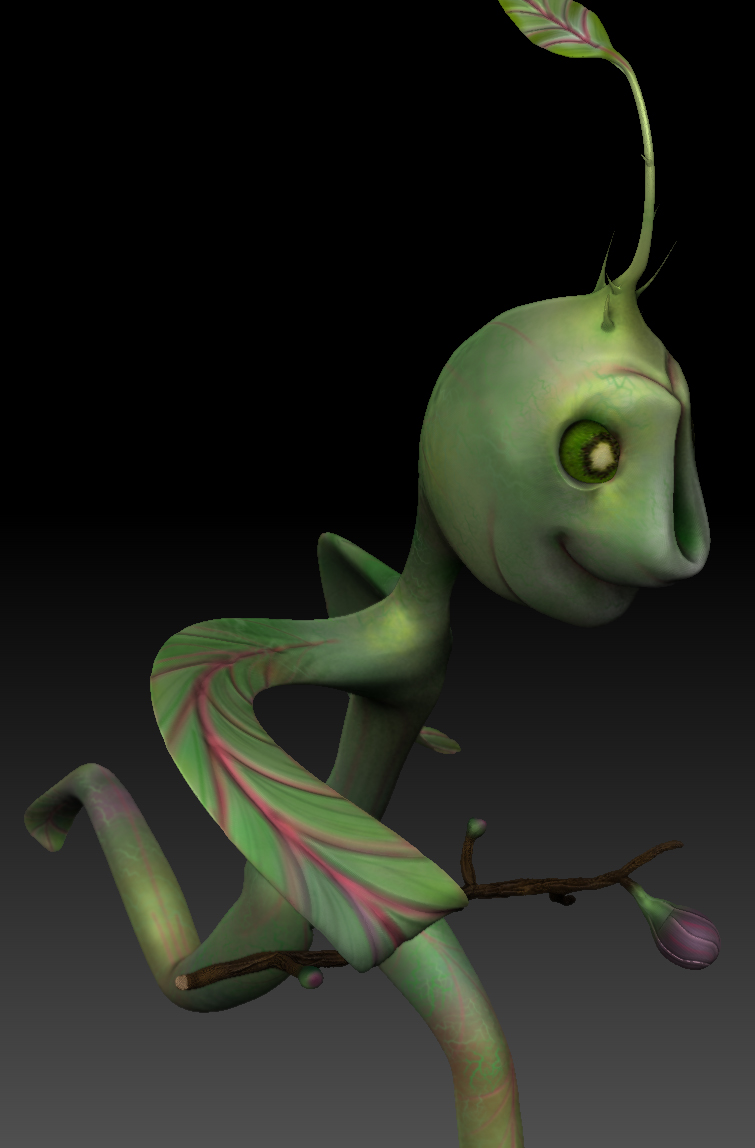
running-Sprout.jpg

Nice sprout. :slight_smile:
I’m not sure why you should be getting that message having sculpted the model. What steps are you taking before you get the warning message?

Things to try:

  1. Double check the “Colorize” button on your new Polymesh3D tool. I say new, because when you click polymesh3D, you clone your current tool into a new tool. That may have turned off the colorize button and your paint maybe sitting right there, just hidden away from you.

  2. If that doesn’t work, you can try the following. Append your old tool to your new polymesh3d tool as a subtool. Make sure the polymesh3d is the selected subtool. Now use ZProject or ProjectAll with RGB enabled to project the polypainting from the old tool to the new tool. Good luck!

Thank you both for your help.

I click on unwrap in UV master and am prompted to change my tool to a polymesh 3D.

When I do this the colorize button does become unchecked. When I turn it back on the polypainting has gone.

I have tried using a clone in UV master but have the same result…

:frowning:

If my understanding is correct, UVMaster uses polypainting to define its regions and seams. This would be why your painting is being dropped, most likely. The answer would still be the same though. Clone your painted tool, polymesh3D it, UV it with UVMaster and then append your old tool and project the painting onto it using project all or zproject brush.

Did you make your model with ZSpheres? If so, you need to press the Tool>Adaptive Skin>Make Adaptive Skin button without turning off Preview mode. Your polypainting should then be preserved.

For UV Master, select the work-on-clone method and then after you’ve done the UVs copy and paste the UVs to your model. (nimajneb is correct that UV Master uses polypaint to get seams.) You will then be able to create a new texture from the polypaint.

If none of this makes any sense tell us how you made your model, so we can understand better what’s happening. It shouldn’t be necessary for you to project the color.

Doh! I didn’t even think to cut and paste the UVs. Fail! That would be a lot simpler than projecting the polypaint, yes.

Thanks Marcus,

I did use zSpheres to create the model.

Converting to adaptive skin does retain the polypainting, which is great, but again when I click unwrap I’m told again to make the model a polymesh… etc, etc…

I found this: :http://www.veoh.com/browse/videos/category/entertainment/watch/v1107274r38q3GFB:
which seemed to be the solution, but after the projection it didn’t retain the UV map or the polypainting. :evil:

I may have to admit defeat on this one, I have tried so many different ways and none retain the polypainting.

Or I’ll just have another few goes… :confused: :smiley:

Went back and re-posed and I think I now have UVs and exportable textures.

However: I’m sure decimation isn’t supposed to be quite so dessicated :smiley:
Has anyone come across this?

Thanks for any help… decimation-mayhem-problem.jpg

Probably you may want to relax the model and polish to get rid of…

Decimation shouldn’t look like that. Have you tried different settings? (And is it essential to decimate your mesh?)

Thank you,
I have masked the details that remain smooth in the screen grab.

I have relaxed the mesh but the result is the same.

The model is 3.244 mil points so I thought some reduction would be good…

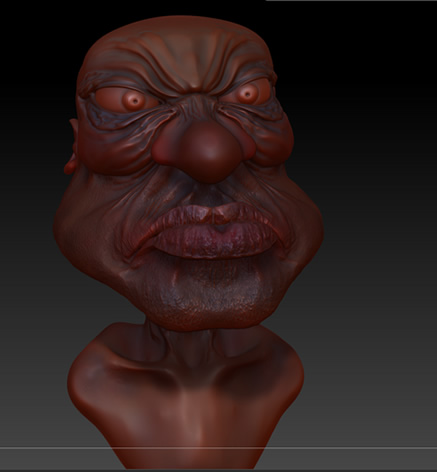
Guys i jus started on zbrush for about 3months now <not full time though>. But i have hit a hard rock i have no problems with modelling but when it comes to painting and UV groups i get lost. I got this tutorial where i polypainted my model first now i want to use the new UV Master so i dont do much work and edit UV with photoshop.UV is the reason i ran away from Cinema 4D lol

Attachments

uggr.jpg