ZBrushCentral

Posing two characters in one scene with Transpose Master/Zspheres

Hi,

I would like to rig and pose two characters - both of the Characters are SubTools - in one scene. I can’t pose them seperatly, because I have to see both of them for reference at the same time.
I’ve watched the Transpose Master Videos from the ´Did you know that´ thread - which are great, but I am only able to rig and pose one character at a time without seeing the other one or changing both characters with one rig.

So is there a way to rig and pose two characters in one scene in Zbrush?

Thanks for any advice.

Günther

Hi,

Do you mean that each character is a single subtool, or that each is several subtools?

Yes, each character is a single subtool - so only the two characters without any additional subtools in the scene.
But if it is possible to pose/rig two characters in one scene with multiple SubTools each, it would be even better.

I’ve been taking a look at this and a couple of things I tried didn’t really work. I think the best option is to treat the scene as a ‘single character’. This may sound awkward but I don’t see why it shouldn’t work. What you will need to do, if you are using the ZSphere Rig method, is to arrange your rig so that there is a join between the two characters that doesn’t affect them (as you can only have one set of ZSpheres at a time). Does that make sense?

Let me know how you get on!

Hey marcus,

Thank you so much for trying and taking a look at it.
First I didn’t know exactly what you meant, but now after thinking about it for a couple of hours, I think I understand :smiley: and the tip of you is amazing. I think it should work.
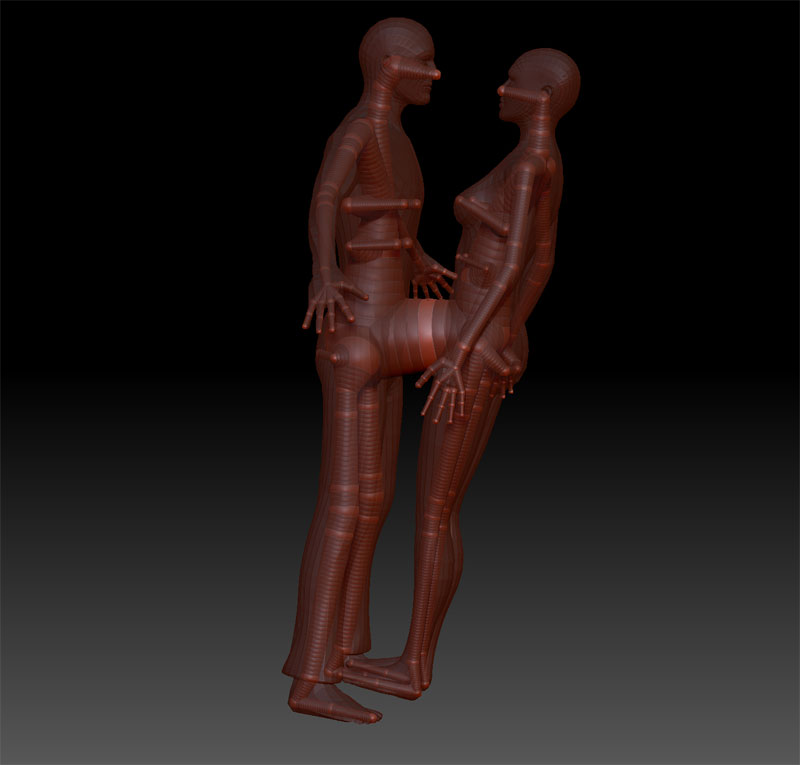
I will give it a try today and let you know if it worked.

Worked out very well.

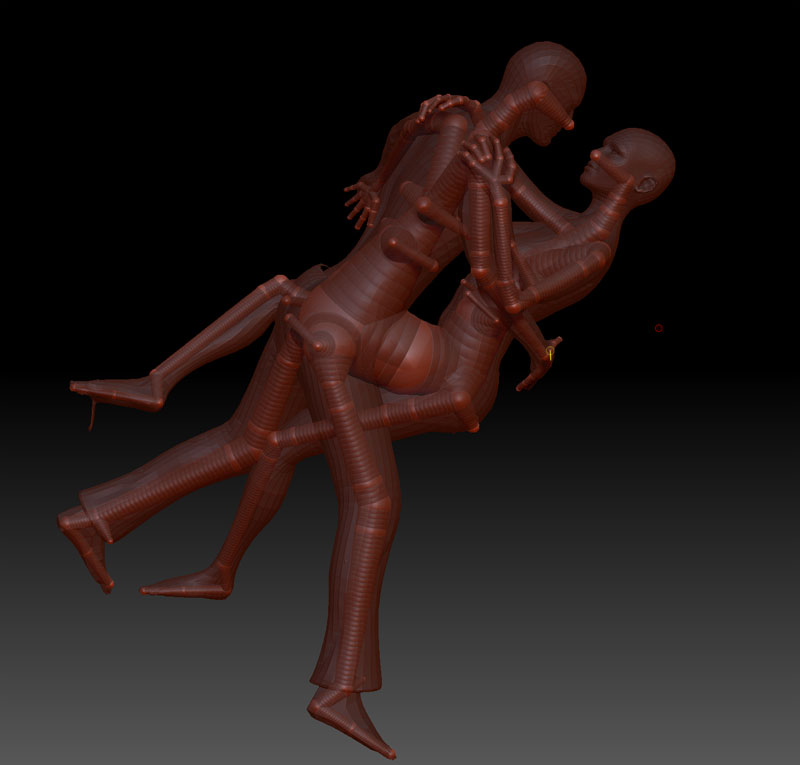
I’ve made one rig for both characters together.

Here are two pictures of how I did the rig. Maybe they look a little bit strange, because of the connection between the two characters.

The first one is the unposed and the second the posed version.

Unposed.jpg

Posed.jpg

Thanks again marcus, you helped me alot.

Günther

Looks great! I’m glad it worked.:slight_smile:

Thanks,