Hi,
I have a problem posing my model. I think the problem has something to do with my workflow but I can’t find out what I’m doing wrong.
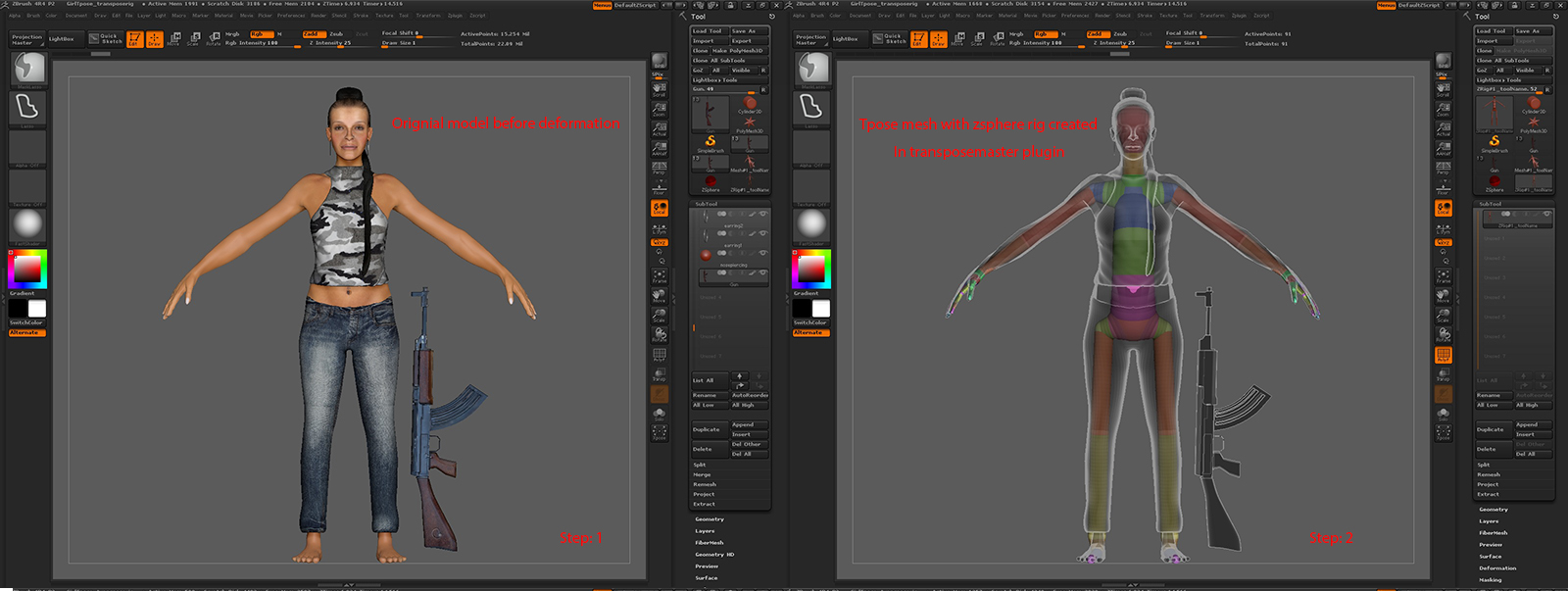
I created this female model I want to pose within Zbrush 4r4. Normaly I would pose it in Maya but I want to know how it works in Zbrush with the use of the transposemaster plugin
Before I start I clone all my subtools and save the project as a *.Zpr file on disk
For posing multiple subtools I use the transpose master plugin. I select the following options, zsphere rig /grps / layers and press Tpose mesh.
When ready I create a simple(skelton like) Zsphere rig and connect it with tool/riggin/bindmesh to my model. After this i click storetm rig to store the zsphere rig into the model and I save the transposemaster project.
My goal is that she holds the gun with two hands
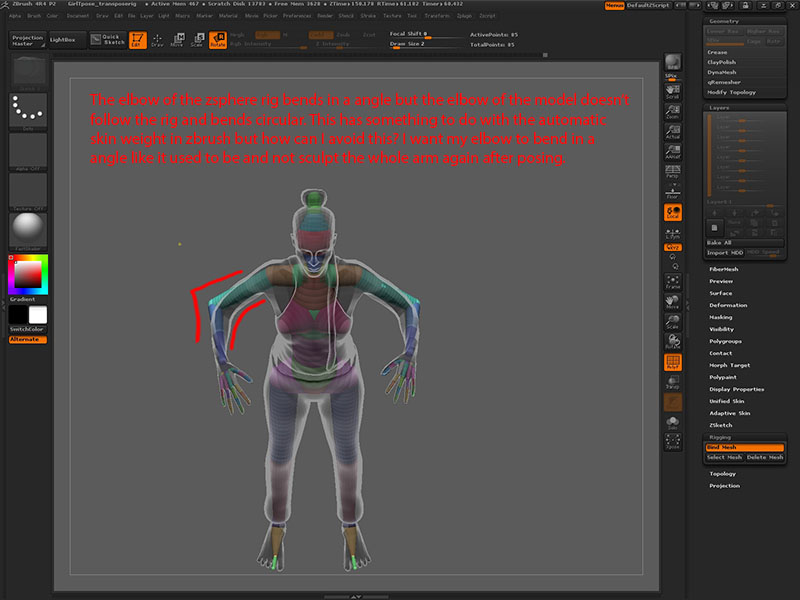
Posing is very slow and the arms move with shocks and jumps and it’s almost not possible to do it accurate. I also found out that it’s not possible to mask parts that should not deform in this proces I would like to mask parts that In Maya are protected by skinweight to avoid unnessesary deforms.
If i move the right arm the breast and tshirt deforms and this is not what I want. When I try to pose her left arm the gun deforms also.
When I press A tot see the tpose model I can create a mask but when I press A again to go back to the zphere-rig for posing the mask is gone.
When I pose the model wierd things happen.
All my project files are stored in the toolbox. So I reset my zsphere rig and check if everything works and click tpose>subt. A window pops up that tells me to load a tpose mesh from disk. I check my zstartup folder and go to the transposemasterdata folder but there is no *.GOT file stored. All my files are still in the tool box on screen from the moment I started with transpose master. So I think the connection between the original mesh and the transposemastermesh is broken.
What can I do? I tried a lot this weekend but cant find out what is wrong.
If I pose the model by hand without a Zsphererig everything works fine.
I work on a dell precision 670 with win7 x64 , 14gb Ram with a intel Xeon CPU 3.20ghz dual processor and a nvidia quadro fx 3450/4000 SDI graphics card. That should not be the problem why it all works so slow when posing the zsphere rig I think.
Her clothes where extruded from the model and I did a qremesh to lower the polycount but the polycount on them is still quite high for a low res object but not to.
The pants in it’s lowest resolution is 14767 poly’s and the shirt is 12314 poly’s the femaletool is only 4256 poly’s and the gun is 12979 poly’s and the total polycount for all the tools 126979 polygons in the lowest sd.
I wonder why it is so hard to pose her in the lowest sd’s. And why I get these wierd results after pressing A on the zsphere-rig. So I must be doing something wrong in my workflow here i guess.
I provided some screen shots of the process. So you can see what i mean.
Hope you can help me on my way.
Attachments