ZBrushCentral

Polypainting to texture artifacting

I’ve had some issues with the polypaint to texture function in Zbrush 3.5
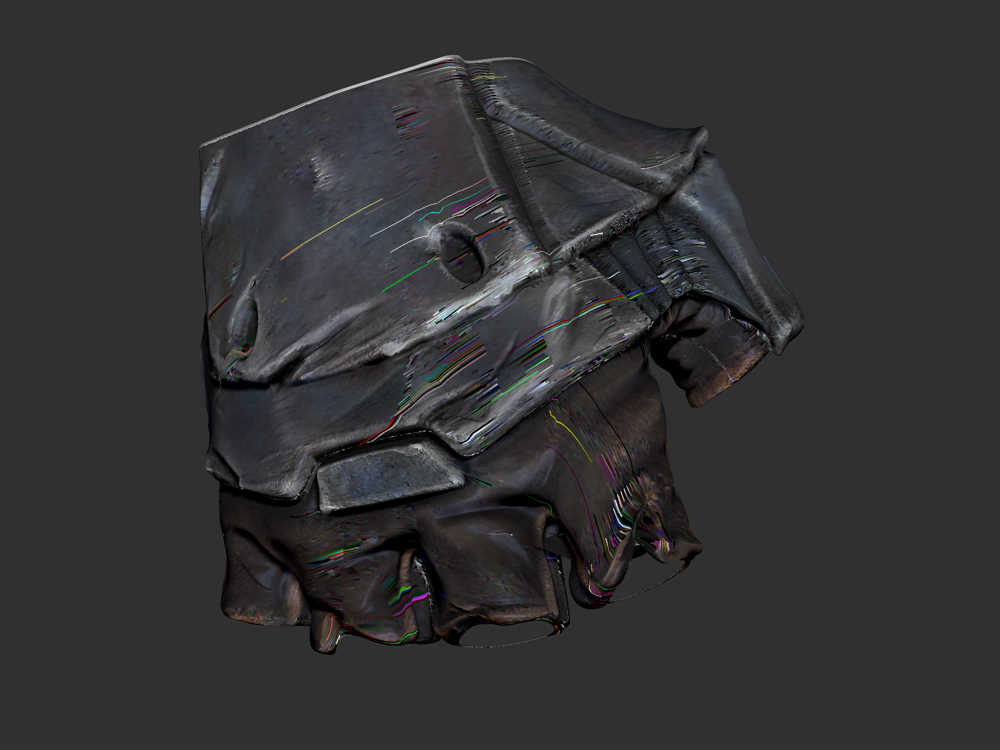
when I convert my polypaint to texture I get a lot of artifacting at any map size generated. I started this model in Zbrush 3.1 but moved to 3.5 for it’s more advanced features and its enhanced renderer that gives better feedback when texturing. I didn’t have any issues transferring polypaint detail to texture in 3.1.

I tried to trouble shoot the issue and found that if I have Zbrush generate Packed uv’s before transferring texture it works like a charm. The only downside to doing that is I’d like to generate my specular and transparency maps by editing the polypaint diffuse maps in Photoshop which would be very diffucult given the way Packed uv’s organizes the pixels. I’d like for the polypaint to texture function to work with my organized uv’s. I checked the uv’s on the model and there is no overlapping or anything that looks like it would cause an issue. I’ve tried this on all subtools in my model and get the same artifacting.

Is there something that I’m missing here or is this a bug? Any ideas for a workaround other than moving back to 3.1?

Attachments
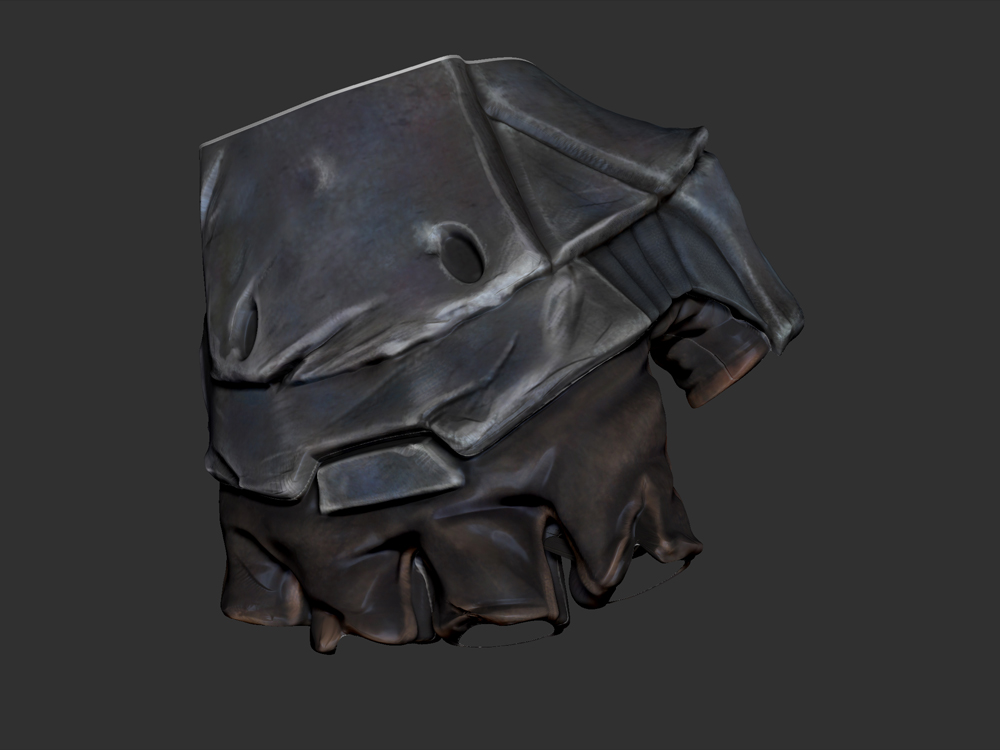
polypaint.jpg

texture.jpg

I have never seen that type of artifact during a col>txr operation.

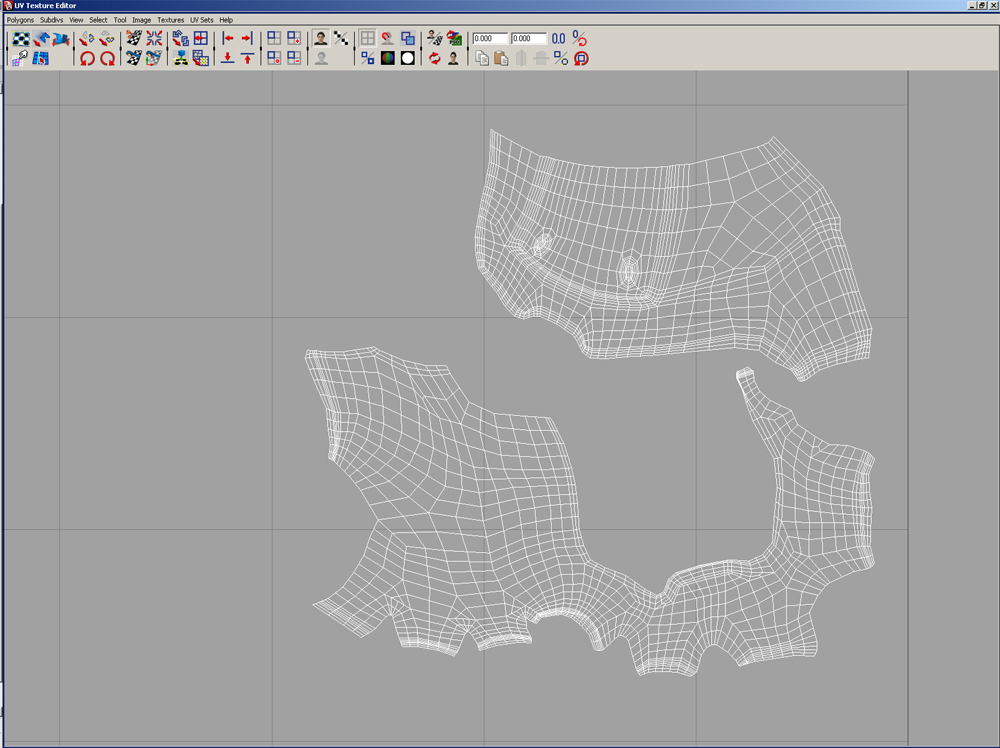
Could you post up the UV layout of the object?

Also, you can try to transfer all of that information inside of 3.1 and see if you receive the same error during the texture bake.

I’ve posted the uv unwrap of the model. I actually started polypainting in 3.1 and didn’t have any issues transferring color to texture. It was only after moving to Zbrush 3.5 did I have problems polypainting. I thought maybe it was an XP compatibility issue or something because I didn’t see anyone else posting this problem. For the sake of troubleshooting I tried the same color>texture on a different computer with Vista - still the same problem. I’ve exported Obj. out of zbrush and reimported directly into Zbrush with the same problem. I also tried changing the uv’s in Maya and Max and bringing back to Zbrush with, again, the same problem.

As a side note, when using the color picker in 3.5 Zbrush immediately crashes on both machines tested. I’m loving all of the new modeling features but this polypainting thing is killing me.

Thanks for getting back to me goast666!

Attachments

Glove_Unwrap.jpg

I’m at a loss. can you post up the .ztl? I can try to take a look at it to see if I get the same errors during map creation.

The artifacts (the straight fine lines) in your 2nd image appeared to me when i tried to generate a dissplacement map in 3.5
I’ve seen such artifacts in photoshop CS4 in winXP 64bit.

I tried to save the ztl. out but couldn’t get it under 3mb. even when I deleted all subdivisions, cut the model in half, and compressed it. the max upload file size is 2mb so I’m afraid the best I can do is post the obj. of my base mesh. I guess polypaint carries a lot of information and inflates the file size.

I’ve tried this on both XP32 and Vista64 machines with the same artifacting. This artifacting happens to all of my subtools on both machines.Again everything is fine if I use Zbrush automapping but then that leaves the map almost impossible to work by hand in PS and I can’t keep my subtools in an organized map. Zbrush does however produce a clean map if I do new from uv map or new from uv check. I don’t see how the original uv’s can be causing the artifacts because the unwrap is clean on all subtools.

Thanks all who have replied

-Vert translator

Attachments

glove_polypaint_test3.zip (30.5 KB)

I have the same artifact…I have no clue what it is, but I hope an answer will be found…:frowning:

Well, I got the same problem, and I found a workaround. It worked for me so I am hoping it will work for you too. I use maya for rendering and UVlayout for my uv creation. I brought in an obj and textured using polypaint. When I converted from polypaint -> to Texture it gave me the lines and artifacts. I thought about it and I tried something that worked for me. Make sure your objects in question have their UVs laid out in the 0 to 1 UV space. I think Zbrush gets confused when you pull in single objects that have their UVs in other UV ranges. My object was in the 2nd quadrant (0,1 - 0,-1) and I got all the artifacts. I changed it so the UVs sat in 0,1 space and it fixed the problem for some reason. Let me know if this worked for you. :slight_smile: Happy texturing!

Works like a charm!
Thanks very much sir!

i had the same problem , on some of the tiles , so after some testing
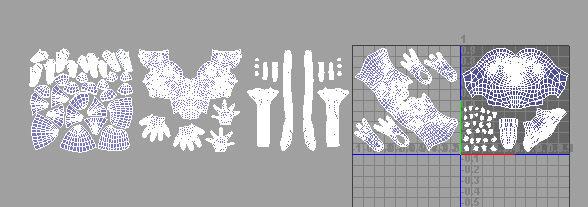
the artifacts only appears on UV that are shifted on the V
so arrange all UV tiles in a horizontal direction , its worked for me
hope that helps , i added image to show u what i mean

Attachments

Tiles.jpg

Interesting, very good to know. thanks!

So you CAN have multiple uv quadrants used for a single mesh then? When i go col>texture it seems to keep wanting to plop my textures from quadrant 2 on top of the texture in quadrant 1 making a giant jumbled mess. Is there a way to work around this??