ZBrushCentral

Polypainting COLORS to TEXTURE, HELP!!!

Hello my name is Angel and I am working on this Statue Model in Zbrush, and I would like to know how can I export the polypaint into a texture so i can import it into 3ds Max, but making it look the same as it does in Zbrush. Everytime I press Colors to texture the texture does not come out the way i want it to look. If anybody has any idea of what i am doing wrong, please let me know, I will really appreciate it! Below are some pictures:

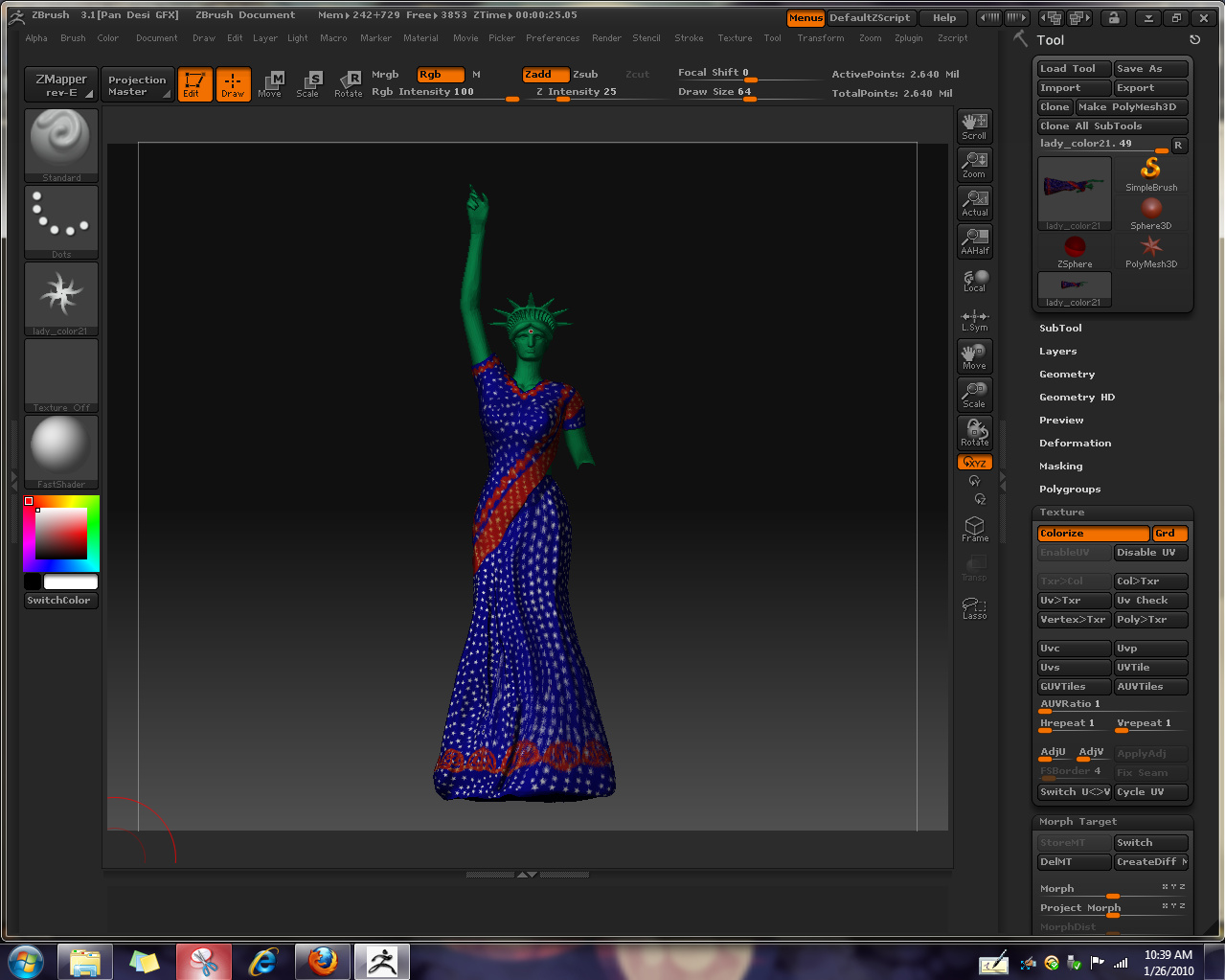
This is how i want it to look:

<img src=“http://www.zbrushcentral.com/pixo/atn.gif”>

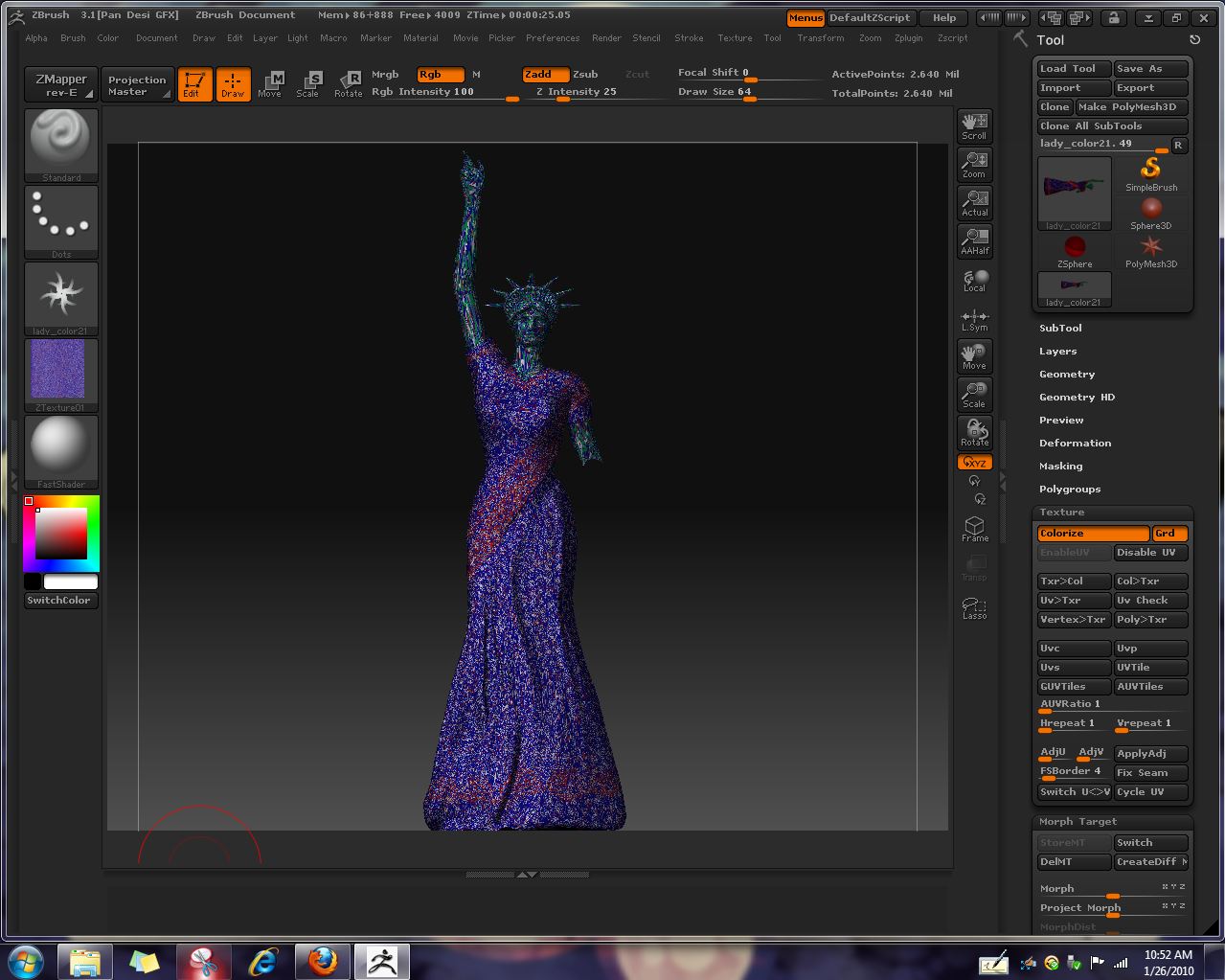
And this is how it turns out when I try to make it into a texture:
<img src=“http://www.zbrushcentral.com/pixo/atn.gif”>

Hmmpff, i am sure i can help you, but without the pictures …

Hey i’m sorry here are the pictures:

This is how i want it to look:

[Liberty.jpg]Liberty2.jpg

Hey i’m sorry here are the pictures:

This is how i want it to look:

Liberty.jpg

As far as i can see, your problem is the UV Map, as the Polypainted texture is stretched out over the entire model and not only the dress.

Just for a test, create a new PUV Map for just the dress within ZB and apply your Polypaint to that. Should be ok.

Espero k te ayuda :wink:

Thanks for your help, but how do you create a new PUV Map just for the dress? I am new to ZB so please bare with me. I really do appreciate your help.

Aaaahhhh i just realized, you are on ZB 3.1. THAT took me a long time :lol:

Now let’s see, go to teh lowest Subdiv, Delete your UVMap, create a new blank texture 2048 x 2048.
Create a new UV map using GUV Tiles, Go back to the highest Subdiv, Create you Texture Map. You should be good by now, the strange artefacting should be gone.
Before exporting the texture, don’t forget to click on Flip V in the texture palette. Export out an obj of your model (whatever Subdiv you want)

Bring it all into Max and be happy :slight_smile:

Oh im sorry, i forgot to state that I am using ZB 3.1, but yeah i made the new texture, and the whole model turned white and then I pressed GUVTiles and its calculating the UV Coordinates, but it’s really taking a long time so I don’t know if its suppose to take that long…?

Hey so I finally Upgraded to ZBrush 3.5 R3, and now I see the PUV Tiles button, but I am still not having any good luck with it :confused:

Hmmm that is weird. Would you mind sending me the model, so i can have a quick look at it? Also is that a ZB model, or has it been done in 3dsmax? I am asking, because it could be that you are experiencing problems with unwelded Vertices.

Yes the model was originally done in 3ds max. Would yu like me to send you the ZTool or the obj or the 3ds max file?

The obj would be fine in order to see how max created that obj. I’ve sent you my email via PM

Hey im sorry for the delay but im trying to figure out how to send you the file since the obj is almost 1gb in size

1 GB??? Man how many Polys are you moving around there???

Seems strange to me, as i can see in your screen caps that you still don’t have enough polys to do a proper polypaint.

Honestly man send me the ZB tool with the lowest subdiv. Delete the higher subdivs, as i don’t care about the detail :wink:

Or the max file if that is smaller.

Ok i sent you the ZB Tool in a compressed zip file

Ok got it. First issue is that you have a model with over 6 million Polys and no Subdivision History. Now your problem is the UV map. When trying on my system to create a UV map from a mesh that heavy, all i get (not surprisingly) is a crash because of insufficient memory.

I can tell that something is wrong with the UV Map just by pressing texture/new from UV Map.

Now if you don’t have an iteration of your model with a subdivision history, or a Base mesh, you should really think about doing a retopo and project the sculpted details as well as the Polypaint onto the new mesh.

With that new mesh you should be able to create a 4k PUV Map and therefore your texture map using new from Polypaint.

Hope that helps.

Also i just checked the Topology of your model. Is that 3D Scan Data? At least on her face it looks like it. That Geometry is basically unsculptable within ZB. Do yourself a favor and Retopo the old lady. It will also increase the quality of your Polypaint

hey thank you so much for taking your time out to help me out with this, I just saw a video tutorial on retopology and I can see what you mean now :slight_smile:
I will get started on working with that. If I create the retopo, will I be able to re-polypaint it after its done and create a texture from the new polypaint with out it looking all wierd?

Hi,

actually you don’t have to do the polypaint again, as the projection feature will also project the Polypaint onto your retopologized model.