Hi,
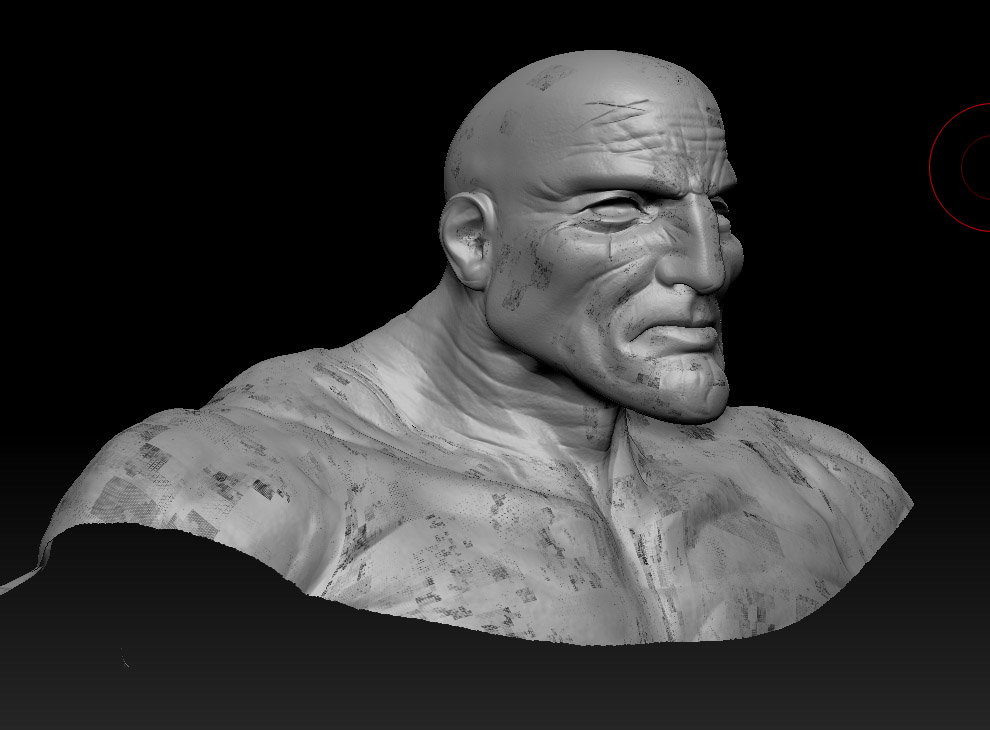
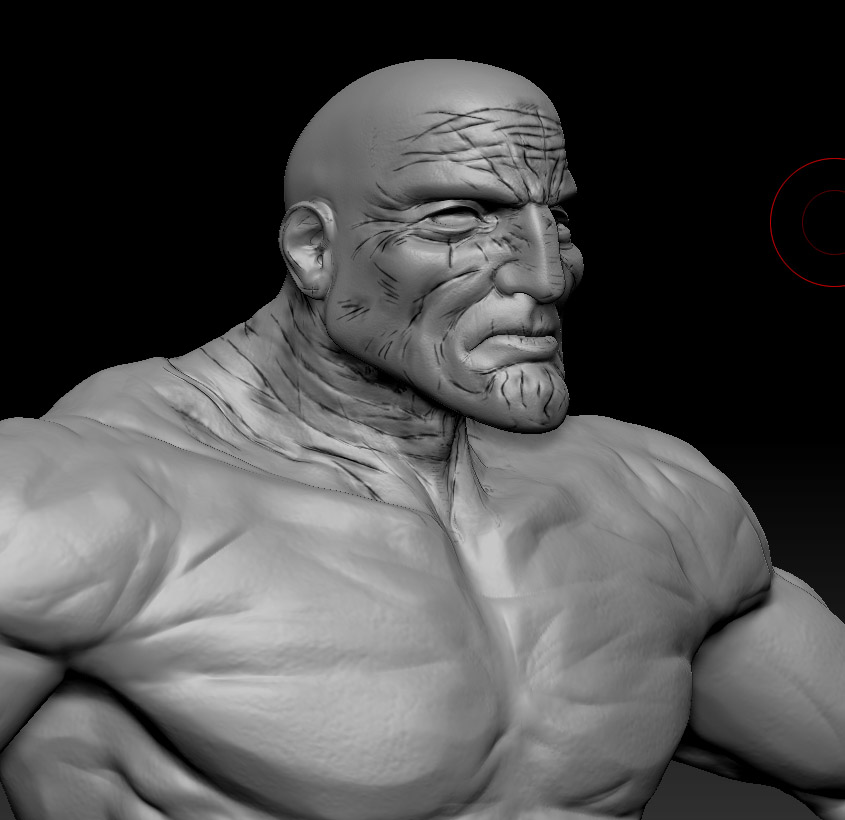
I don’t know if this is an old issue from previous versions, i’ve never tried it, but in ZB4R2, I’m finding that when I try to hide parts of a ztool with colorize ON, the polypaint info gets corrupted.
Since polypaint’s accuracy/quality is tied to mesh density, i’ve subdivided my model to a point where i can polypaint fine lines on the mesh. however, the polycount is such that my system is taxed to the point where i don’t get anywhere near RT feedback from polypaint making it difficult to work. When i try to hide part of the tool to ease system stress, the polypaint info seems to be corrupted in some fashion.
here’s the model fully visible with polypaint info on:
here’s the same model partially hidden. notice the corrupted polypaint data:
has anyone seen this? is it a known issue? anyone know of any work arounds?
Thanks!
-Chan.
Attachments