Has anyone had this distortion appear when activating colorize?
Attachments
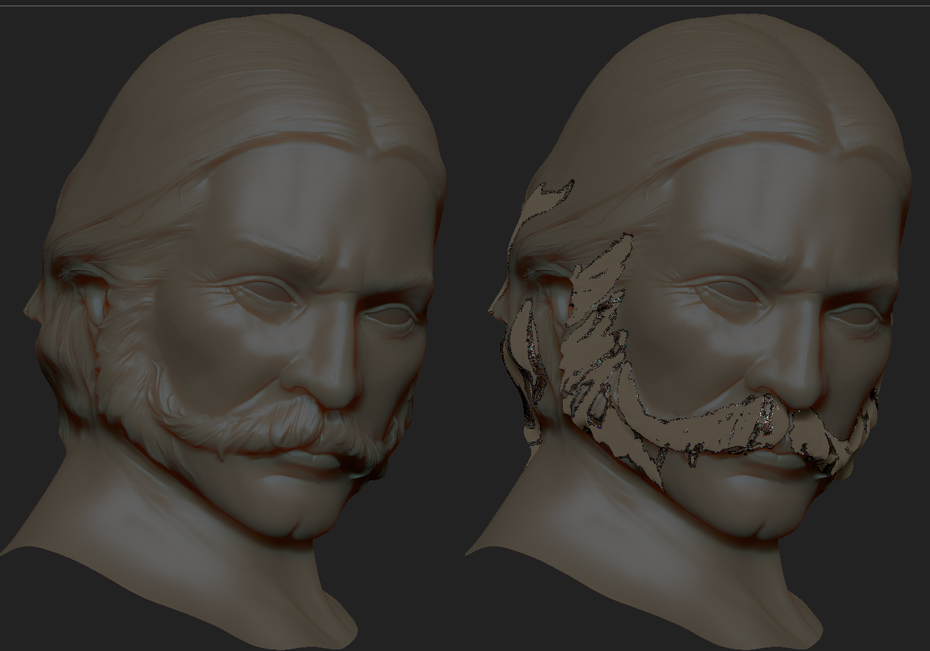
Has anyone had this distortion appear when activating colorize?
It looks like you’re painting a different material onto the model – and a very different one from the base material.
Which version of ZBrush are you using?
I’m using 4R3
simple fix.
select the flat color material
turn on “M”
color.fill object
now select whatever material you would like to view the object as.
Thank you for your help, problem solved.