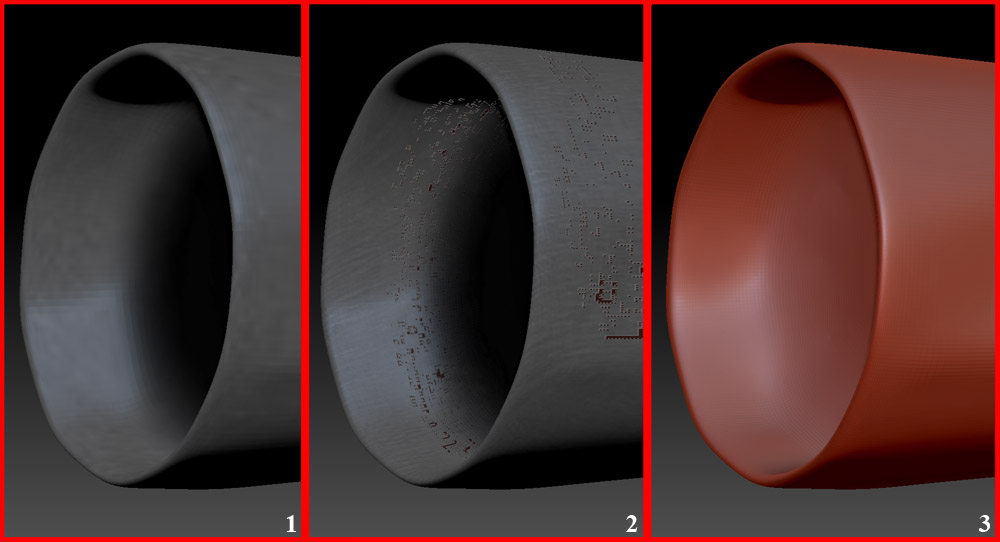
Take a look at the uploaded image. I was painting shadows at a lower sub division ( subD 5 & image 1). After painting I smoothed out the painted textures with the smooth brush. When I step up into higher sub divisions some of the polygons have strange artifacts, (Image 2)… Its just color information, those polygons have no depth to them its still a smooth surface. When I turn off colorize (Image 3) the artifacts are gone… Which is why I’m assuming its a polypaint issue, at first I though the polygons had moved also… I can’t paint out the erroneous color information. Even if I fill the object those polygons retain this bad color information? Maybe its not a bug but either way I’m not sure whats going on . . . Any takers for a solution?
Attachments