ZBrushCentral

Polygroupselection not clean when colorized [answered]

Hi All,

I created polygroups from uv-islands and then filled them with color in polypaint,
but the color is kind of bleeding out of these polygroups later as you can see from my pictures.
Is this some kind of bug in the latest release
or am I missing something here?

Any help would be highly apreciated.

Thank you

Jake

Attachments
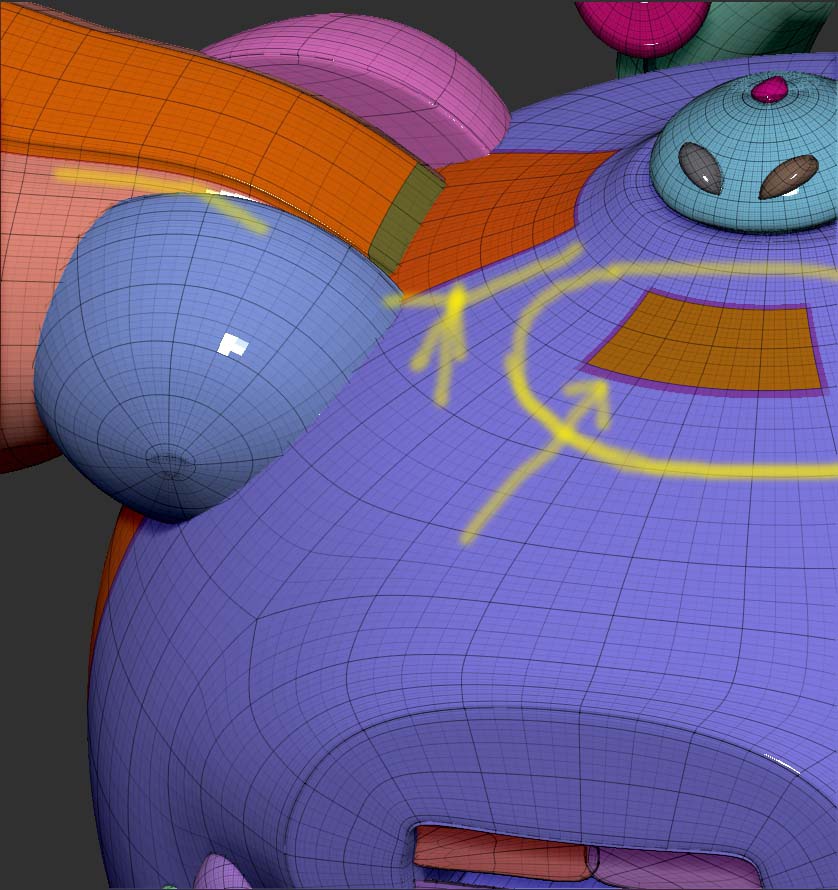
PolygroupStrangeness01.jpg

PolygroupStrangeness02.jpg

Did you try having the main body only visible (purple polygroup) and refilling it with color and material Mrgb on then Color > FillObject?

Yes, I just tried it and then it`s just the other way round “Blurring” inside the red selection.

You can reproduce this easily with a primitive and create an uv-island and then make polygroupselection
and fill it with a color…

Ok, I just tried it. When the subdivision level was low it would be blurred, but when the subdivision levels increased, it would sharpen. The higher the sub-d’s, the sharper.

O.K. so I see.

and that blurring can`t be switched off someplace I suppose?

Is this a new behavior? A friend of mine swears, it used to work different before…

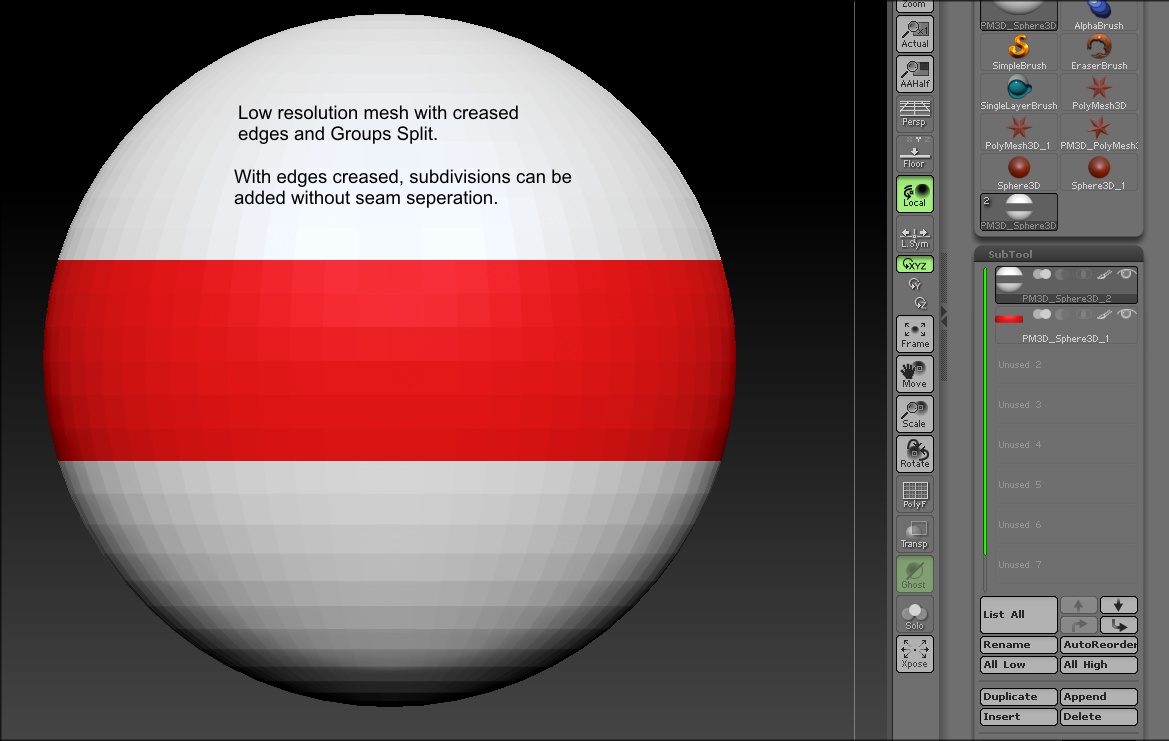
Polypaint is dependant on mesh resolution and doesn’t really see polygoups. The only way around that, that I know of, is to create a texture map and paint the map or do a Groups Split after creasing the edges and then filling the seperate subtools.

new-2.JPG

Hi zbr2,Thanks a Lot for your help.Another workaround could be to mask of the Rest and then just paint the Special Polygroup it Seems?

That won’t work very well either because masks are also dependant on mesh resolution.