Hi everybody.
My problem: I set a polygroup for the nail heads of a treasure chest, but often (not every single time), when I turn the camera or just save the project, that polygroup disappears and its polygons get absorbed by the surrounding polygroup.
As you can see in the attached screenshot, the nail head is part of the green polygroup, where it was previously included in a separate one (yellow colored, if that even matters).
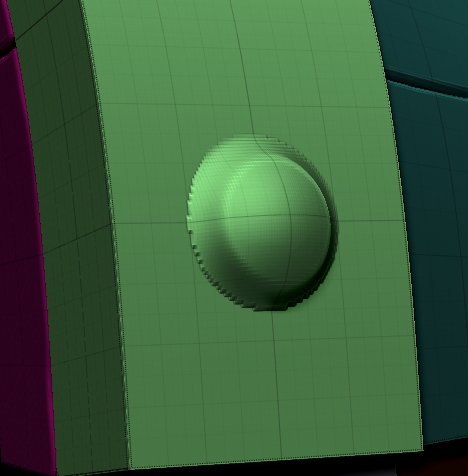
What baffles me is that I don’t have to do anything even remotely destructive, to cause this issue. As I said, just rotating the view is enough, sometimes even just the automatic quick save triggers it (or the manual project save…).
And no other polygroup suffers this issue!!
A quick undo/redo usually takes the polygroup back, but I have no idea what action I’m undoing, other than mask inversion / polygroup from mask.
And that’s when I’m lucky, because sometimes it happens when I’m already some way into sculpting the nail heads or the metal bands they’re sitting on, which involves a bit more undo/redo-ing. =p
At this point I’ve given up and will stay this way until I’ll figure out what goes wrong.
Some help to understand what’s causing it would be very appreciated. =(
Thank you.
PS: I don’t know whether this can be relevant at all, but I made the polygroups at different subdiv levels. The three polygroups you can see (purple, blue, green) were made at the lowest level, while the nail heads one at the highest level.