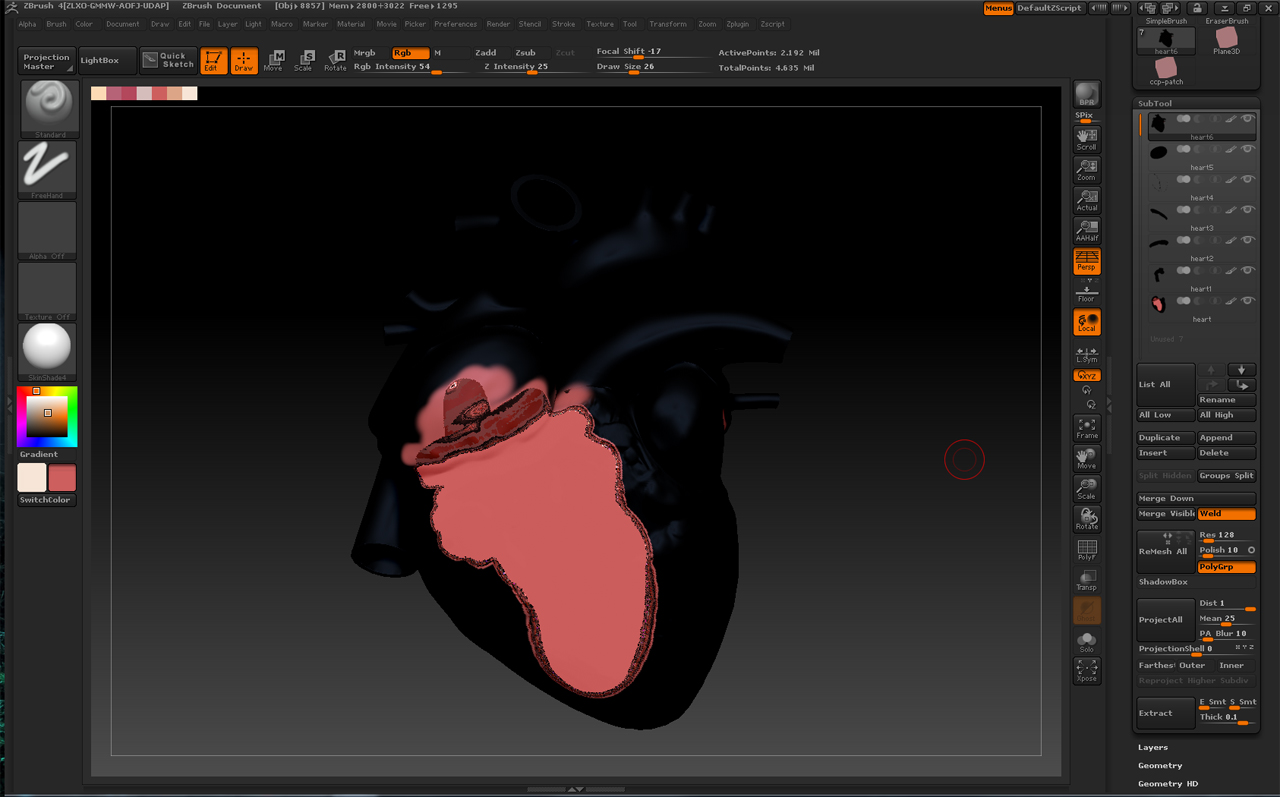
I am currently polypainting a heart model which is a single model made up of multiple polygroups.
I have come across the bug where isolating a polygroup results in the polypaint being distored and artefacted, which is a big problem for me as I need to paint inside the heart. I thought a solution might be to group split in the sub tool palette, although this splits each element into a sub tool, the poly paint is completely messed up.
You can see this in the images below. Does anyone have any other ideas for how I can proceed from here? I need to split the model up and continue with the polypaint.
Attachments