ZBrushCentral

Poly painting textures issues

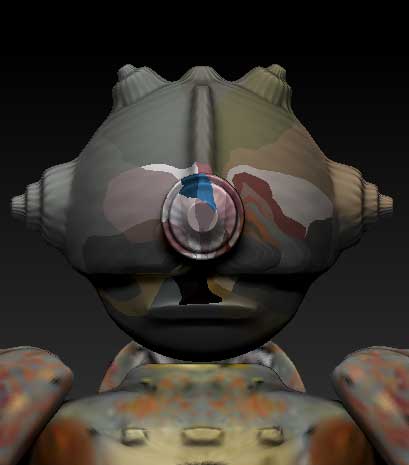
Bit of a noob but I am making a model for UT2004 and have got it working fine just need to get my textures sorted out… I have poly painted my model and have him at 7 divisions. When I try to get a texture from poly paint the body is fine but the head goes screwy. Turning off texture in the Texture pallet shows the poly paint is fine any idea as to how to fix this so I can get a nice texture from my painted model? Really hate to have to uv the head again in maya
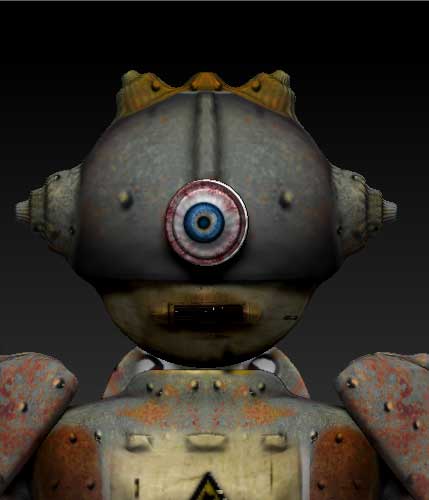
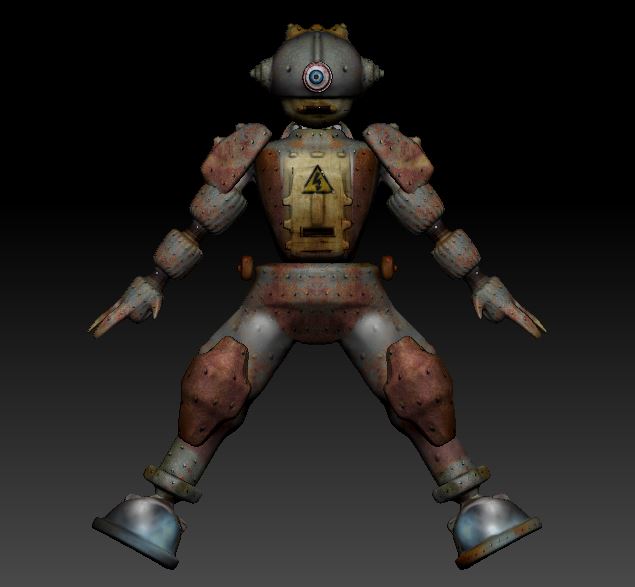
Here are some pics to show what I am talking about pic one the poly painted model look fine, pic 2 when hitting the create new from polly paint. I suspect my uvs are to blame but not sure? :cry:

Attachments

ZBrush-ScreenGrab02.jpg

ZBrush-ScreenGrab01.jpg

utmodel.JPG

Looks like one or more of the UV islands might be touching the border of the UV space. Just scale or move the UV islands in from the border a bit. You can check this in ZBrush by going to “Tool > Texture Map > Create” and clicking “New From UV Check”. If there is any red in the resulting map, then ZBrush dosn’t like your UV’s.

Thank you so much I redid the uvs before your reply and that solved the issue but now I know that it will save me a headache next time it does it. Will posts videos of my model running in the game later love ut2004 :slight_smile:

Got his uvs sorted out now and he is running around in Unreal Tournament 2004, here is a short video of the model in action.
My creation lives! :smiley:
https://www.facebook.com/photo.php?v=10152530275006318&l=1558602923088681763

If any one would like make UT2004 models using maya and zbrush by the way let me know I can pass on what I have gained so far :+1: