ZBrushCentral

pls help : Rough edges problem in displacement map

Hi Everyone,

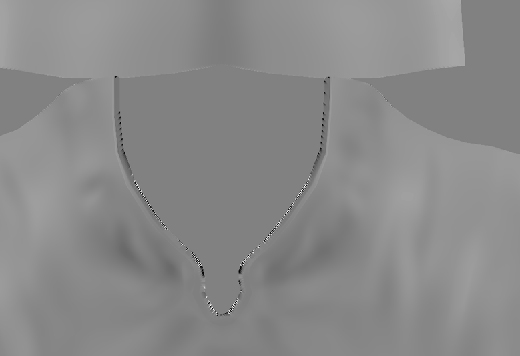
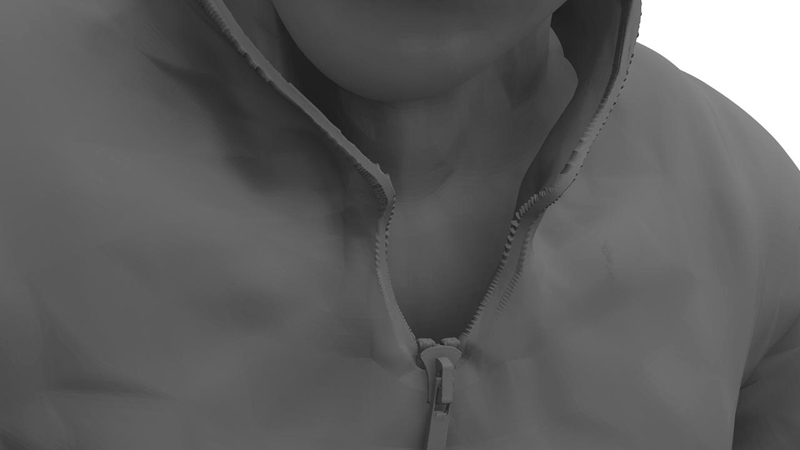
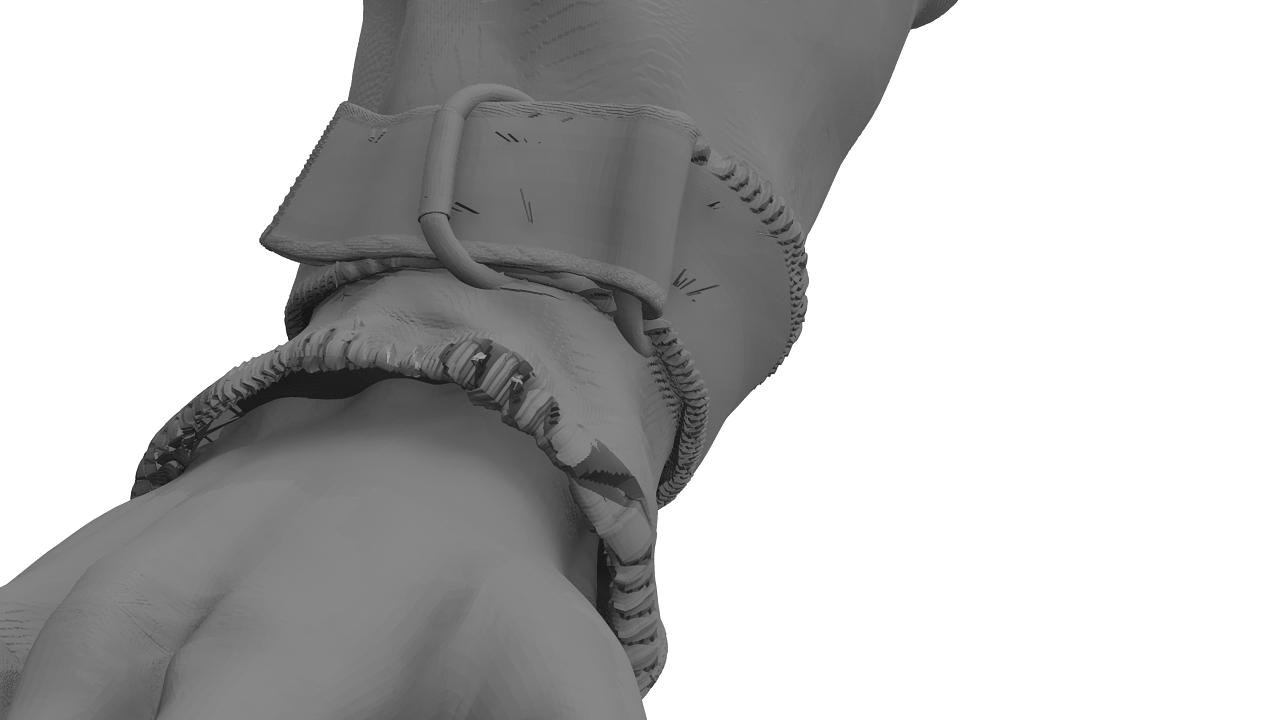
I’m quite new to Zbrush. Sculpting is going OK, but I got some nasty artifacts in my displacement map. Pls see pics in attached files.

I am using Maya 8.5 and Zbrush 3.1. I tried both 16bit & 32 bit disp maps with the usual Zb to Maya method as well as the standard disp map to Alpha exporter ; all result in having rough edges around the UV shells. It appears in the process when ZB creates the disp map ; Maya’s not the issue here.

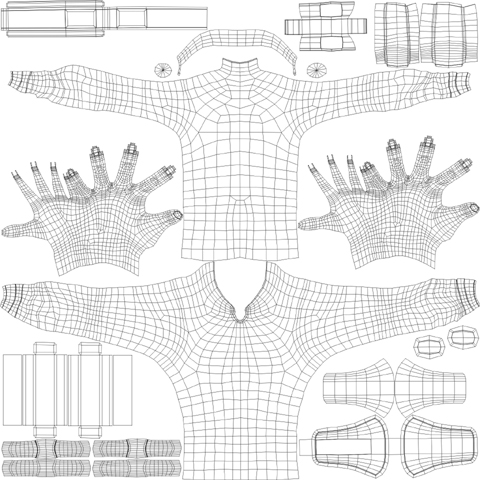
UV check shows nothing particular. All within 0 -1.

Anyone maybe know a solution ? :frowning:

Rough_Edges_01.jpg

Attachments

Rough_Edges_02.jpg

Rough_Edges_03.jpg

Use the Multi Displacement 3 (in the plugin palette) to create your map. Set its Border setting to 0.

Ordinarily, though, those edge issues should not be within the UV’s of the model and so should not appear in your renders. Make sure that you’re not using any texture filtering (such as anti-aliasing or MIP-mapping) on your displacement map in the rendering engine. Also, you might try adjusting the map’s position very slightly in the U and/or V direction.

Hi Aurick,

Thanks for the suggestions… but unfortunately, neither helped. All filtering
is OFF and shifting UVs slightly didn’t help either.

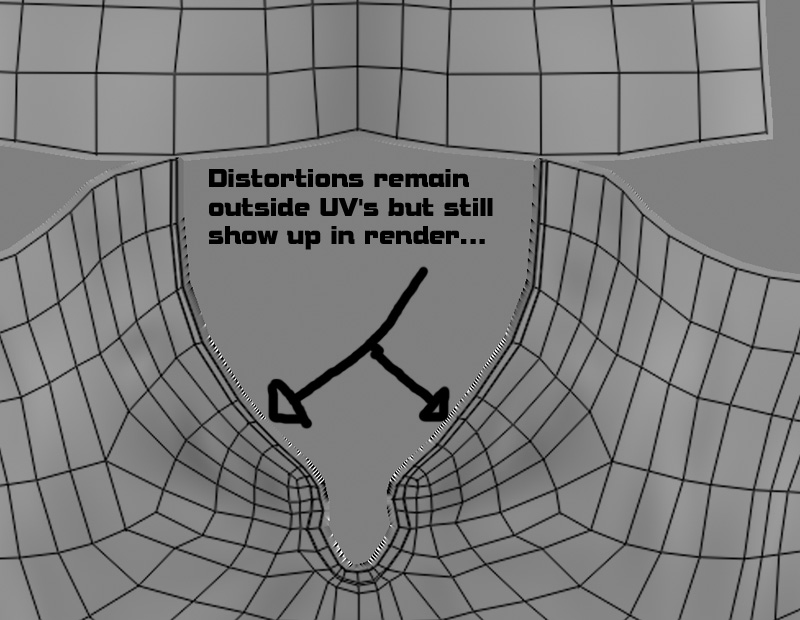
To be sure, I loaded the map into photoshop and lay the UV map
over it, to see whether the distortions overlap the UV’s ; which is not the case as you can see in the new attachment.

However, with rendering I still get these ugly deformations at places where I made pretty sharp bevels, such as the earlier posted collar and now the sleeves.

At this point I kinda feel lost :frowning:

Attachments

Rough_Edges_04.jpg

Rough_Edges_05.jpg

Ok, after some more frustration of not being able to solve the problem directly, I - more or less - found the cause of the issue : I was working on
this other skull model which also has slightly sharp bevels, just like the collar
of my model in the startpost : perhaps it has to do with scaling differences, but either way … Zbrush seems to be very sensitive to that.

So, after a lot of testing ; widening the space between edge loops on that collar ; I have come more or less to a base mesh which doesn’t have the
absurdly portruding artifacts.

This does mean though I have to start all over again ; also with skinning, as my start model was skinned already.

Hope this helps anyone with similar problems.

Maybe you have a problem with the UV tile… I know I had very similar issues.
Try AUV Tiling within ZBrush to see if it’s that.

Thanx for the suggestion, but I started a new one. I mean, even the UV unwrap of my ‘problem mesh’ is correct, within 0 -1. UVcheck, checks OK.

Anyway, can anyone tell me how to make a screenshot with wireframe overlay
in ZB, in order to see if I can possibly spot the issue ? Then I can post it here, so it might help others too.

Anyway, like I said, I started over with a new sculpt…not gonna waste time on solving a weird issue.