ZBrushCentral

Please help with uvmaster

hey peoples, I been having this problem with uvmaster.

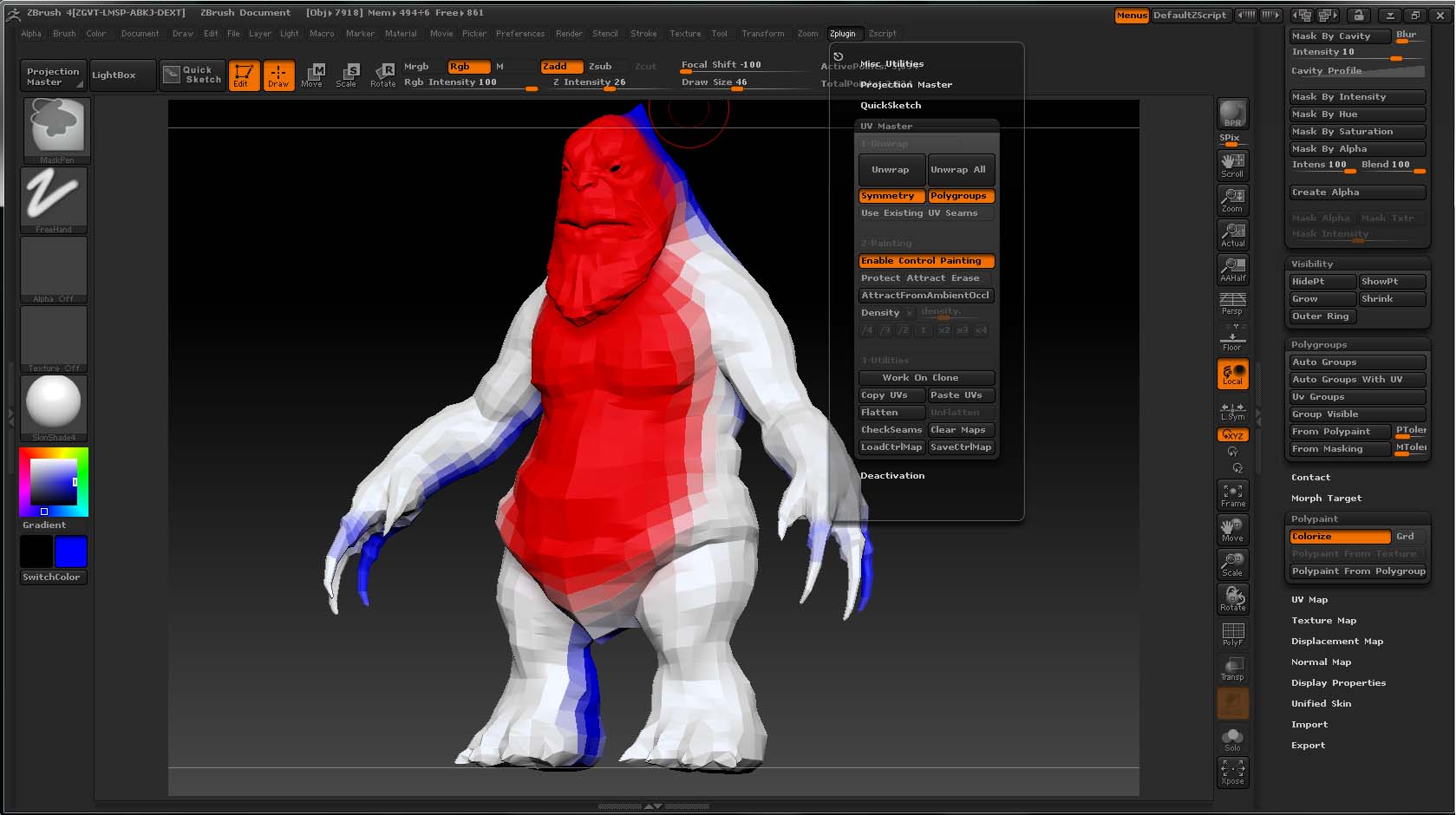
I just installed it and started using for this model that I have been working on for the past few weeks or so. is the body of the model that I split up into a few polygroups and with polygroups selected and control painting being used… it makes unwanted seems.

[Untitled-2.jpg](javascript:zb_insimg(‘186801’,‘Untitled-1.jpg’,1,0))
can someone please help

Attachments

Untitled-1.jpg

1) You’re trying to use control painting to dictate precise seams. This is contrary to how it was designed to be used. See the documentation that is included with the download.

2) Protect painting does not prevent seams if the topology requires them. In this case, it is likely that your attempt to precisely control seam placement is in actuality forcing that seam to appear on the face.

so if that’s the case… should I just get the best map i can get out of zbrush then edit it on max?

would that be the pipeline?

You have multiple options.

One is to paint LARGE areas to protect and attract. If you aren’t happy with the resulting seams you can certainly edit the UV’s in another package and then bring them back into ZBrush. I would still run UV Master again to use your modified UV’s but unwrap with its extremely high quality algorithms. This gives you the precise control you seem to be wanting while still giving very low distortion mapping.

The documentation includes explanations of how to do this.

I guess that you have an unpainted area at the end of the throat. If your protected areas are creating a “loop”, then to unwrap the non painting areas after this loop, UV Master have to create this seam. Just double check your control painting.

It seems to me, that UV Master has no effect on the seams.
The seams with what I get at the beginning, for some reason can
not be changed. No matter what I do with the attract or protect
brushes or tinkering with any buttons in the toolbar. Regardless of
what happens or what I do, the seams stay stuck in there position.

Is there any cure for any of this?

Thanx Crew,

Paul

A screenshot or two would help to understand your problem :slight_smile:

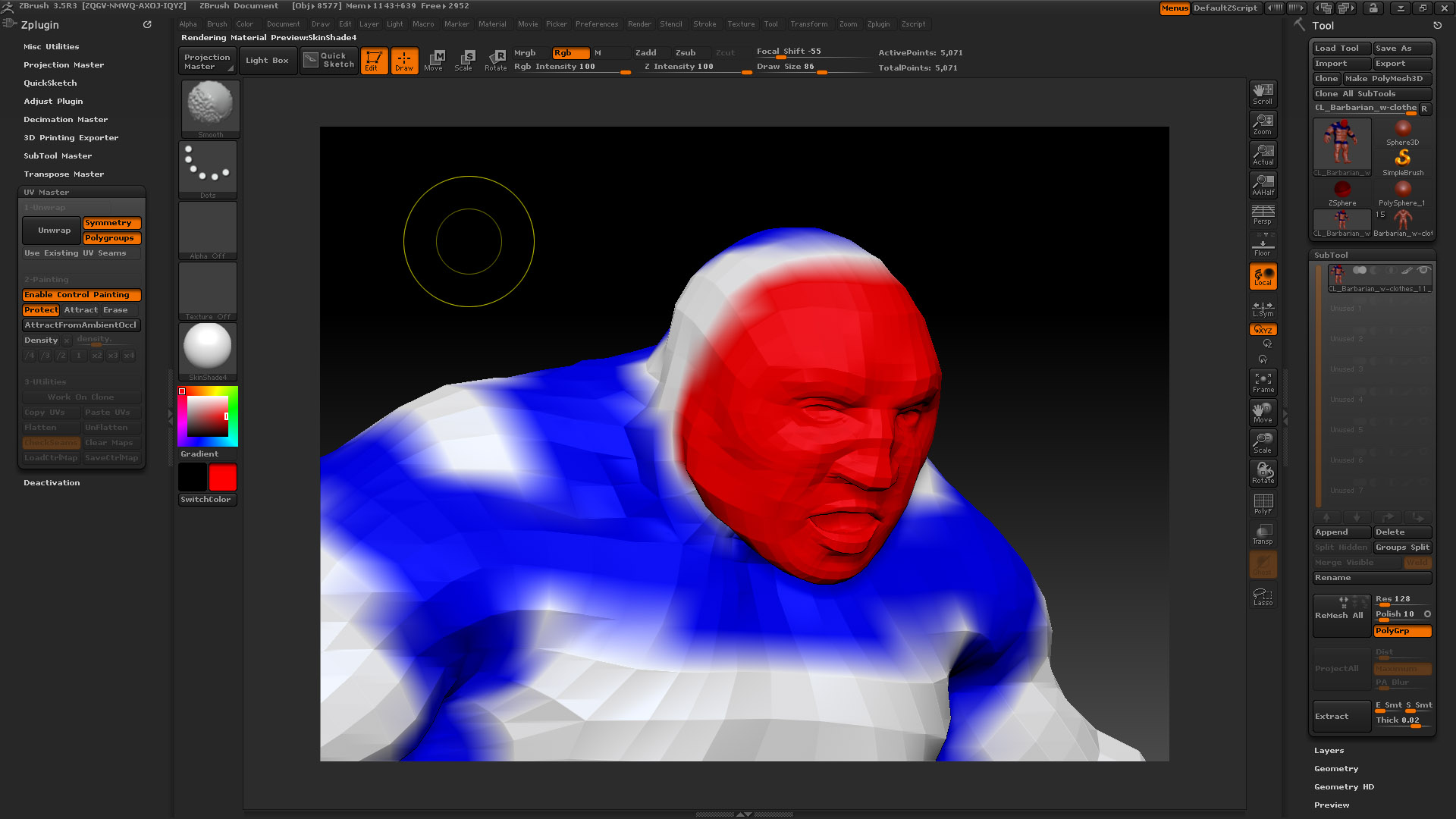
I’m having this problem as well. I’m painting large control areas for protection and areas that will attract seams on my model but nothing happens, I still just get the same UV layout as if I never used the control paint function… Any help is really appreciated, really stuck here and deadline looming… :eek:

Attachments

ZBrushControlPaint.jpg

Do you have holes (I mean tubes) and handles on your model? If yes, the control painting can’t work.

Hi thanks for ur quick response! I’m not sure what ‘handles’ are but no I don’t have any tubes. I just have two holes where the eyes are and that’s it. Confused…

Check the UV Master documentation to see what are handles and holes :slight_smile:

Then it should work. Please, open a ticket to our support center, add your “work on clone” model from UV Master (do an Tool >> Export and choose GoZ complete binary file format) as an attachement and request to have your ticket assigned to Thomas (me).

Don’t expect a quick reply as we are all busy with the release of R2 :slight_smile:

Hey,

I plugged up the eye holes in Max and it made a difference, I was able to progress with the uv’s although the control paint function still doesn’t seem to work for me anything like as smooth as it does on the Zbrush classroom videos… Anyway, I was able to crack on, so thanks for your advice! :smiley: